Replace ear tips
How to replace ear tips
Please consider the noise reduction eect and comfort level to replace the tips:
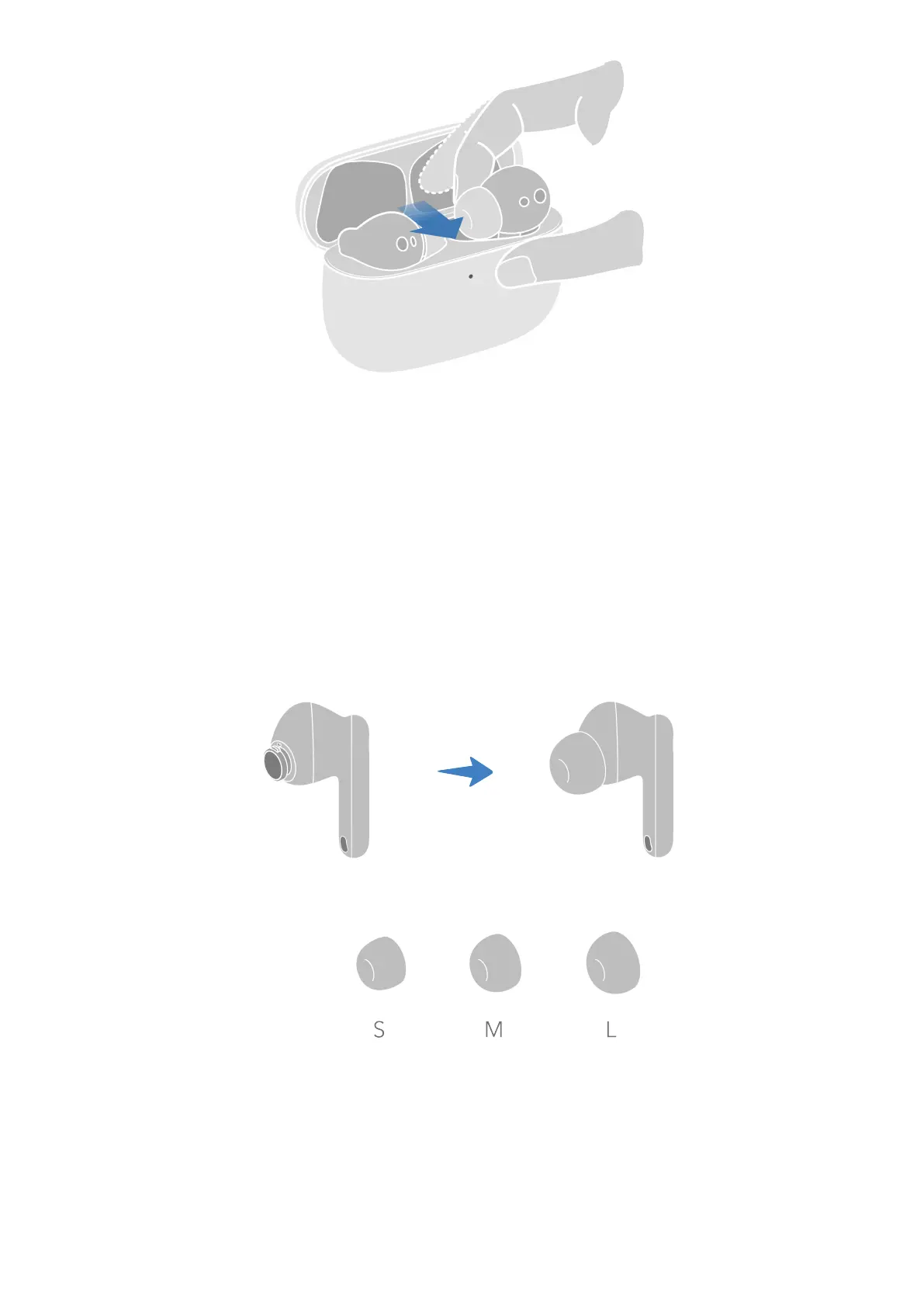
1 Pinch the earbud and the tip with your left and right hand respectively, gently remove the
ear tip from the earbud.
2 Clean the dust and earwax from the mesh using a cotton swab or a soft brush.
3 Align the concave of the ear tip with the microphone nozzle and push rmly in the
direction shown below.
Charge
Charge the charging case
Use the USB-C charging cable to charge the case, or place the case on a compatible wireless
charger with the indicator light facing up.
Know the earbuds
3


 To Next Page