9
Getting started
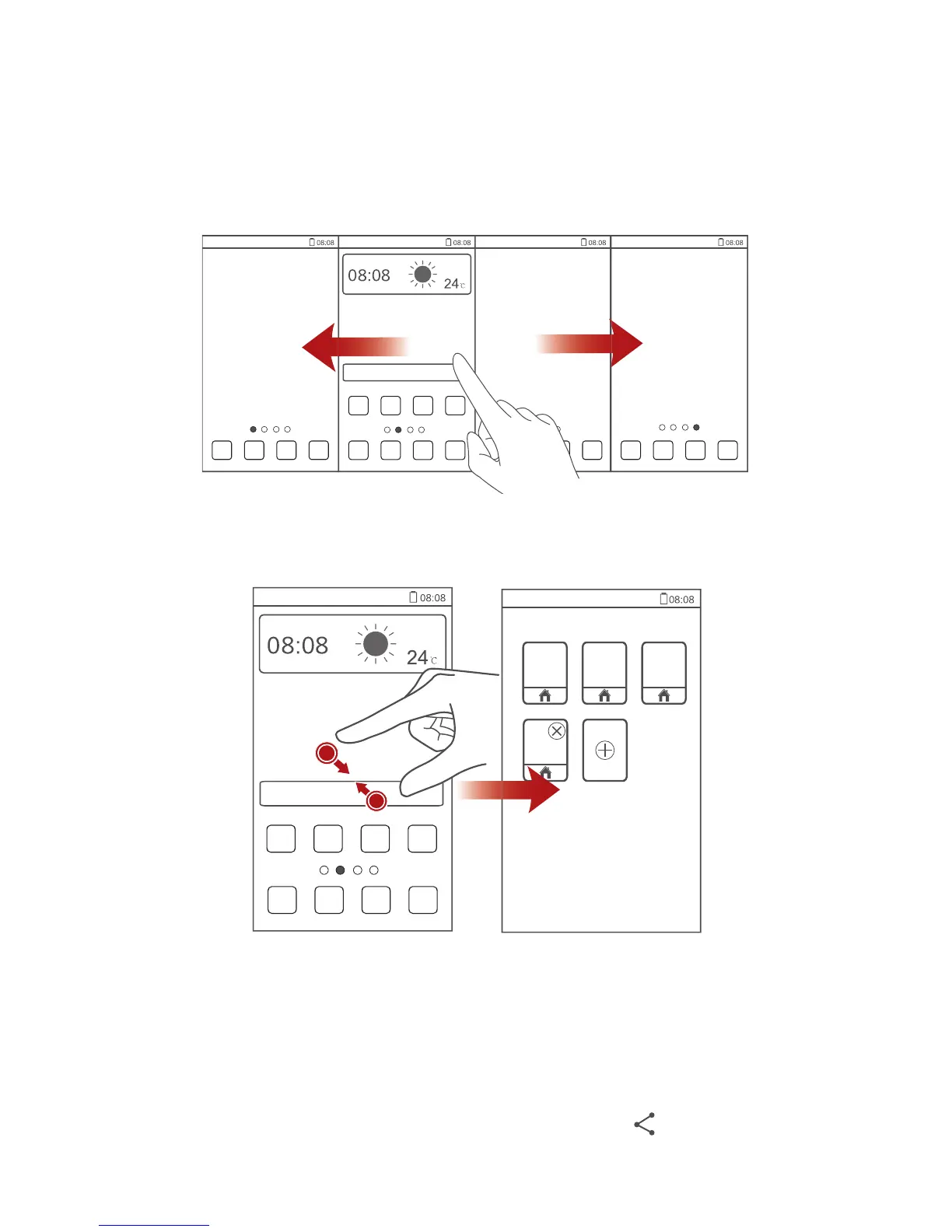
Switching between home screens
Running out of space on the home screen? Not to worry. Your phone lets you
create more home screens for various applications and widgets.
•
Flick left and right across the screen to switch between the home screens.
•
Pinch two fingers together to display the home screen thumbnails. Touch
a thumbnail to enter that particular home screen.
Taking a screenshot
Want to share an interesting scene in a movie or show off your new high score
in a game? Take a screenshot and share away.
Press the power and volume down buttons simultaneously to take a
screenshot. Then, open the notification panel and touch to share the



 To Next Page