Multimedia
36
Multimedia
Camera
Your phone supports a variety of capture scenarios, such as scenery, portrait,
and dynamic. It also supports smart, beauty, panoramic, sound
&
shot, and
audio control capture modes.
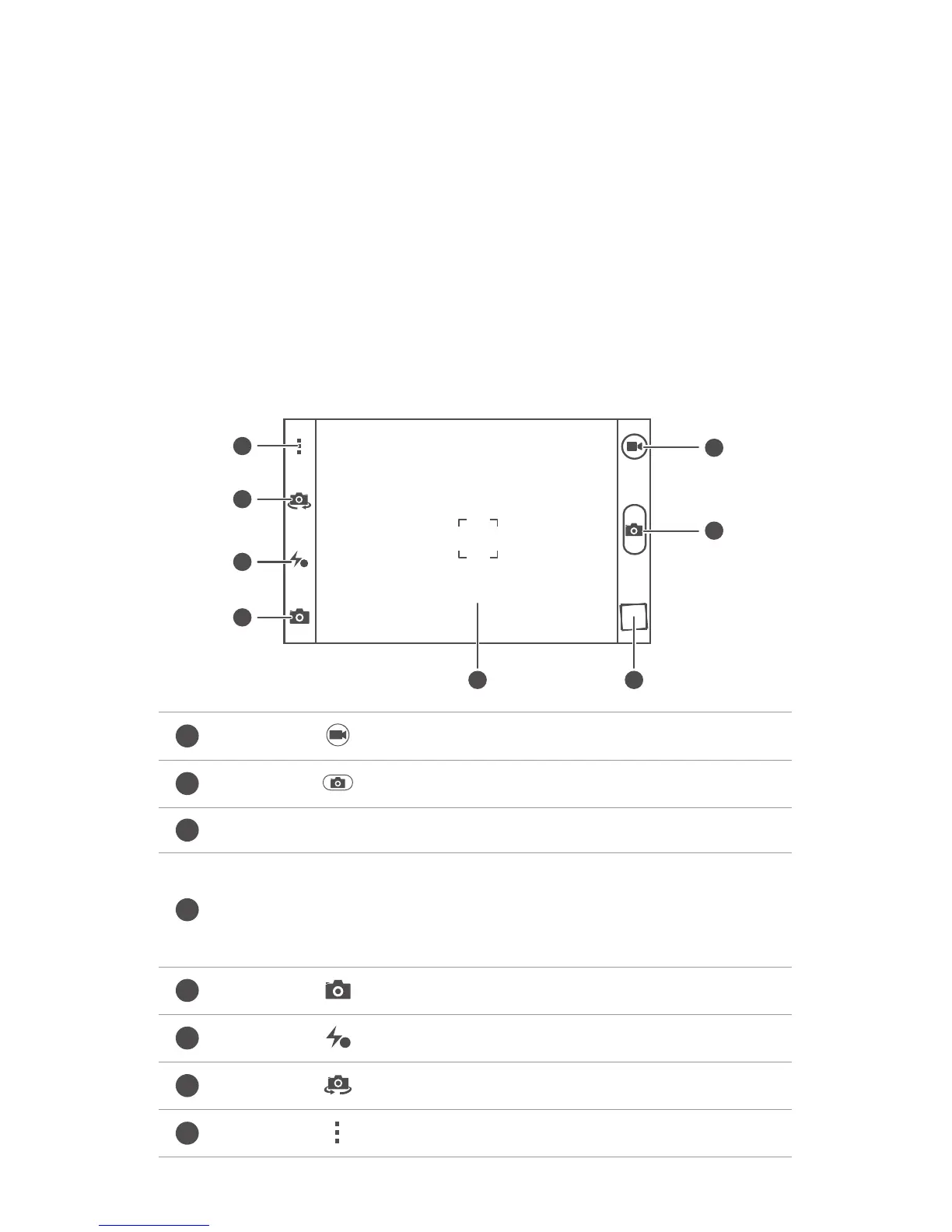
Capture screen
Touch to switch to video mode.
Touch to switch to photo mode.
Touch the thumbnail to view your photos and videos.
•
Touch an object on the viewfinder to focus the camera on it.
•
Spread two fingers apart to zoom in or pinch them together to
zoom out.
Touch to select a capture mode.
Touch to set the flashlight mode.
Touch to switch between the rear and front cameras.
Touch for more options.



 To Next Page