Button functions during a workout
Operation Function
Press the Up button Lock/unlock, mute, or end workout.
Press the Down button Switch screen.
Press and hold the Up
button
Finish the workout.
Charging your watch
Charging
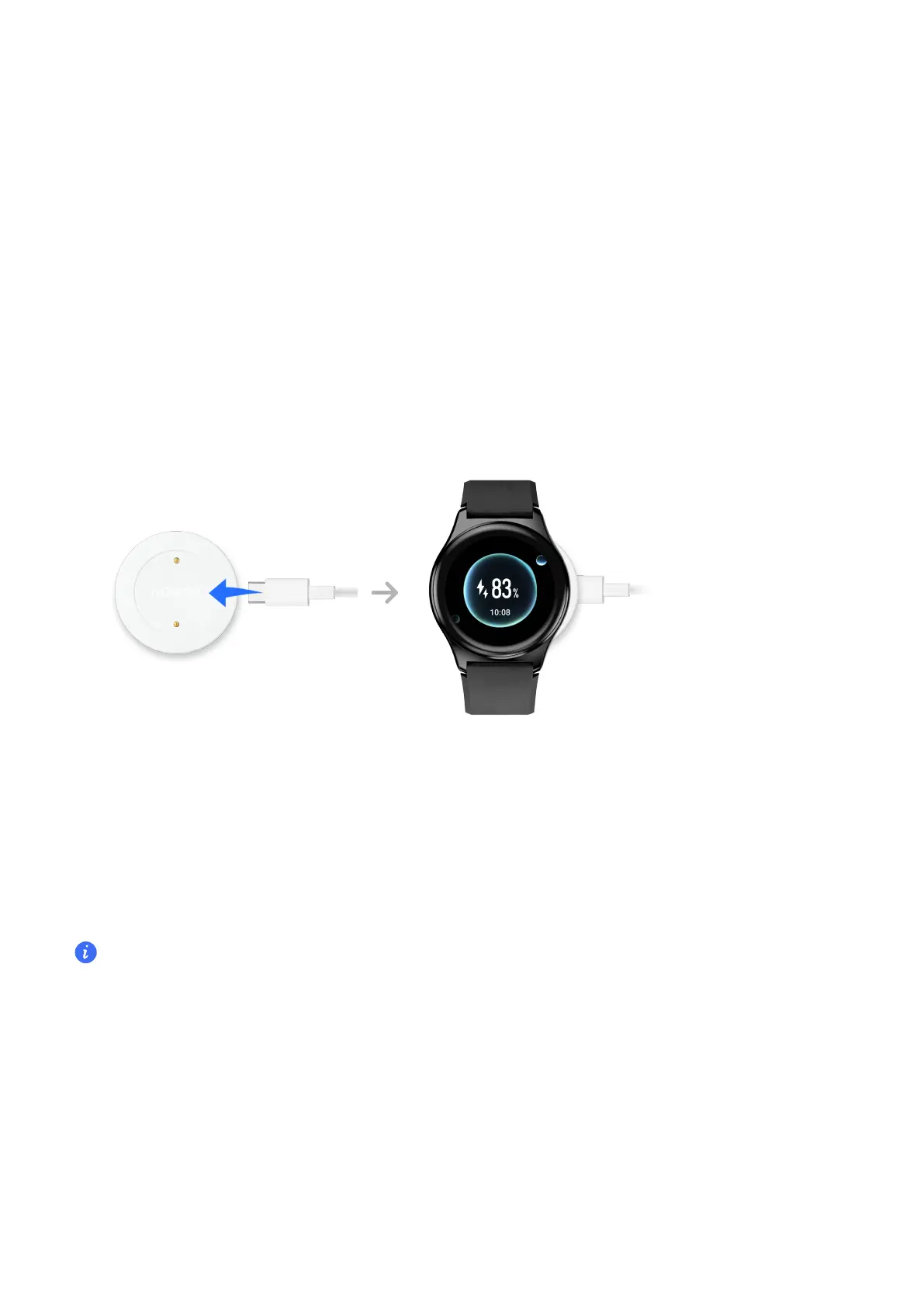
1 Connect the USB Type-C port and power adapter and then plug in the power adapter.
2 Rest your watch on top of the charging cradle, ensuring that the contacts on your watch
and the cradle are aligned. Wait until the charging icon appears on your watch screen.
•
You are advised to use a Honor charger or a non-Honor charger that complies with
corresponding regional or national laws and regulations as well as regional and international
safety standards to charge your watch. Other chargers and power banks that do not meet
corresponding safety standards may cause issues such as slow charging and overheating.
Exercise caution when using them. It is recommended that you purchase a Honor power
adapter from an ocial Honor sales outlet.
•
Keep the charging port dry and clean to prevent short circuits or other risks.
Checking the Battery Level
Method 1: Swipe down from the top of the home screen to check the battery level.
Getting Started
4



 To Next Page