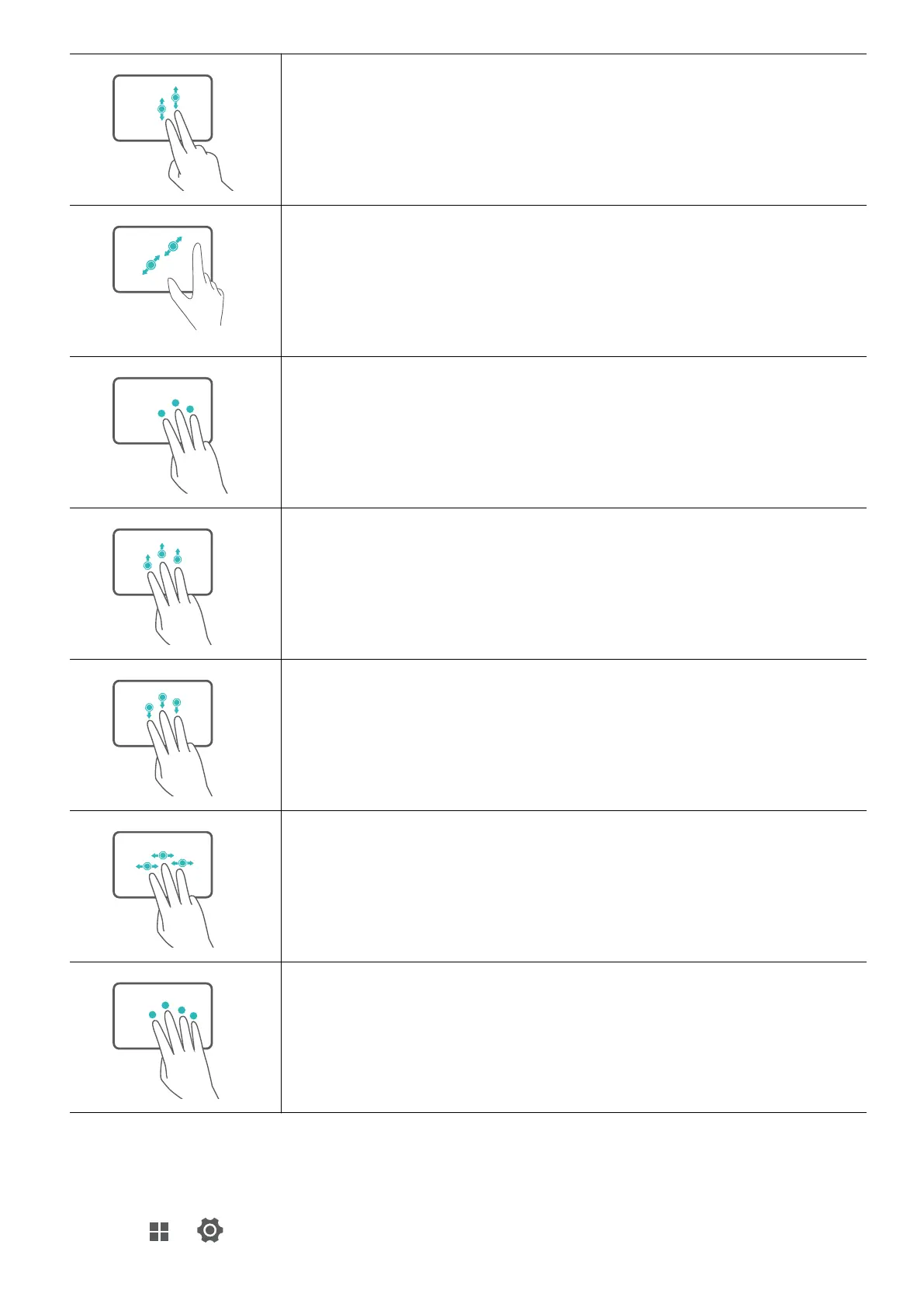
Slide up or down with two fingers: Scroll up or down.
Pinch in or stretch out with two fingers: Zoom in or out.
Tap with three fingers: Open search.
Slide up with three fingers: See all open windows.
Slide down with three fingers: Show the desktop.
Slide left or right with three fingers: Switch between open windows.
Tap with four fingers: Open notification center.
Modify touchpad settings
You can modify touchpad settings to suit your own preferences.
1 Click
> to open Settings.
Get to know your computer
6


 To Next Page