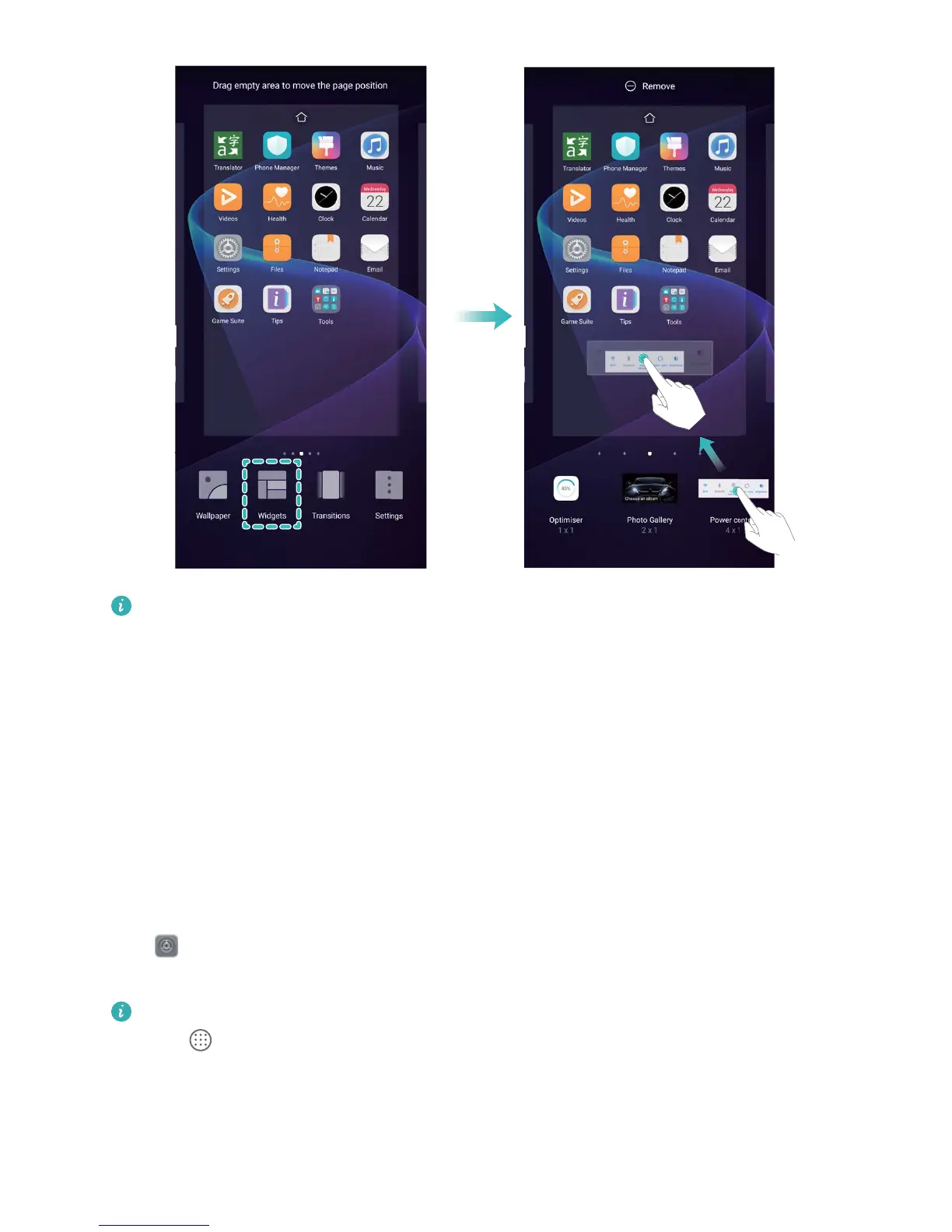
Check that there is enough empty space on the home screen to put the widget. If there is not
enough space, add another home screen page or free up some space on the current home screen
page.
Delete widgets: Touch and hold a widget on the home screen until your Phone vibrates. Drag the
widget to Remove at the top of the screen.
Move widgets: Touch and hold a widget on the main screen until your Phone vibrates, then drag the
widget to any position on the main screen.
Use App Drawer to Store Apps
Want to store your apps in one location on your home screen to give your home screen a neater look?
You can enable the app drawer on your home screen to store all your apps and free up space on your
home screen.
Open Settings, go to Display > Home screen style, and select Drawer. If you want to switch
back to a standard home screen, select Standard.
Add an app icon from the app drawer to the home screen
: After you enable the app drawer,
touch on the home screen to enter the app list. From the app list, touch and hold the app
icon that you want to add and drag it to any position on the home screen.
Home Screen
30



 To Next Page