Camera
Basic Camera Functions
Using Basic Camera Functions
Learn about the basic camera functions to help you take better photos.
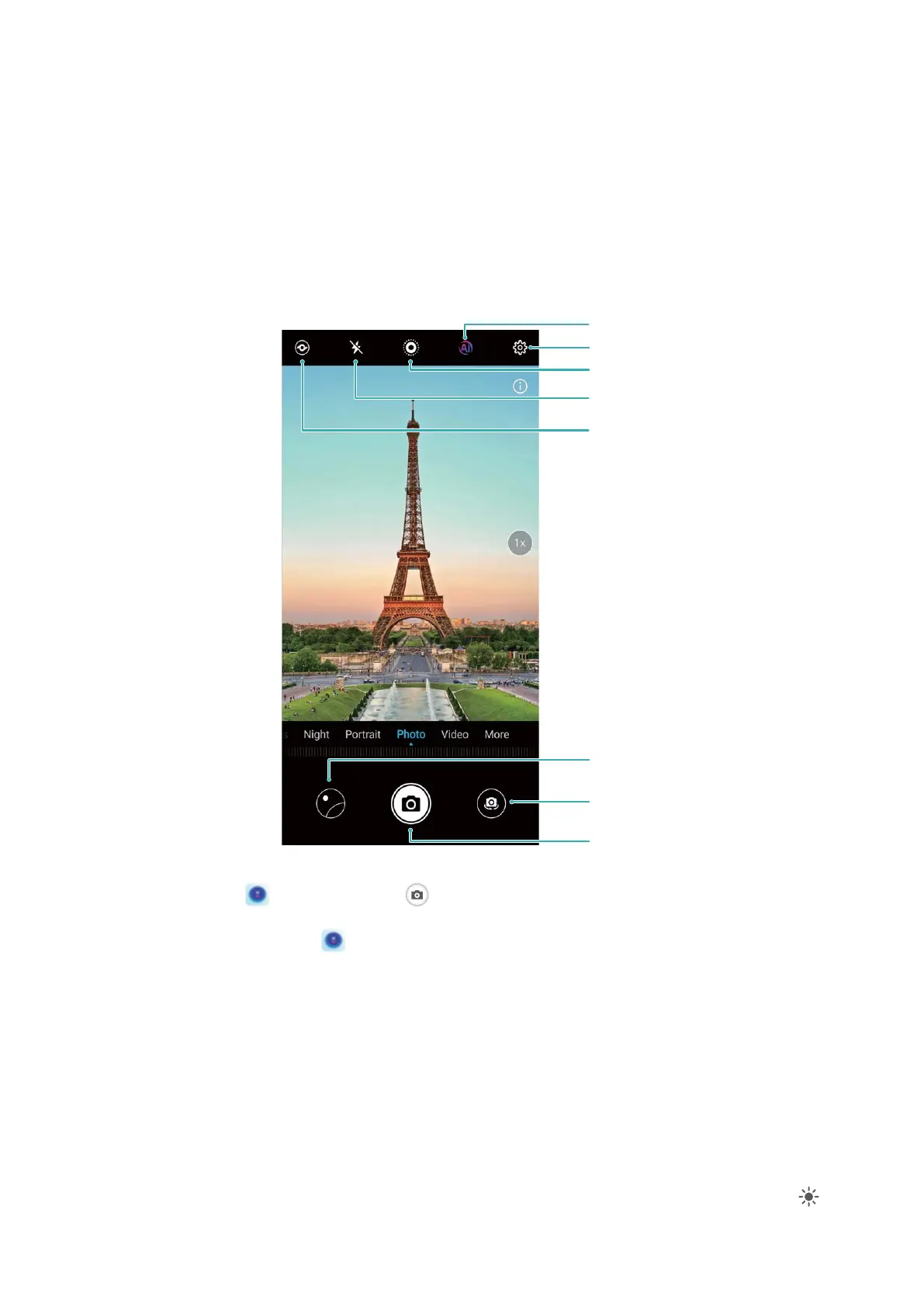
6HWIODVKPRGH
9LHZSKRWRVRUYLGHRV\RXYHWDNHQ
6ZLWFKEHWZHHQWKHIURQWDQG
UHDUFDPHUDV
7DNHDSKRWR
2SHQ&DPHUDVHWWLQJV
(QDEOH0RYLQJSLFWXUH
(QDEOH$,SKRWRJUDSK\
(QDEOH+L9LVLRQ
Take a photo: Open Camera. Touch or press the Volume down button.
Select a camera mode: Open Camera, choose a shooting mode located just above the shutter
button on the viewnder.
Adjust the focal length: On the viewnder, spread two ngers to zoom in, or pinch them together
to zoom out. When the distance between your phone and subject is greater than the focal length of
the optical zoom, the photo quality decreases. Once you have begun zooming in and out, a slider will
appear on the side of the screen, which you can also use to zoom in or out.
Adjust the exposure: The camera automatically adjusts the exposure according to the ambient light
for the best effect, even under extremely strong or dim lighting conditions. The larger the exposure,
the brighter the picture. To manually adjust the exposure, touch the
viewnder and slide the next
to the focus.
44



 To Next Page