Calendar
Use Calendar to Manage My Schedule
Want to bring order to your busy life? Try using the app Calendar on your Huawei Phone to manage
your daily life.
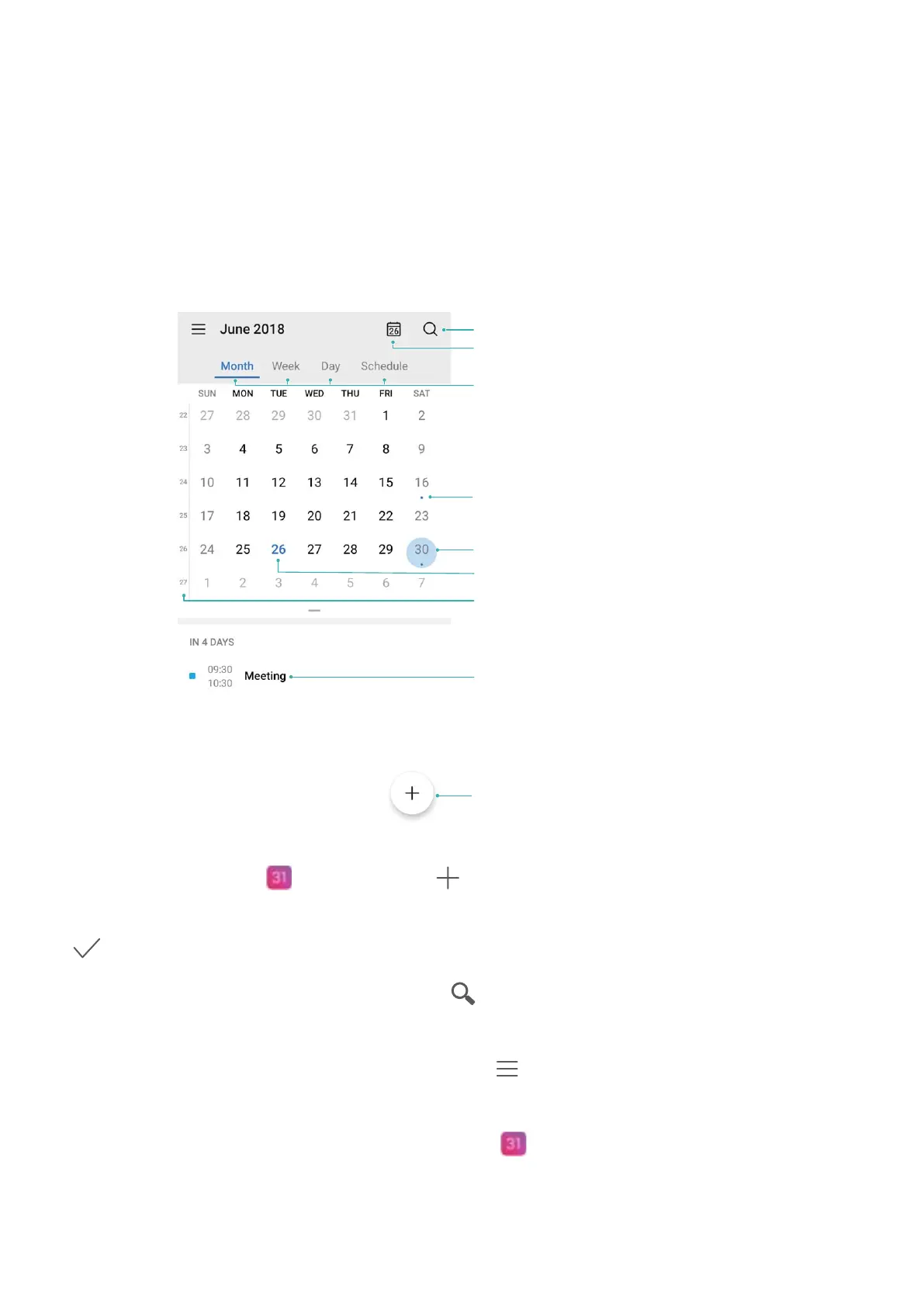
View today
Search event
Week no.
Today
View event(s) on the day selected
Event available
Event(s) on the day selected
Switch view
Add event
Create an event: Open Calendar, touch , and enter your event information including title,
location, and start and end times. Go to Add reminder to add a reminder for your event, then touch
.
Search events: On the Calendar screen, touch
and enter the event keywords, such as title or
location.
Congure Calendar: On the Calendar screen, go to > Settings to customize calendar view and
reminders.
Check the exact location of the destination: Open Calendar. From the image or calendar,
touch the event (destination already set) to view the exact location information.
68



 To Next Page