Get Familiar
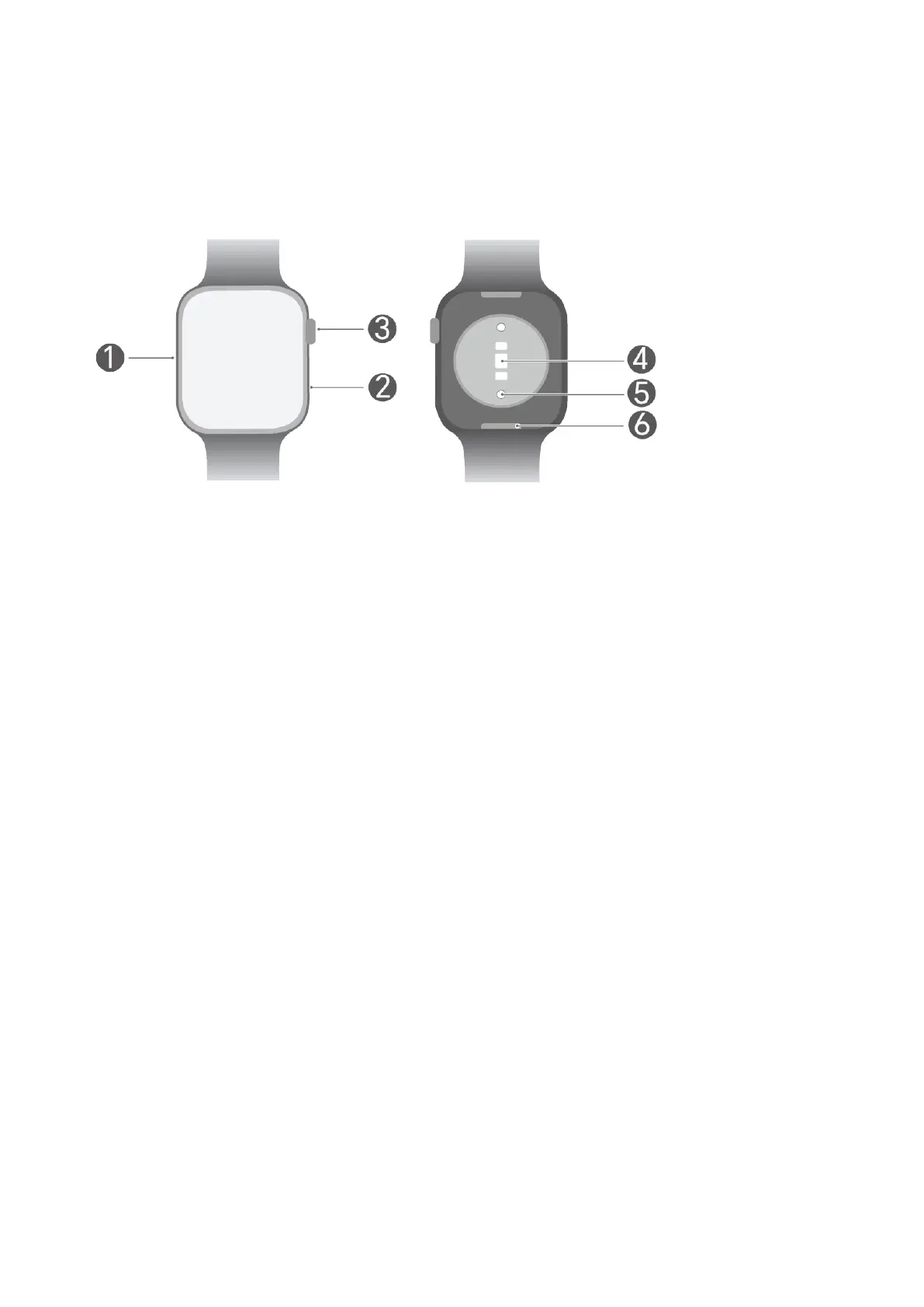
Getting to know your watch
Number Describe
1 Microphone
2 Speaker
3 Button
4 rate sensor
5 Charging
6 Quick release button
Wearing Device Properly
Before putting on your watch, make sure the back of the watch is clean and Adjust the
strap so the watch sits snugly yet on your wrist. Avoid placing any or cover
on the back of the watch. can obstruct the sensors, leading to inaccurate or failed
recordings of vital monitoring data like rate, blood oxygen levels, and sleep patterns.
1



 To Next Page