Security Solutions Partner
38
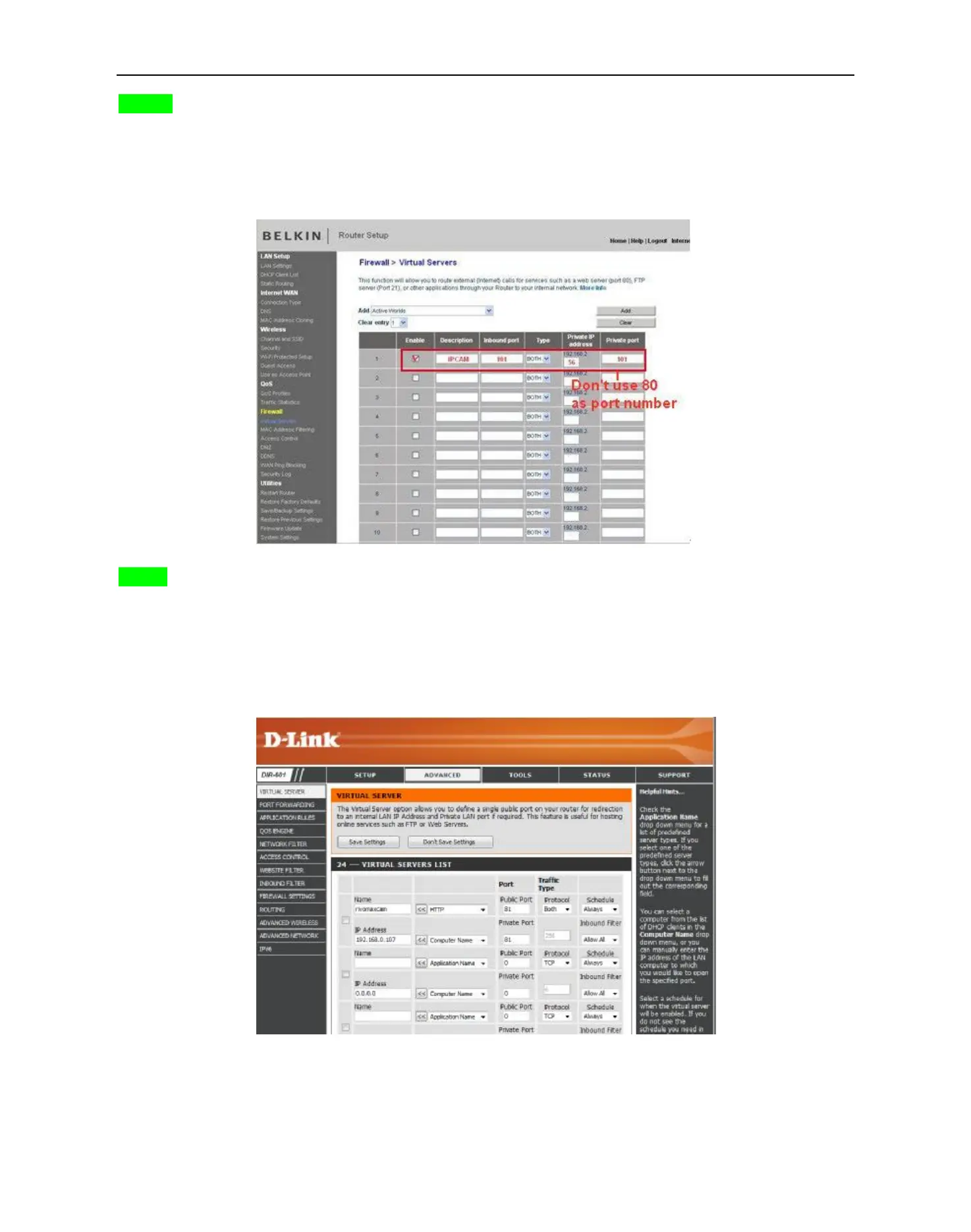
BELKIN:
1. Login the router.
2. Choose “Firewall”, select “Virtual Servers”
3. Input the port (except 80) and IP address, then click save.
NOTE: The port and IP address should be the same as Camera.
Figure 7.6
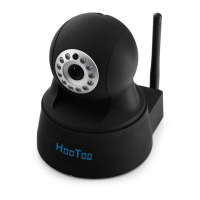
DLINK:
1. Login the router.
2. Choose “Advanced”, select “Virtual Servers”
3. Input the port, IP address, Protocol, then click save.
NOTE: The “public port” & “private port” should be the same as camera’s port, choose the protocol to be
“both”.
Figure 7.7
After all these 4 steps done, then you can use the DDNS freely, check the DDNS status from the camera as
shown below, and get the link of DDNS for internet view.


 To Next Page