EasyManua.ls Logo

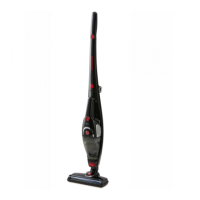
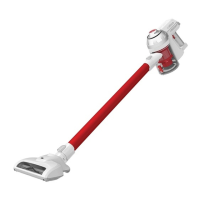
Hoover 5221 ULTRA LIGHT - User Manual

Hoover 5221 ULTRA LIGHT
16 pages
Print Icon
To Next Page IconTo Next Page
Loading...
Ultra Lightweight
Lithium Performance

Questions and Answers

  • E
    Edwin PalmerAug 2, 2025
    Why does my Hoover Vacuum Cleaner have reduced suction?
    • I
      icummingsAug 2, 2025
      Reduced suction in your Hoover Vacuum Cleaner can be due to several reasons: * The dust canister might be full, so empty it. * The filter could be blocked; clean or replace it. * There might be a blockage in the airway, so clear it.
  • B
    bstevensAug 10, 2025
    What to do if my Hoover 5221 ULTRA LIGHT has insufficient application time after charging?
    • J
      Jeffrey CunninghamAug 11, 2025
      If your Hoover Vacuum Cleaner has insufficient application time after charging, it could be due to: 1. Insufficient charging time: Fully charge the battery according to the instructions. 2. Normal discharge reduction in the battery: Purchase a new battery.
  • K
    Kathleen SmithAug 21, 2025
    What to do if the charging indicator light fails to turn red during charging of my Hoover 5221 ULTRA LIGHT?
    • N
      Nicholas WalkerAug 21, 2025
      If the charging indicator light doesn't turn red when charging your Hoover Vacuum Cleaner, it might be because: * The cleaner is not fully inserted into the charger. Remove and reinsert it. * The charger is not connected to mains power. Connect the charger to the mains power.

Summary

Before You Begin

Precautionary Measures

Important safety guidelines to follow before operating the cleaner to prevent hazards and ensure safe usage.

Safety Precautions & Warnings

Battery Use and Care

Assembly

Installing the Battery

Instructions for aligning and inserting the battery into the machine body component until a click is heard.

Installing the Dust Canister

Steps to align and push the dust bin upwards onto the cleaner until a click sound is heard.

Connecting the Floorhead

Guide on inserting the floorhead into the rod and confirming a secure fit with a click sound.

Instructions for Use

Continuous Mode Operation

Instructions on how to enable and disable the continuous mode lever for sustained operation.

Accessories

2-in-1 Upholstery Brush and Crevice Tool

Description of the 2-in-1 tool and its attachment for cleaning hard-to-reach places.

Floorhead Usage

Details on the floorhead's suitability for daily cleaning on carpets and hard floors.

Maintenance

Charging the Vacuum Cleaner

Guidance on inserting the charger, indicator lights, and charging duration for optimal battery performance.

Storage Guidelines

Instructions for storing the cleaner and accessories, including battery removal for long-term storage.

Maintenance (continued)

Emptying the Dust Canister

Procedure to open the bottom cover using the dust release button to empty the dust canister.

Cleaning the Dust Canister and Filters

Steps for removing and cleaning the dust canister, mesh filter, and cyclone separator.

Maintenance (continued)

Cleaning the Roller Brush

Instructions for unlocking the roller brush cover with a tool and removing the brush for cleaning.

Spare Parts

Troubleshooting

Conditions of Warranty

Hoover 5221 ULTRA LIGHT Specifications

General IconGeneral
BrandHoover
Model5221 ULTRA LIGHT
CategoryVacuum Cleaner
LanguageEnglish

Related product manuals