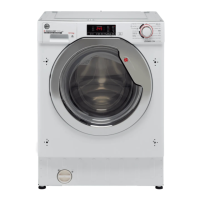
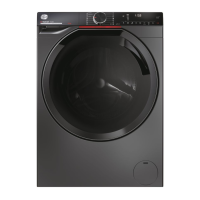
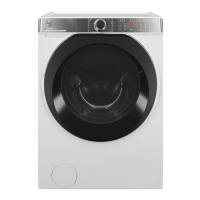
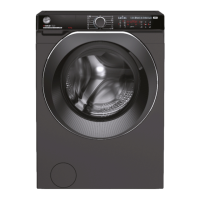
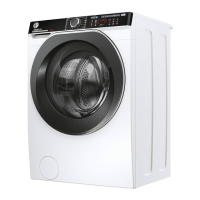
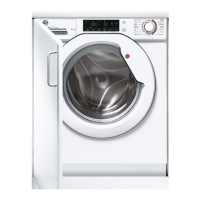
This document is a user manual for a Hoover washing machine, likely a washer-dryer model given the "WASHER-DRYERS only" sections. It provides comprehensive instructions for installation, operation, maintenance, and troubleshooting, along with safety guidelines and environmental information.
Function Description
The Hoover washing machine is designed for household use to clean various types of fabrics. It automatically adjusts water levels based on load type and quantity to optimize energy consumption and washing times. Some models feature Wi-Fi connectivity for remote control via a dedicated app. The appliance offers a range of wash programs tailored for different fabrics, soil levels, and temperatures, including options for pre-wash, extra rinse, anti-crease, delay start, and specialized programs like "Rapid Care" and "Steam Care." It also includes a "Drain & Spin" function and a "Drum Clean" program for maintenance.
Important Technical Specifications
- Water Pressure: Minimum 0.1 MPa / Maximum 1 MPa.
- Spin Speed: Refer to the rating plate for specific RPM.
- Power Input / Current Fuse Amp / Supply Voltage: Refer to the rating plate.
- Maximum Load Capacity: Varies by model; refer to the control panel.
- Wi-Fi Connectivity: Operates on the 2.4 GHz band.
- Environmental Compliance: Marked according to European directive 2012/19/EU on Waste Electrical and Electronic Equipment (WEEE) and complies with EU Ecodesign legislation (EU) No 2019/2023 for ECO 40-60 programs.
Usage Features
Program Selection and Operation:
Users turn on the appliance, select a program using the selector knob, and can adjust settings like temperature, spin speed, and various options. The display shows the cycle duration, which adjusts based on load. The "PLAY/PAUSE" button starts, pauses, or resumes a cycle. The program selector must be returned to the "OFF" position at the end of each cycle or before selecting a new one.
Detergent Drawer:
The drawer has three compartments: "1" for prewash, "8" for special additives/softeners, and "2" for washing detergent. Some models include a liquid detergent cup for compartment "2" to ensure detergent enters the drum at the correct time. Automatic dosage systems are available on some models.
Load Tips:
- Remove metallic objects, button pillowcases, close zips, tie loose belts, remove curtain rollers/hooks/clips.
- Read clothing labels carefully.
- Pre-treat persistent stains.
- Avoid spinning for rugs, bedcovers, or heavy clothing.
- Wash wool only if machine-washable.
- Leave the door slightly open between washes to prevent odors.
- Maximize load size to save energy and water.
- Consider lower temperature programs for energy efficiency.
- Prewash is only recommended for heavily soiled laundry.
Temperature Selection:
The "TEMPERATURE SELECTION" button allows changing the wash cycle temperature, but not above the program's maximum allowed temperature. All indicators must be off for a cold wash.
Spin Speed Selection:
The "SPIN SPEED" button reduces the maximum spin speed or cancels the spin cycle. The machine has an electronic device to prevent spinning if the load is unbalanced, reducing noise and vibration.
Anti-Crease Function:
Available on some programs, this function minimizes creases by eliminating intermediate spins or reducing the intensity of the last one. It must be selected before pressing "PLAY/PAUSE."
Delay Start Function:
Allows pre-programming the wash cycle to delay its start by up to 24 hours. The delay countdown begins after pressing "PLAY/PAUSE."
Options Button:
Provides three options:
- Prewash: For heavily soiled loads (use 20% of recommended detergent).
- Extra Rinse: Adds an extra rinse at the end of the cycle, useful for delicate/sensitive skin or heavily soiled items.
- Hygiene +: Activates at 60°C to provide deep cleaning by maintaining temperature throughout the wash.
Stain Level / Rapid / Steam Level Button:
Offers three options depending on the program:
- Stain Level: Adjusts wash intensity (3 levels) based on fabric soiling.
- Rapid: For "RAPID CARE" programs (14'/30'/44'), allows selecting one of three durations.
- Steam Level (on "STEAM CARE PRO" program): Offers three steam treatments (Cotton, Synthetic, Delicates) for relaxing creases and achieving ideal humidity for ironing, suitable for dry or wet garments.
Special Programmes Button:
Allows choosing between three options (available for some programs):
- Active Wash: Optimizes water and energy consumption for reduced loads and lightly soiled garments.
- Night & Day: Reduces intermediate spin speed, increases water level during rinsing, and keeps laundry immersed after the final rinse. The machine pauses during water retention.
- Drum Clean: A program for cleaning the washing machine drum, recommended after every 50 cycles. Use only powder detergent and do not run with laundry.
Child Lock:
Pressing "TEMPERATURE SELECTION" and "SPIN SPEED" simultaneously for 3 seconds locks the keys to prevent accidental changes. It can be cancelled by repeating the action or turning off the appliance.
Remote Control (Wi-Fi):
The appliance can be controlled via the hOn App. Users download the app, create a profile, and pair the appliance. To enable remote control, the program selector must be set to the "REMOTE CONTROL (Wi-Fi)" position. The door locks, and control panel functions are disabled. To exit remote control mode during a cycle, turn the selector to any position other than "REMOTE CONTROL (Wi-Fi)" without going through "OFF."
Maintenance Features
Cleaning the Appliance's Exterior:
Disconnect from power supply. Clean with a damp cloth, avoiding abrasives, alcohol, and diluents.
Detergent Drawer Cleaning:
Regularly clean the drawer to prevent residue buildup. Gently remove the drawer, clean under running water, and reinsert. For models with automatic dosing, ensure compartments are empty before cleaning. Pull out the drawer completely by pressing the release button, being mindful of detergent leakage. Fill with hot water, shake, empty, and reinsert. Do not use acid products or aggressive detergents.
Pump Filter Cleaning:
The appliance has a filter to trap larger residues. It is recommended to check and clean the filter 5-6 times a year. Disconnect power, ensure the drum is empty, place an absorbent cloth under the filter, unscrew counter-clockwise, clean, and replace by turning clockwise until locked.
Suggestions for Moves or Prolonged Disuse:
- If stored in a non-heated room, remove all water residues from pipes.
- Disconnect from power.
- Detach the drain tube, clip it to the rear, and lower it to drain water into a bowl. Secure it back when finished.
- Keep the door glass and gasket clean.
- For models with automatic dosing, remove the detergent drawer and keep it horizontal when tilting or moving the machine to prevent leakage.
Troubleshooting:
The manual provides a table of common error codes (E2, E3, E4, E7, and others) with possible causes and practical solutions, such as checking water supply, drain hose, filter, detergent amount, and door closure. It advises contacting the Customer Service Centre for persistent issues.
Warranty:
The product is guaranteed under specified terms and conditions. The certificate must be kept for service. The manufacturer is not responsible for damage caused by unauthorized repairs or failure to follow instructions. Spare parts are available for at least 10 years.


 To Next Page
 General