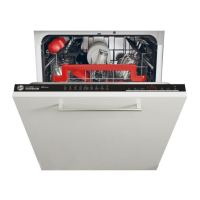
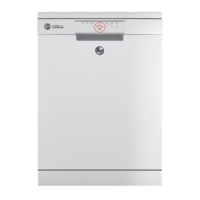
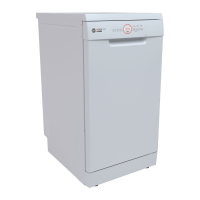
This document is a user manual for a Hoover dishwasher, specifically covering models HDIH 2T1045, HDIH 2D1145, and HDIH 2T1145. It provides comprehensive instructions for safe operation, maintenance, and optimal use of the appliance.
Function Description
The Hoover dishwasher is designed for washing normal household utensils. It operates by using detergents and rinse aid to clean dishes, with a water softening system to ensure good washing results, especially in hard water areas. The appliance offers various wash programs tailored to different levels of soil and types of load, ranging from light soil to heavy soil, and from delicate glassware to pots and pans. Some models feature an "Auto Care" program that automatically adjusts water temperature, quantity, energy consumption, and program duration based on the soil type and load size. The dishwasher also includes a drying phase as part of its programs to ensure dishes are clean and dry after a cycle.
Usage Features
The dishwasher offers a user-friendly interface with several control buttons and a Time & Info Display.
- ON/OFF Button: To power the appliance on or off.
- PROGRAMME SELECT Button: To choose from a variety of wash programs. The display will show program cycle time, start delay time, and error codes.
- START DELAY Button: Allows users to set a delayed start time for a program, with a countdown displayed in hours and minutes.
- Additional Function Button: Activates special functions like "Speed Up" or "Multi-tab" depending on the model.
- Lack Salt and Rinse Aid Reset Button: Used to reset indicators after refilling salt or rinse aid.
- START / PAUSE Button: To start, pause, or restart a wash program.
The appliance remembers the last program used if "MEMO MODE" is set to YES, pre-selecting it for convenience. Programs can be paused, restarted, or canceled. When pausing, the display shows "PAUSE" and an audible beep sounds. To cancel a program, the user can press and hold the START/PAUSE button for 3 seconds.
The water softening system is adjustable from S1 to S6 stages, depending on local water hardness, to optimize washing results and prevent limescale buildup. The manual provides a table to help users identify their local water hardness and the corresponding setting. Special dishwasher salt is required for this system, and the low salt indicator on the control panel prompts users when a refill is needed.
The rinse aid dispenser is also adjustable, with a normal factory-set dosage level of R3. Users can adjust this level based on foaming or streaking issues. An indicator reminds users when to refill the rinse aid.
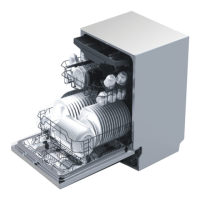
Loading utensils is detailed, with instructions for the upper basket, lower basket, and third basket (if applicable). The upper rack's height can be adjusted to accommodate larger items in the lower basket. Sharp items should be placed with blades pointing downward in the knife rack for safety. The manual also advises on which types of materials are suitable for dishwashing and which should be washed by hand.
Maintenance Features
Regular cleaning and maintenance are crucial for the dishwasher's efficiency and longevity.
- Exterior Cleaning: Surfaces should be wiped with a clean, soft damp cloth and dried with a lint-free cloth. Care should be taken not to excessively wet the control panel.
- Door Seal and Interior Cleaning: Clean with warm water on a soft, lint-free cloth. For heavy soil, a dishwasher cleaner/descaler can be used.
- Filter Cleaning: The filters prevent food particles from reaching the pump and should be cleaned whenever food particles are evident. This involves turning the drain filter anti-clockwise, lifting it out, and then removing the filter plate. Both should be rinsed thoroughly under running water and correctly reinstalled.
- Spray Arm Cleaning: Limescale and food particles can block the holes in the spray arms. These should be cleaned about once a month.
- Upper Spray Arm: Unscrew its locking nut, rinse thoroughly under running water, and refit, ensuring the locking nut is firmly twisted back and the arm rotates freely.
- Lower Spray Arm: Simply lift it off its mounting, rinse thoroughly, and refit.
The manual emphasizes disconnecting the appliance from the power supply and turning off the water supply before any cleaning or maintenance. It also warns against using abrasive cleaners or certain detergents that could damage the appliance. Troubleshooting tips are provided for common issues such as the appliance not starting, "Rinse Aid" or "Salt" indicators lighting up, and error codes like E10 (no water fill) or E30 (leakage). Solutions include checking the water tap, hose, filters, and contacting service if necessary. It also addresses unsatisfactory washing results, offering solutions related to clogged filters, spray arms, detergent dosage, and rinse aid quality.


 To Next Page
 General