13
1
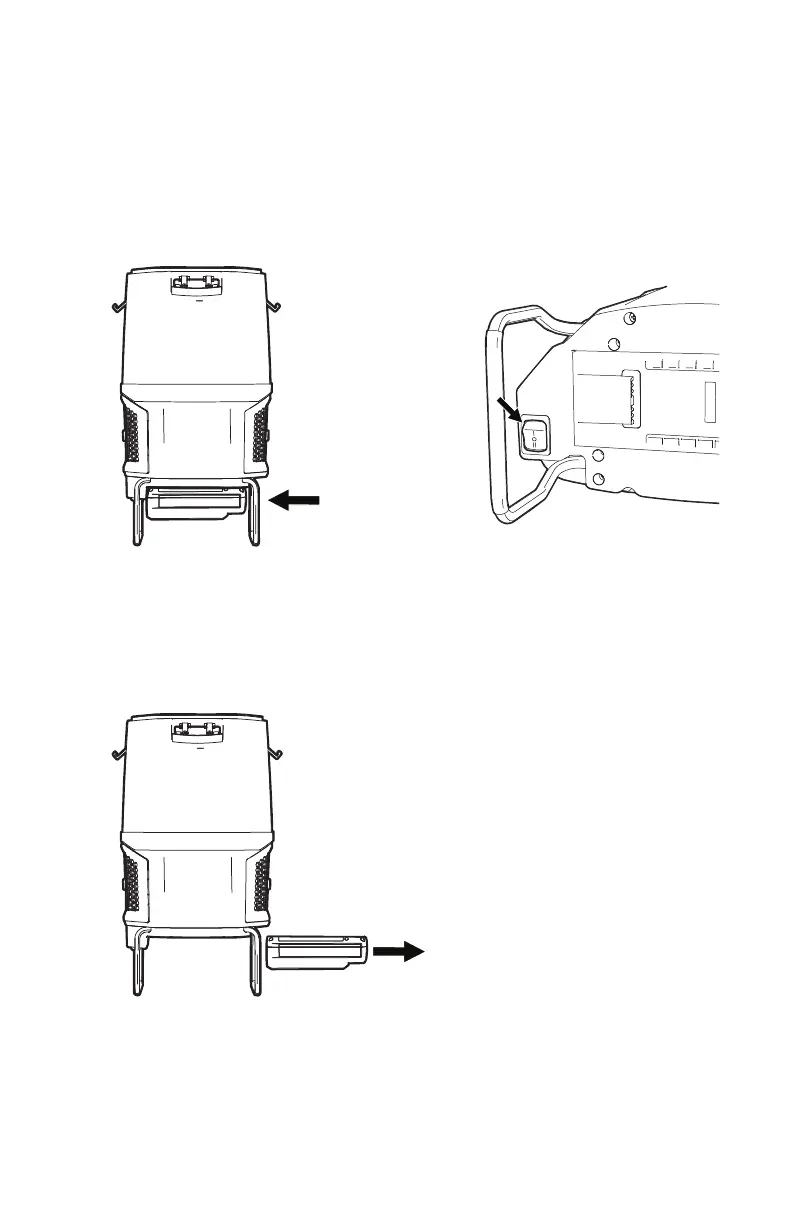
Insert battery into housing by
grasping the integrated handle
and pushing rmly in until battery
locks into place.
3
To remove battery, grasp the
integrated handle while pressing
the handle release. Slide out from
housing by pulling while holding
down release button.
2
Press orange switch to power up
the unit.
I (HUSH): Hush
™
mode quiet
cleaning.
II (BOOST): High trafc area
cleaning.
(O) OFF: Turn off by returning
switch to center position.
MPWR
™
40v Battery & Charger (Sold Separately)
MPWR
™
40V BATTERY & CHARGER


 To Next Page
 Loading...