EasyManua.ls Logo

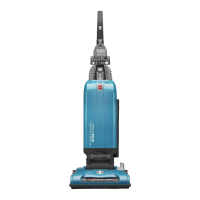
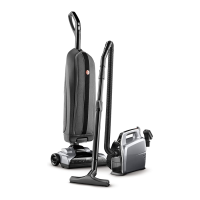
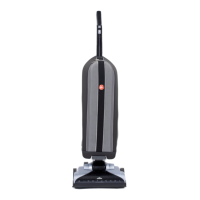
Hoover UH30300 - User Manual

Hoover UH30300
45 pages
Print Icon
To Next Page IconTo Next Page
Loading...
IMPORTANT: READ CAREFULLY BEFORE ASSEMBLY AND USE.
Questions or concerns? For assistance, please call Customer Service at 1-800-944-9200
Mon-Fri 8am-7pm EST. PLEASE DO NOT RETURN THIS PRODUCT TO THE STORE.
www.hoover.com
OWNER’S MANUAL
Operating and Servicing Instructions
©2010 Techtronic Floor Care Technology Limited. All Rights Reserved. #961105001 ID100222-R1
THIS PRODUCT IS INTENDED FOR HOUSEHOLD USE ONLY.
IF USED COMMERCIALLY WARRANTY IS VOID.
Español - página E1

Table of Contents

Questions and Answers

  • Y
    yperryJul 26, 2025
    What to do if my Hoover UH30300 won’t pick up or has low suction?
    • M
      mbaileyJul 26, 2025
      If your Hoover Vacuum Cleaner isn’t picking up or has low suction, there are several potential causes: * The filter bag might be full or clogged. * The belt could be broken or worn. * The brushroll or hose may be clogged. * The carpet height setting might be incorrect. * Suction Only Mode could be turned ON. In that case, step on the Brushroll ON/OFF Pedal to turn Suction Only Mode OFF.
  • J
    Julia WarrenJul 30, 2025
    Why Hoover UH30300 won't run?
    • J
      joseph74Jul 30, 2025
      Your Hoover Vacuum Cleaner might not run due to a few reasons: 1. The power cord may not be firmly plugged into the outlet. Ensure it is securely plugged in. 2. A fuse may be blown, or a breaker may be tripped. Check the fuse or breaker in your home and replace the fuse or reset the breaker if necessary. 3. The Thermal Protector might be activated. Unplug the vacuum and allow it to cool for 30 minutes, which will reset the thermal protector.
  • J
    James HarrisAug 5, 2025
    What to do if my Hoover UH30300 is difficult to push?
    • T
      Tracy TaylorAug 5, 2025
      If your Hoover Vacuum Cleaner is difficult to push, the carpet height setting may be incorrect.
  • J
    jhallAug 10, 2025
    Why is dust escaping from my Hoover Vacuum Cleaner?
    • M
      Melissa MillerAug 10, 2025
      Dust might escape from your Hoover Vacuum Cleaner if: * The filter bag is full. * The filter bag is not installed correctly. * The hose is not installed correctly.
  • D
    daniel34Aug 15, 2025
    What to do if Hoover Vacuum Cleaner powered hand tool brushroll won’t turn?
    • V
      vstanleyAug 15, 2025
      If the powered hand tool brushroll on your Hoover Vacuum Cleaner won’t turn, it could be due to: * Applying too much pressure to the tool. Try using the tool with light pressure. * A blockage. * Low vacuum suction. Check items related to 'Vacuum won’t pick or Low suction'.
  • K
    Katie RiveraAug 20, 2025
    Why does my Hoover Vacuum Cleaner have a smoky/burning smell?
    • J
      Jeffrey EllisAug 20, 2025
      A smoky or burning smell from your Hoover Vacuum Cleaner can be caused by: * A broken or stretched belt. * A clogged brushroll. Clear any debris from the brushroll.

Summary

IMPORTANT SAFETY INSTRUCTIONS

1. VACUUM ASSEMBLY

CARTON CONTENTS

Lists all parts included in the vacuum cleaner packaging.

ATTACH HANDLE

Instructions for attaching the vacuum cleaner handle.

ATTACH BAG DOOR

Instructions for attaching the vacuum cleaner bag door.

POSITION TOOLS

Instructions for positioning the vacuum cleaner tools.

2. HOW TO USE

VACUUM DESCRIPTION

Identifies and labels the various parts of the vacuum cleaner.

ON-OFF SWITCH

Explains how to turn the vacuum cleaner on and off.

SUCTION ONLY MODE

Describes using the vacuum with the brushroll off for bare floors.

FOLDING HANDLE

Instructions on how to fold the handle for storage.

CORD STORAGE

Guide for wrapping and storing the power cord.

CARPET HEIGHT ADJUSTMENT

3. TOOLS

SELECT PROPER TOOL

Explains how to choose and use the correct vacuum cleaner attachments.

REMOVING HOSE

Instructions for detaching and reattaching the vacuum hose.

ATTACH WAND AND TOOLS

Steps for connecting wands and tools to the hose.

4. MAINTENANCE

STAIR CLEANING

Guidance on safely cleaning stairs with the vacuum cleaner.

HOW TO CLEAN TOOLS

Instructions for cleaning vacuum cleaner tools and accessories.

CHECK BAG INDICATOR

Explanation of the bag indicator and its meaning.

FILTER BAG: When to Replace

FILTER BAG: How to Replace

FILTERS: How to Clean

Secondary Filter

Instructions for cleaning the secondary filter.

Final Filter

Instructions for cleaning the final filter.

BRUSHROLL: How to Clean

HOSE: How to Clean

POWERED HAND TOOL: How to Clean

HEADLIGHT: How to Replace

BELT

When To Replace

Guidance on when the vacuum cleaner belt needs replacement.

How To Replace

Step-by-step instructions for replacing the vacuum cleaner belt.

5. TROUBLESHOOTING

6. SERVICE

7. WARRANTY

WHAT THIS WARRANTY COVERS

Details what is covered under the Hoover product warranty.

HOW TO MAKE A WARRANTY CLAIM

Steps to follow when making a warranty claim for the product.

WHAT THIS WARRANTY DOES NOT COVER

Lists items and conditions not covered by the Hoover warranty.

OTHER IMPORTANT TERMS

Additional important terms and conditions related to the warranty.

Hoover UH30300 Specifications

General IconGeneral
Styleupright vacuums
Colorseaside blue, blue
Floor Typeall floors
Dust Bin Capacity0 gallons
Cord Length30 feet
Carpet Height Adjustmentsyes
Automatic Cord Rewindno
Filterhepa media
Pet Modeno
Brush Roll Shut-Offyes
Baglessno
?leaning Area14 inches
Voltage120 volts
Current12 amperes
Weight and Dimensions IconWeight and Dimensions
Length13 inches
Height44 inches
Width14 inches
Net Weight15 pounds

Related product manuals