EasyManua.ls Logo

Hoover ULTRA POWER - User Manual

Hoover ULTRA POWER
16 pages
Print Icon
To Next Page IconTo Next Page
Loading...
ULTRA POWER
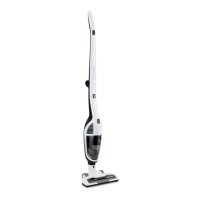
2 in 1 CORDLESS STICK
Powerful Clean On
Carpets And Hard Floors
Advanced LED Power Brush
Lithium Performance

Questions and Answers

  • C
    claycourtneyAug 2, 2025
    Why does my Hoover Vacuum Cleaner have reduced suction?
    • T
      Tim OrtegaAug 2, 2025
      If your Hoover Vacuum Cleaner has reduced suction, it might be due to several reasons. First, check if the dust bin is full and empty it if necessary. Also, verify that the dust bin filter is installed correctly. If the filter is filled with dust, clean or replace it.
  • C
    Cindy WarrenAug 10, 2025
    Why is my Hoover ULTRA POWER not charging?
    • R
      Robert RuizAug 10, 2025
      If your Hoover Vacuum Cleaner isn’t charging, ensure it's properly placed in the charging base. Also, check that the charging base is correctly connected to a working power socket; try unplugging and plugging the wall adapter into a different socket. Finally, ensure the wall adapter is connected to the charging base.
  • M
    Matthew RyanAug 17, 2025
    How to fix a Hoover ULTRA POWER Vacuum Cleaner roller brush that won't spin?
    • V
      Veronica ReevesAug 17, 2025
      If the roller brush on your Hoover Vacuum Cleaner isn't spinning, it's probably blocked. Take out the roller brush from the power head and remove any hair or debris from it.
  • K
    Kenneth LucasAug 25, 2025
    What to do if the dust bin can't be reinstalled on my Hoover ULTRA POWER?
    • D
      Deborah McbrideAug 25, 2025
      If you can't reinstall the dust bin in your Hoover Vacuum Cleaner, the cyclone filter and the dust bin filter might not be installed correctly. Reinstall them according to the instructions.

Summary

Product Features

Key Features Overview

Details on the main components and functionalities of the vacuum cleaner, including controls and attachments.

Before You Begin

Precautionary Safety Measures

Essential safety guidelines to follow before operating the vacuum cleaner, covering potential hazards.

Safety Precautions and Warnings

General Usage Safety Guidelines

Comprehensive list of safety instructions for operating the appliance, including electrical safety and handling.

Battery Use and Care

Battery Handling and Charging Procedures

Instructions for proper charging, handling, and disposal of the vacuum cleaner's battery for optimal performance and safety.

Assembly Instructions

Powerhead and Handle Assembly

Step-by-step guide for assembling the powerhead and attaching the handle to the main unit.

Included Accessories

Motorised Power Head

Details on the motorised power head for effective carpet and hard floor cleaning.

Crevice Tool

Description of the crevice tool for reaching tight spaces and corners.

Dusting Brush Tool

Information about the dusting brush tool for cleaning upholstery and furniture.

Operating Instructions

Charging the Vacuum Cleaner

Procedure for charging the vacuum cleaner and understanding charging indicators for full battery.

Powerhead Vacuuming Guide

Tips for using the powerhead effectively on carpets and avoiding damage during operation.

Using the Handvac Attachment

Instructions on detaching and using the handvac for specific cleaning tasks in hard-to-reach areas.

Maintenance and Cleaning

Cleaning Canister and Filters

Guide on how to remove, empty, and clean the dust canister and its filters for optimal performance.

Cleaning the Powerhead Brush Roll

Instructions for releasing and cleaning the brush roll in the powerhead, including hair removal features.

Spare Parts Information

Troubleshooting Common Issues

Problems and Solutions Checklist

A guide to diagnosing and resolving common faults such as charging issues, reduced suction, or brush problems.

Warranty Conditions

Hoover ULTRA POWER Specifications

General IconGeneral
BrandHoover
ModelULTRA POWER
CategoryVacuum Cleaner
LanguageEnglish

Related product manuals