EasyManua.ls Logo

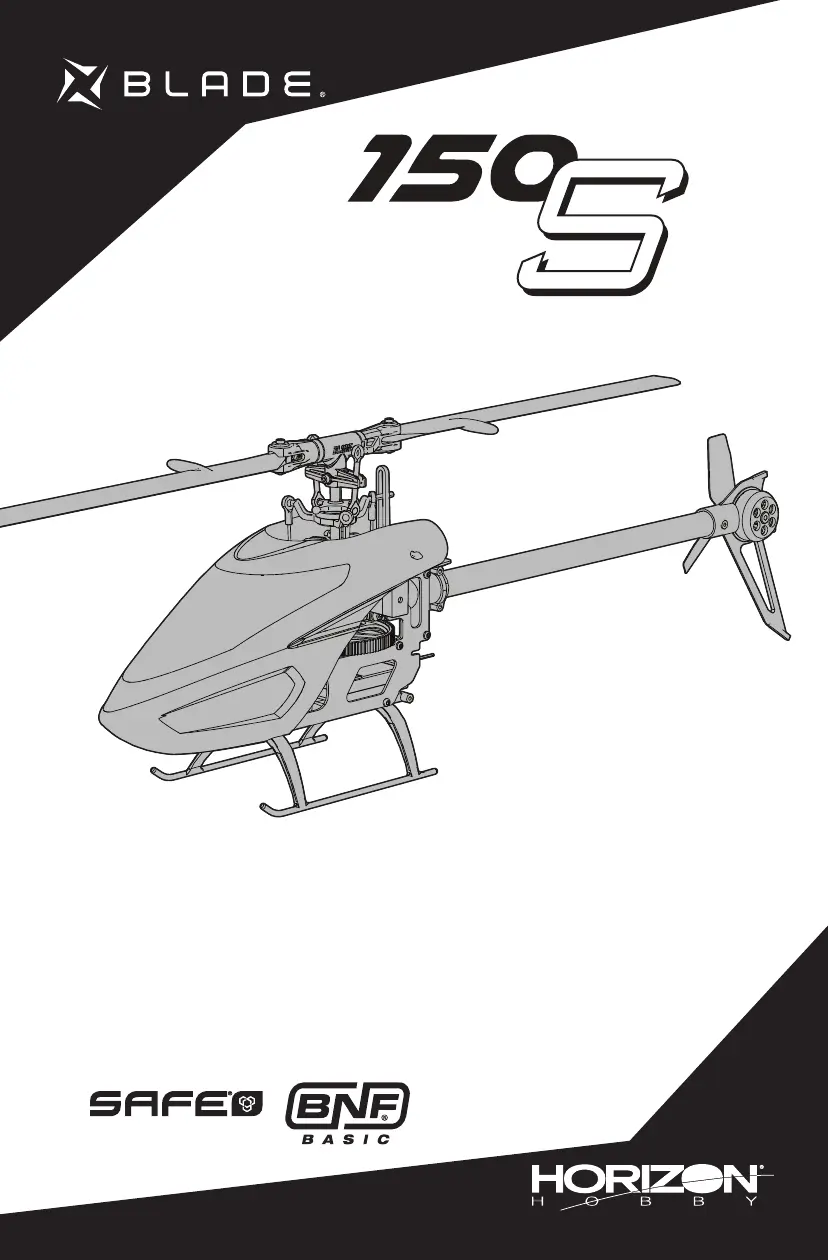
Horizon Hobby Blade 150 S - User Manual

Horizon Hobby Blade 150 S
23 pages
Print Icon
To Next Page IconTo Next Page
Loading...
Instruction Manual
Bedienungsanleitung
Manuel d’utilisation
Manuale di Istruzioni

Questions and Answers

  • C
    Christopher McdonaldAug 17, 2025
    What to do if my Horizon Hobby Blade 150 S helicopter won't respond to throttle?
    • J
      Janet SellersAug 17, 2025
      If your Horizon Hobby Toy helicopter isn't responding to the throttle, it could be due to a couple of reasons. First, the throttle might be too high, or the throttle trim could be too high. To fix this, disconnect the flight battery, put the throttle stick in the lowest position, and move the throttle trim to the center. Then, reconnect the flight battery and allow the model to initialize. Another reason could be that the helicopter moved during initialization. If this happened, disconnect the flight battery and re-initialize the helicopter, making sure it stays still.
  • F
    fpeckAug 22, 2025
    Why does my Horizon Hobby Blade 150 S helicopter have reduced flight time or feels under-powered?
    • M
      Marc SingletonAug 23, 2025
      If your Horizon Hobby Toy helicopter has a reduced flight time or feels underpowered, the most likely cause is a low flight battery charge. To solve this, completely recharge the flight battery. If the problem persists, the flight battery might be damaged, in which case you should replace it, following the battery instructions. Also, very cold flight conditions can affect performance, so ensure the battery is warm (room temperature) before use.
  • A
    Alejandro KirbyAug 26, 2025
    How to fix a Horizon Hobby Blade 150 S Toy helicopter that vibrates or shakes during flight?
    • T
      Tommy SanchezAug 26, 2025
      If your Horizon Hobby Toy helicopter vibrates or shakes during flight, it could be due to damaged rotor blades, spindle, or blade grips. Check the main rotor blades and blade grips for cracks or chips and replace any damaged parts. Also, replace any bent spindle.
  • M
    Melissa HallAug 28, 2025
    What to do if the LED on my Horizon Hobby Blade 150 S receiver flashes rapidly and it won't bind?
    • J
      Joseph HarrisAug 28, 2025
      If the LED on the receiver flashes rapidly and the aircraft won't respond to the transmitter during binding, it could be that the transmitter is too close to the aircraft. Power off the transmitter, move it further away from the aircraft, disconnect and reconnect the flight battery, and then follow the binding instructions. Another possibility is that the bind switch or button wasn't held while the transmitter was powered on; power off the transmitter and repeat the binding process. Lastly, the aircraft or transmitter might be too close to a large metal object, wireless source, or another transmitter; move them to another location and try binding again.
  • J
    jared84Aug 31, 2025
    Why is my Horizon Hobby Blade 150 S helicopter control response inconsistent?
    • J
      johnandersonAug 31, 2025
      If your Horizon Hobby Toy helicopter's control response is inconsistent or requires extra trim, it might be because the aircraft wasn't initialized properly, or a vibration is interfering with the sensor operation. To resolve this, disconnect the flight battery, center the control trim, and re-initialize the helicopter.
  • C
    Caitlin JohnsonSep 2, 2025
    What causes random movements in flight for Horizon Hobby Blade 150 S helicopters?
    • J
      John MarshallSep 3, 2025
      Random movements in flight for your Horizon Hobby Toy helicopter can be caused by vibration. Verify the receiver is properly attached to the helicopter and inspect the mounting tape for damage. Also, ensure that no wires are contacting the receiver. Inspect and balance all rotating components, and verify that the main shaft and tail rotor adapter are not damaged or bent. Finally, inspect the mechanics for any broken or damaged parts and replace them as necessary.
  • N
    Natasha DyerSep 5, 2025
    Why does my Horizon Hobby Toy helicopter have tail oscillation or poor performance?
    • A
      Anthony McfarlandSep 5, 2025
      If your Horizon Hobby Toy helicopter experiences tail oscillation, wag, or poor performance, it could be due to several factors. Check that the boom support bolts are tight and the plastic boom support ends are properly adhered to the boom support rods. Inspect the tail rotor for damage. Ensure all bolts on the tail assembly are properly tightened. Verify the main gear mesh and ensure there are no tight spots in the mesh through full rotation. Replace any damaged or worn components.
  • S
    stephanie32Sep 8, 2025
    What to do if Panic Recovery or Return to Level doesn't level my Horizon Hobby Blade 150 S model?
    • D
      Donna CollinsSep 8, 2025
      If the Panic Recovery or Return to Level function doesn't level your Horizon Hobby Toy model, it could be because the model wasn't initialized on a level, still surface. Re-initialize the model on a level and still surface. Also, always ensure you take off from a level surface.
  • T
    thompsonstacySep 12, 2025
    Why is my Horizon Hobby Toy helicopter experiencing severe vibration?
    • C
      Carolyn GonzalezSep 12, 2025
      Severe vibration in your Horizon Hobby Toy helicopter can be caused by a couple of things. First, check if the battery is strapped too tightly to the model and loosen the strap if necessary. Another cause could be a rotating component being out of balance. Check the main shaft, tail rotor, main rotor blades, main frame, and adapter for damage, replacing them as needed. Vibration must be minimized for Panic Recovery and Return to Level functions to work properly.
  • V
    vpowersSep 13, 2025
    Why does my Horizon Hobby Blade 150 S helicopter drift in calm winds?
    • A
      Anne LaraSep 13, 2025
      If your Horizon Hobby Toy helicopter drifts in calm winds, it could be due to vibration, damaged linkage, or a damaged servo. Under normal operation, the transmitter trims should not require adjustment, as the center positions are memorized during initialization. If you find that trim adjustments are necessary after takeoff, verify the balance of all rotating components, ensure the linkages are not damaged, and make sure the servos are in proper working condition.

Summary

Meaning of Special Language

Safety Precautions and Warnings

Transmitter Setup Table

Installing the Flight Battery

Transmitter and Receiver Binding

SAFE Technology

Flight Mode and Rate Selection

Panic Recovery

Throttle Hold

Control Tests

Understanding the Primary Flight Controls

Flying the 150 S

Takeoff

Step-by-step instructions for performing a proper takeoff.

Hovering

Guidance on maintaining a stable hover and making corrections.

Low Voltage Cutoff (LVC)

Information on the low voltage cutoff feature and its indication.

Landing

Instructions for safely landing the helicopter.

Advanced Settings

Forward Programming

How to use forward programming features with compatible transmitters.

Telemetry Based Text Generator for Advanced Settings

Using text-based menus for advanced parameter adjustments.

Advanced Settings (continued)

Gain Parameters

Explanation of various gain parameters and their effects.

Entering Gain Adjustment Mode

Steps to enter the mode for adjusting flight control gains.

Advanced Settings (continued)

Adjusting the Gain Values

Detailed guide on how to modify gain values using the transmitter.

Saving the Gain Adjustments

Procedure for saving adjusted gain settings.

Servo Adjustment

Entering Servo Adjustment Mode

How to access the servo adjustment mode.

Adjusting the Servo Neutral Position

Guide to setting the correct neutral position for servos.

Saving the Servo Adjustments

Method for saving servo configuration changes.

Trim Flight

Entering Trim Flight Mode

Steps to initiate the trim flight procedure.

Performing the Trim Flight

Instructions for conducting the trim flight for optimal performance.

Exiting Trim Flight Mode

Steps to safely exit the trim flight mode.

Flight Test

How to test the helicopter's performance after trim flight.

Calibration Procedure

To perform the calibration procedure

Detailed instructions for executing the calibration process.

Post-Flight Inspection and Maintenance Checklist

Troubleshooting Guide

Troubleshooting Guide

Limited Warranty

Warranty Coverage and Limitations

Outlines what the warranty covers and what it excludes.

Warranty Services and Legal Terms

Information on obtaining service and relevant legal disclaimers.

Non-Warranty Service

FCC Information

Suppliers Declaration of Conformity

IC Information

Compliance Information for the European Union

Horizon Hobby Blade 150 S Specifications

General IconGeneral
Skill LevelIntermediate
MotorBrushless
Flight Time5 minutes
TypeRC Helicopter
ModelBlade 150 S

Related product manuals