EasyManua.ls Logo

HORNER HEXT251C114 - User Manual

Default Icon
194 pages
Print Icon
To Next Page IconTo Next Page
Loading...
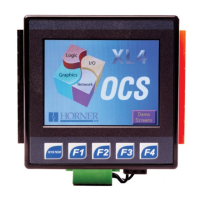
User Manual for XL4 &
XL4 Prime OCS
MAN0964-14-EN_XL4/XL4P_UM
XL4
XL4 Prime
North America
Europe
North America
Europe
HE-XC1E0
HEXT251C100
HE-XPC1E0
HEXP251C100
HE-XC1E2
HEXT251C112
HE-XPC1E2
HEXP251C112
HE-XC1E3
HEXT251C113
HE-XPC1E3
HEXP251C113
HE-XC1E4
HEXT251C114
HE-XPC1E4
HEXP251C114
HE-XC1E5
HEXT251C115
HE-XPC1E5
HEXP251C115
HE-XC1E6
HEXT251C116
HE-XPC1E6
HEXP251C116

Table of Contents

Questions and Answers

  • V
    Vincent CarneyAug 5, 2025
    What to do if my HORNER HEXT251C114 XL4/XL4 Prime OCS will not download the project file?
    • D
      Denise RamseyAug 6, 2025
      If your XL4/XL4 Prime OCS is not downloading the project file, ensure that the project file is saved as a .pgm file and not a .csp file. Also, the file's I/O configuration must match the XL4/XL4 Prime configuration for it to download correctly.
  • E
    Ernest BarajasAug 9, 2025
    What to do if communication is not established to the target HORNER HEXT251C114 Touchscreen controller?
    • B
      Belinda FieldsAug 9, 2025
      If communication isn't established with the target controller, verify the controller's node ID and ensure the Target setting matches it. Also, confirm that a local connection is established.
  • M
    Mr. David CameronAug 14, 2025
    What to do if I get an unknown communication error on my HORNER Touchscreen?
    • C
      Clifford BrownAug 14, 2025
      If you encounter an unknown communication error, close Cscape, power cycle the controller, and then reopen Cscape with a blank project.
  • M
    Melinda JonesAug 18, 2025
    What to do if communication is not established to the HORNER HEXT251C114 Touchscreen target controller?
    • S
      Samantha DouglasAug 18, 2025
      If communication isn't established with the HORNER Touchscreen target controller, verify the controller's node ID and ensure the Target setting matches it. Confirm that a local connection is established.
  • V
    Vickie ArnoldAug 23, 2025
    Why is Cscape unable to access the COM port of the PC for my HORNER HEXT251C114?
    • K
      Kyle WalshAug 23, 2025
      If Cscape can't access the COM port of your PC with HORNER Touchscreen, it might be configured for a COM port that's either not present or is being controlled by another program. Note that only one Cscape window can access a port at a time.
  • T
    thomasedwardsAug 27, 2025
    What to do if Cscape has accessed a PC COM port but is not communicating with the HORNER HEXT251C114 controller?
    • C
      Casey JacobsAug 27, 2025
      If Cscape has accessed a PC COM port but isn't communicating with the HORNER Touchscreen controller, it typically means the controller isn't physically connected.
  • M
    Mikayla MartinezAug 31, 2025
    How to fix unknown communication error on HORNER HEXT251C114?
    • M
      Mario PenaAug 31, 2025
      To resolve an unknown communication error with your HORNER Touchscreen, close Cscape, power cycle the controller, and then reopen Cscape with a blank project.

Summary

Safety and Compliance

Safety Warnings and Guidelines

Crucial safety information for proper operation and hazard avoidance.

Mechanical Installation Guide

Mounting Requirements

Specifies the necessary conditions and procedures for physically mounting the OCS unit.

Installation Procedure Steps

Step-by-step instructions for the correct installation of the OCS unit into a panel.

Electrical Installation Procedures

Grounding Specifications and Testing

Outlines recommended resistance values and methods for verifying proper electrical grounding.

Primary Power Port Details

Details the wiring and pin assignments for the main power input connection.

System Settings and Adjustments

Diagnostic Information Viewing

Provides access to diagnostic information for troubleshooting system faults and errors.

Removable Media Management

Explains how to use microSD cards for data storage, program loading, and screen capture.

Touch Screen Calibration

Details the procedure for calibrating the touch screen for accurate input response.

Cscape Configuration and Communications

Establishing Cscape Communications

Outlines the methods for establishing communication between Cscape and the OCS controller.

Removable Media Operations

Fail-Safe System

Backup and Restore Procedures

Step-by-step guide for backing up and restoring system data for fail-safe operation.

Maintenance and Troubleshooting

Firmware Update Procedures

Provides instructions on how to verify the controller's firmware version.

Connecting to the OCS Controller

Troubleshooting steps for establishing communication between Cscape and the OCS.

HORNER HEXT251C114 Specifications

General IconGeneral
BrandHORNER
ModelHEXT251C114
CategoryTouchscreen
LanguageEnglish

Related product manuals