EasyManua.ls Logo

HORNER HEXT251C216 - User Manual

Default Icon
194 pages
Print Icon
To Next Page IconTo Next Page
Loading...
MAN0964-13-EN_XL4_UM
A u g u s t 6 , 2 0 2 1 P a g e 1 | 194
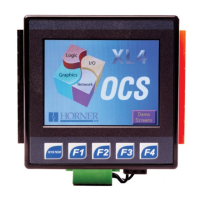
User Manual for XL4 OCS
MAN0964-13-EN_XL4_UM
HE-XC1E0
HE-XC1E2
HE-XC1E3
HE-XC1E4
HE-XC1E5
HE-XC1E6
HE-XC1E0-500
HE-XC1E2-500
HE-XC1E3-500
HE-XC1E4-500
HE-XC1E5-500
HE-XC1E6-500
HE-XC1E0-108
HE-XC1E2-108
HE-XC1E3-108
HE-XC1E4-108
HE-XC1E5-108
HE-XC1E6-108
European: HEXT251C112, HEXT251C113, HEXT251C114, HEXT251C115, HEXT251C116, HEXT251C216

Table of Contents

Questions and Answers

  • A
    Andrew SchmidtAug 17, 2025
    What to do if my HORNER Touchscreen XL4/XL4 Prime OCS will not download the project file?
    • S
      sarabrockAug 17, 2025
      If your XL4/XL4 Prime OCS is not downloading the project file, ensure that the project file is saved as a .pgm file and not a .csp file. Also, the file's I/O configuration must match the XL4/XL4 Prime configuration for it to download correctly.
  • M
    Matthew BauerAug 19, 2025
    What to do if communication is not established to the target HORNER HEXT251C216 Touchscreen controller?
    • K
      karenwilliamsAug 19, 2025
      If communication isn't established with the target controller, verify the controller's node ID and ensure the Target setting matches it. Also, confirm that a local connection is established.
  • A
    Adrian BrooksAug 22, 2025
    What to do if I get an unknown communication error on my HORNER HEXT251C216 Touchscreen?
    • M
      Melissa ReyesAug 22, 2025
      If you encounter an unknown communication error, close Cscape, power cycle the controller, and then reopen Cscape with a blank project.
  • B
    Bonnie LunaAug 25, 2025
    What to do if communication is not established to the HORNER Touchscreen target controller?
    • L
      leonjamieAug 26, 2025
      If communication isn't established with the HORNER Touchscreen target controller, verify the controller's node ID and ensure the Target setting matches it. Confirm that a local connection is established.
  • A
    aaronjamesAug 28, 2025
    Why is Cscape unable to access the COM port of the PC for my HORNER HEXT251C216 Touchscreen?
    • J
      Jack JonesAug 28, 2025
      If Cscape can't access the COM port of your PC with HORNER Touchscreen, it might be configured for a COM port that's either not present or is being controlled by another program. Note that only one Cscape window can access a port at a time.
  • R
    Robert WrightAug 30, 2025
    What to do if Cscape has accessed a PC COM port but is not communicating with the HORNER HEXT251C216 controller?
    • J
      Jeremy HigginsAug 30, 2025
      If Cscape has accessed a PC COM port but isn't communicating with the HORNER Touchscreen controller, it typically means the controller isn't physically connected.
  • K
    Karen MichaelSep 2, 2025
    How to fix unknown communication error on HORNER Touchscreen?
    • J
      jennifer59Sep 2, 2025
      To resolve an unknown communication error with your HORNER Touchscreen, close Cscape, power cycle the controller, and then reopen Cscape with a blank project.
  • Z
    zhunterSep 5, 2025
    What to do if XL4 OCS HORNER Control Panel will not download project file?
    • E
      Erik RuizSep 5, 2025
      If your HORNER Control Panel XL4 OCS won't download the project file, ensure that the project file is saved as a .pgm file and not a .csp file and that the file's I/O configuration matches the XL4 configuration.
  • W
    watkinscorySep 8, 2025
    Why is Cscape unable to access the COM port of the PC for my HORNER Control Panel?
    • D
      Daniel FrancisSep 8, 2025
      If Cscape can't access the PC COM port for your HORNER Control Panel, it might be configured for a COM port that isn't present, or another program might be controlling the port. Remember, only one Cscape window can access a port at a time; subsequent instances will show 'No Port'.
  • A
    Amber RossSep 12, 2025
    What to do if Cscape has accessed a PC COM port but is not communicating with the HORNER Control Panel controller?
    • E
      Eric HaasSep 12, 2025
      If Cscape has accessed a PC COM port but is not communicating with the HORNER Control Panel controller, this typically means that the controller is not physically connected.

HORNER HEXT251C216 Specifications

General IconGeneral
ConnectivityEthernet, USB, Serial
Power Supply24 VDC
Display TypeLCD
Operating Temperature0°C to 50°C
Touch TechnologyResistive

Related product manuals