MAN0964-13-EN_XL4_UM
A u g u s t 6 , 2 0 2 1 P a g e 115 | 194
CHAPTER 11: CAN COMMUNICATIONS
NOTE: For additional CAN information, refer to the CAN Networks manual (MAN0799) on our
website.
North America https://hornerautomation.com
Europe http://www.hornerautomation.eu
11.1 Overview
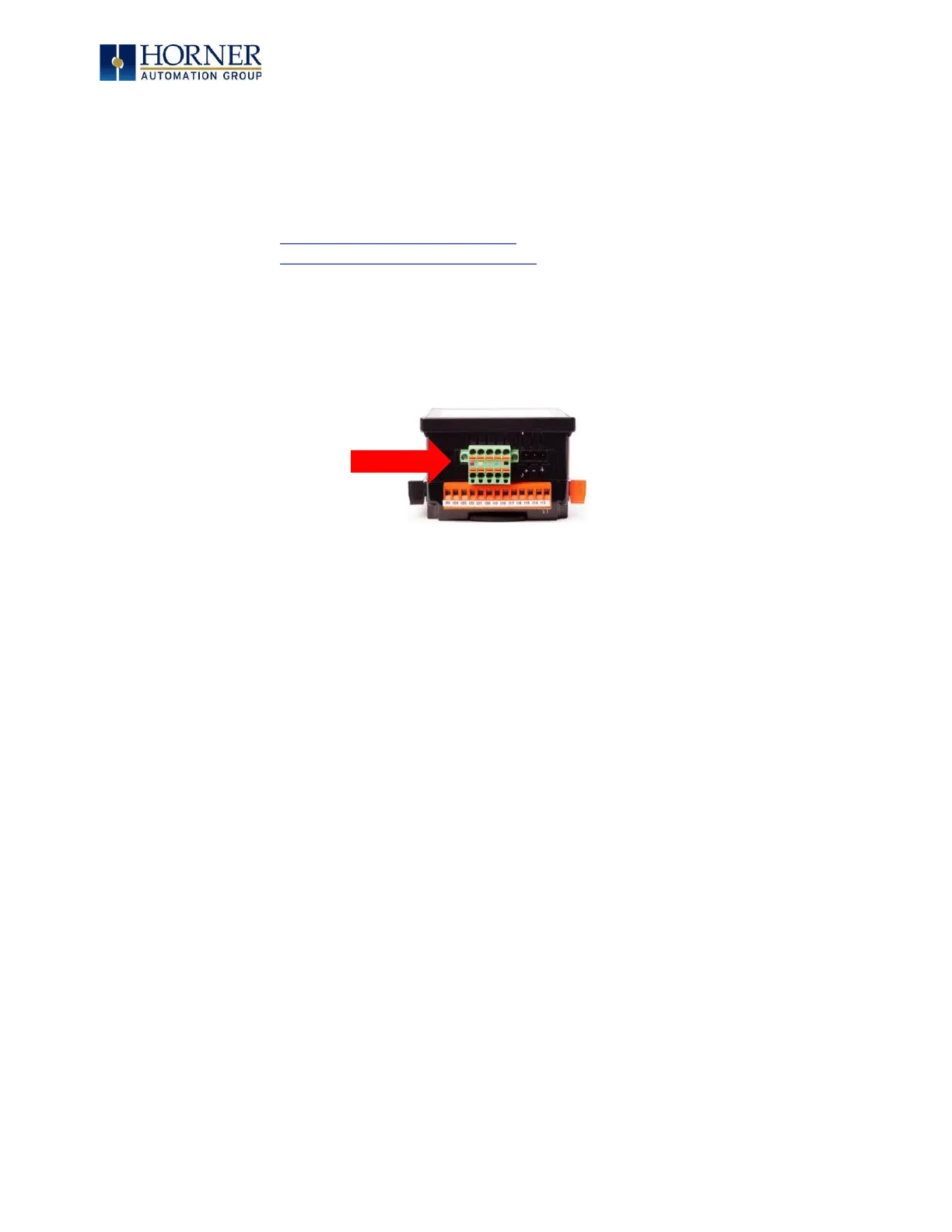
All XL4 OCS models provide a CAN networking port, which is implemented with a 5-pin
connector. The connector is labeled CAN1.
Figure 11.1 – CAN1 Connector
The CAN1 port allows the XL4 OCS to exchange global data with other OCS/RCS controllers and
to access remote Network I/O devices (SmartStix, Smart Blocks, and Smart Rail Modules). The
CAN1 port also supports pass-through communications for programming multiple OCS
controllers over the CsCAN network.
11.2 Port Description
The XL4 OCS CAN1 port implements the ISO 11898-2 physical layer and the CAN 2.0A data link
layer standards. Also, since the CAN1 port is powered by an internal isolated power supply,
external CAN power is not required. The CAN1 port does not supply power to the network.



 To Next Page