MAN0964-13-EN_XL4_UM
A u g u s t 6 , 2 0 2 1 P a g e 44 | 194
5.17 Clone Unit
‘Clone Unit’ feature allows the user to “clone” the OCS of the exact same model. This feature
“clones” application program and unit settings stored in battery-backed RAM of an OCS into
the RM. Refer to the Removable Media chapter for details on using RM. It can then be used to
clone a different OCS (same model).
This feature can be used for:
• Replacing an OCS by another unit of the same model.
• Duplicating or “clone” units without a PC.
Make Clone
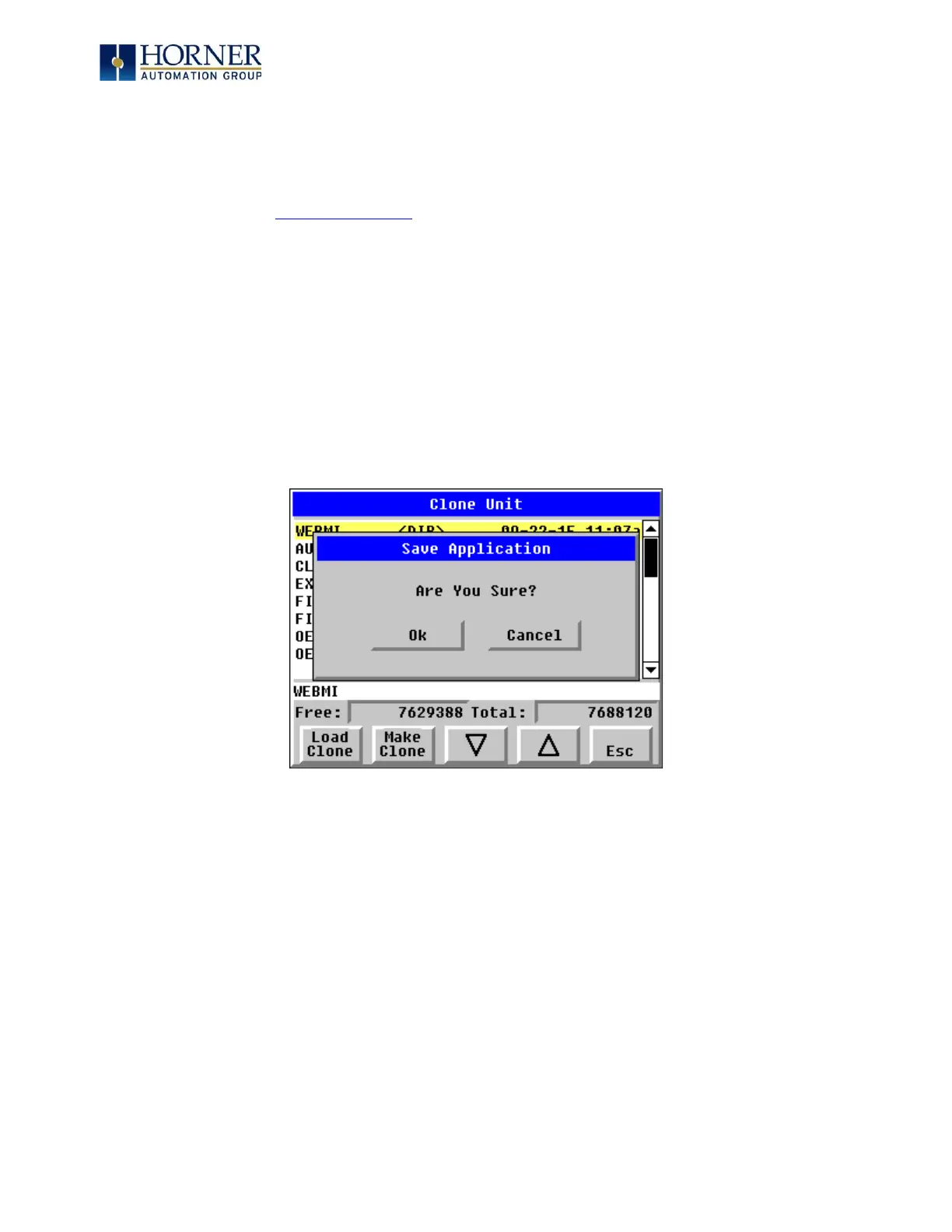
Selecting “Clone Unit” menu will open the following menu screen:
Load Clone and Make Clone virtual buttons are below the screen.
NOTE: Free/Total: displays number of Free and Total bytes in Removable Media.



 To Next Page