MAN0964-13-EN_XL4_UM
A u g u s t 6 , 2 0 2 1 P a g e 17 | 194
3.3 Mounting Orientation
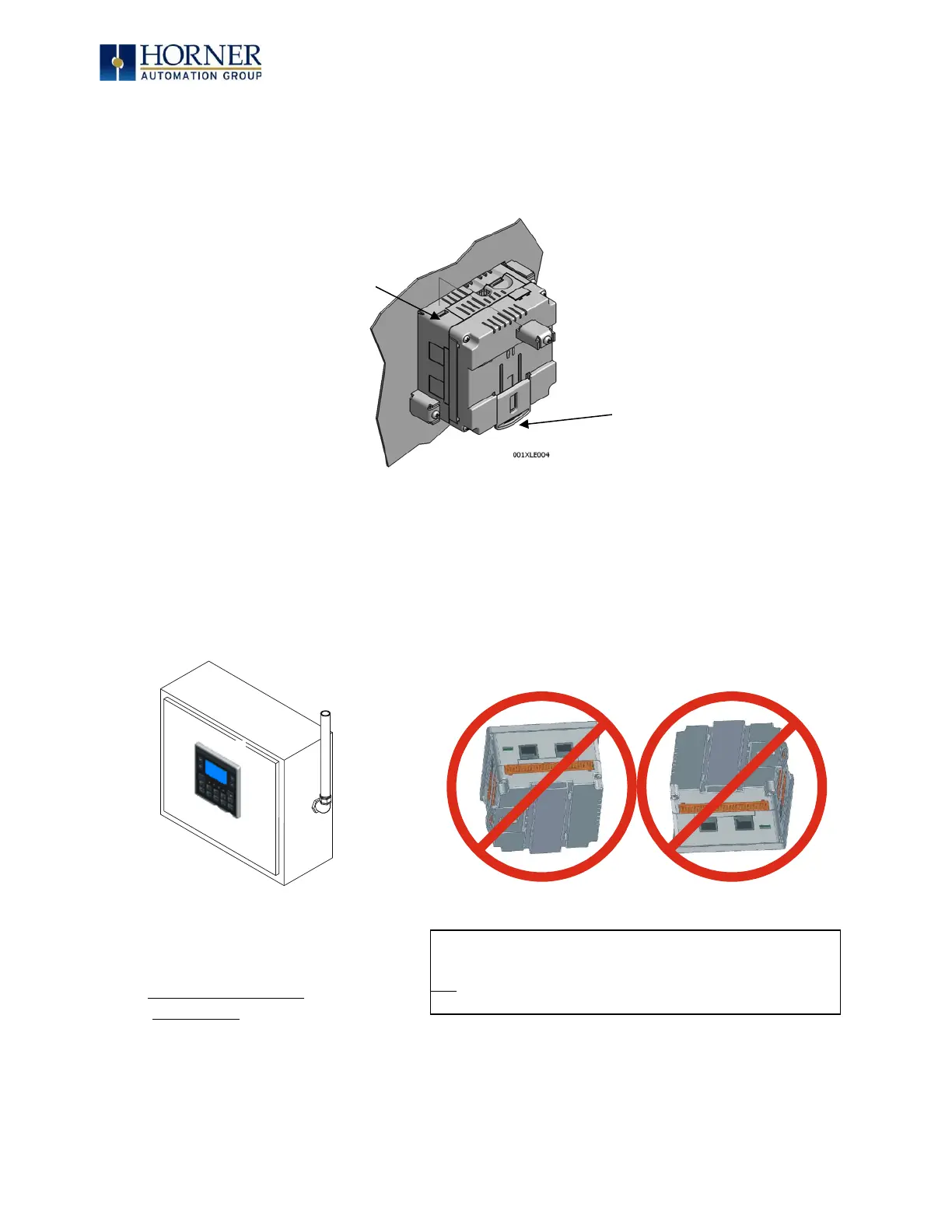
3.3.1 XL4 OCS Mounting Clip
Figure 3.2 – XL4 OCS with Mounting Clips
3.3.2 XL4 OCS Mounting Orientation
Figure 3.3 – Orientation of XL4 OCS
CAUTION—For DIN Rail mounting:
To prevent the unit from slipping off the DIN Rail, do
not install the unit on its sides as shown. Be sure the
DIN Rail is in the horizontal position.
NOTE—For panel or DIN rail mounting:
The orientation shown above provides
for optimum readability of the screen
and ease of use of the keypad.



 To Next Page