MAN0964-13-EN_XL4_UM
A u g u s t 6 , 2 0 2 1 P a g e 162 | 194
17.3 Load Clone
This option loads the application, all unit settings and register values from Removable media to
the battery-backed RAM (Regardless of AutoLoad settings) and then resets the OCS for the
settings to take effect.
User needs to perform the following to Load Clone:
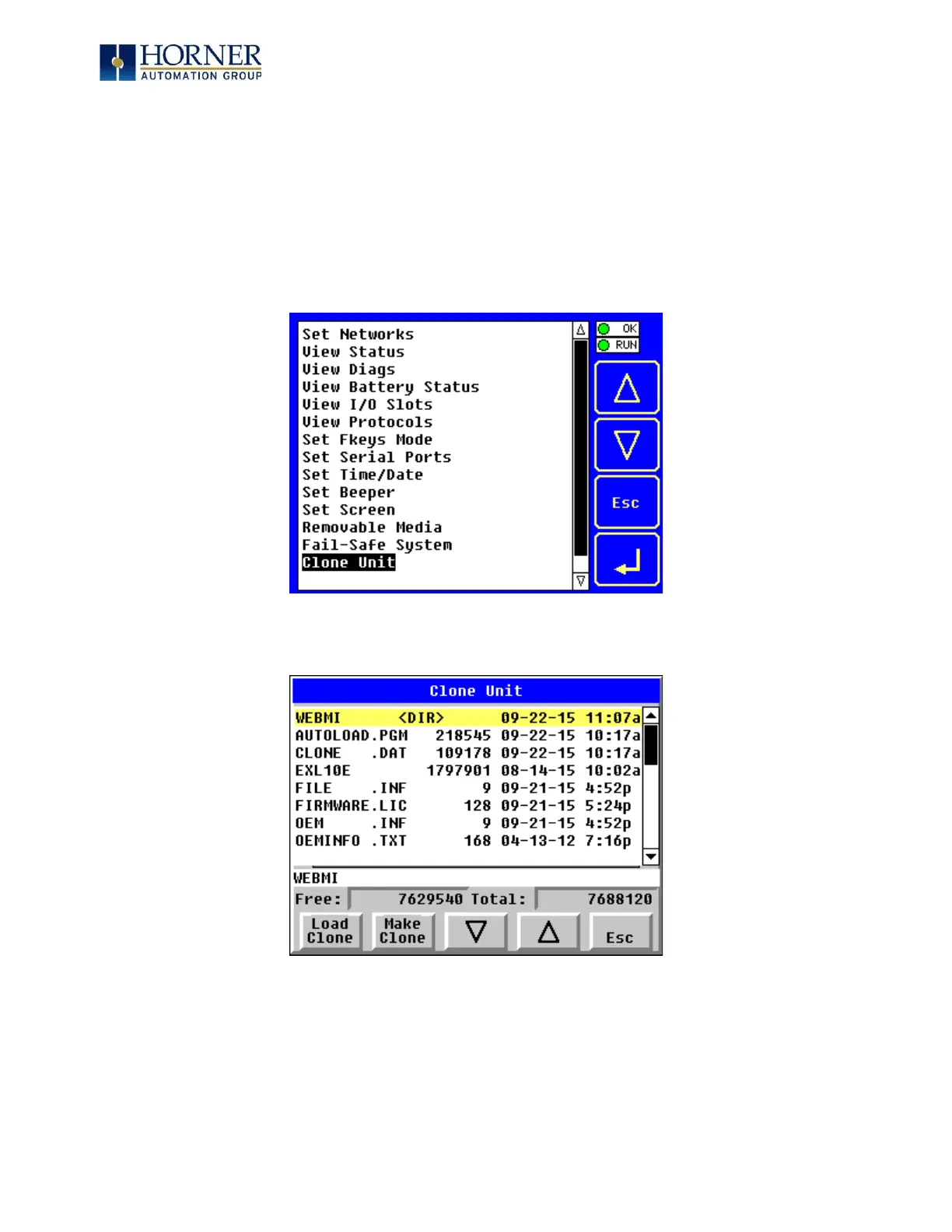
1. Select “Clone Unit” from main System Menu of OCS as shown below:
Figure 17.6 – System Menu
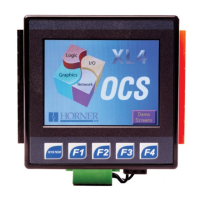
2. Selecting “Clone Unit” menu will open the following menu screen. Select “Load Clone”.
Figure 17.7 – Clone Unit Menu after Cloning



 To Next Page