MAN0964-13-EN_XL4_UM
A u g u s t 6 , 2 0 2 1 P a g e 40 | 194
5.14 Removable Media
The Removable Media Sub-Menu displays the Removable Media Manager. After selecting
Removable Media from the Main Menu, one of four Sub-Menu screens will appear:
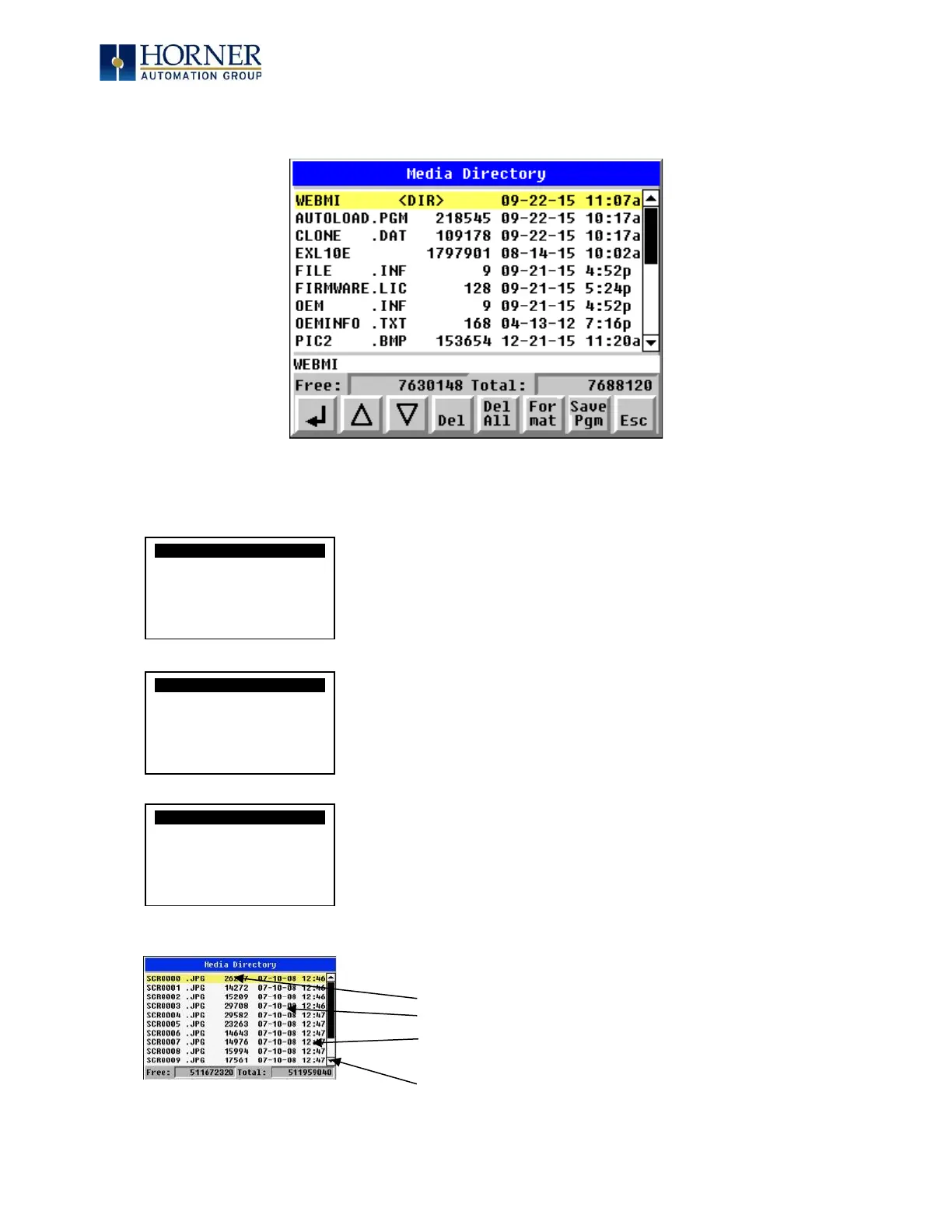
Media Directory
Dir Empty
Media Directory
Initializing
= No microSD card has been installed in the Memory slot
= microSD card is installed, but it is still initializing
= microSD card is installed and initialized, but contains no files
Shows size of highlighted file or shows <DIR> if directory is highlighted.
Shows the date file or directory was created or last modified.
Shows the time file or directory was created or last modified.
= microSD card is installed and initialized, and it contains files



 To Next Page