MAN0964-13-EN_XL4_UM
A u g u s t 6 , 2 0 2 1 P a g e 41 | 194
If a directory name is highlighted, pressing Enter will switch to that directory showing its files
and sub-directories. In a sub-directory, highlighting .. (dot dot) and pressing Enter will move up
one directory.
Fail – Safe System
The Fail-Safe System is a set of features that allow an application to continue running in the
event of certain types of "soft" failures. These "soft" failures include:
• Battery power loss
• Battery-Backed Register RAM or Application Flash corruption due to, for example, an
excessive EMI, Electromagnetic Interference, event.
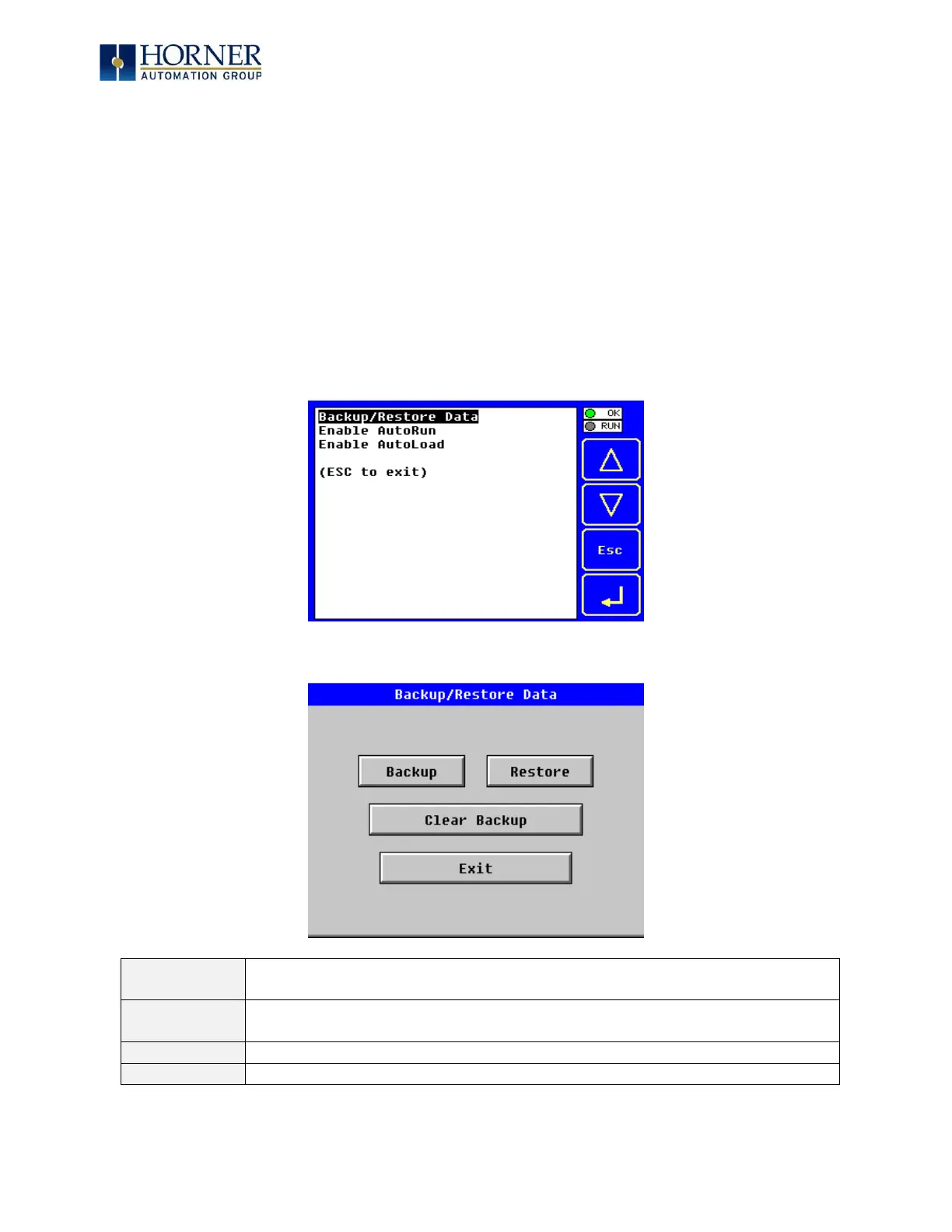
Selecting “Fail-Safe System” menu will open the following menu screen:
Selecting Backup/Restore Data displays the following screen in:



 To Next Page