MAN0964-13-EN_XL4_UM
A u g u s t 6 , 2 0 2 1 P a g e 129 | 194
13.5 Scan List
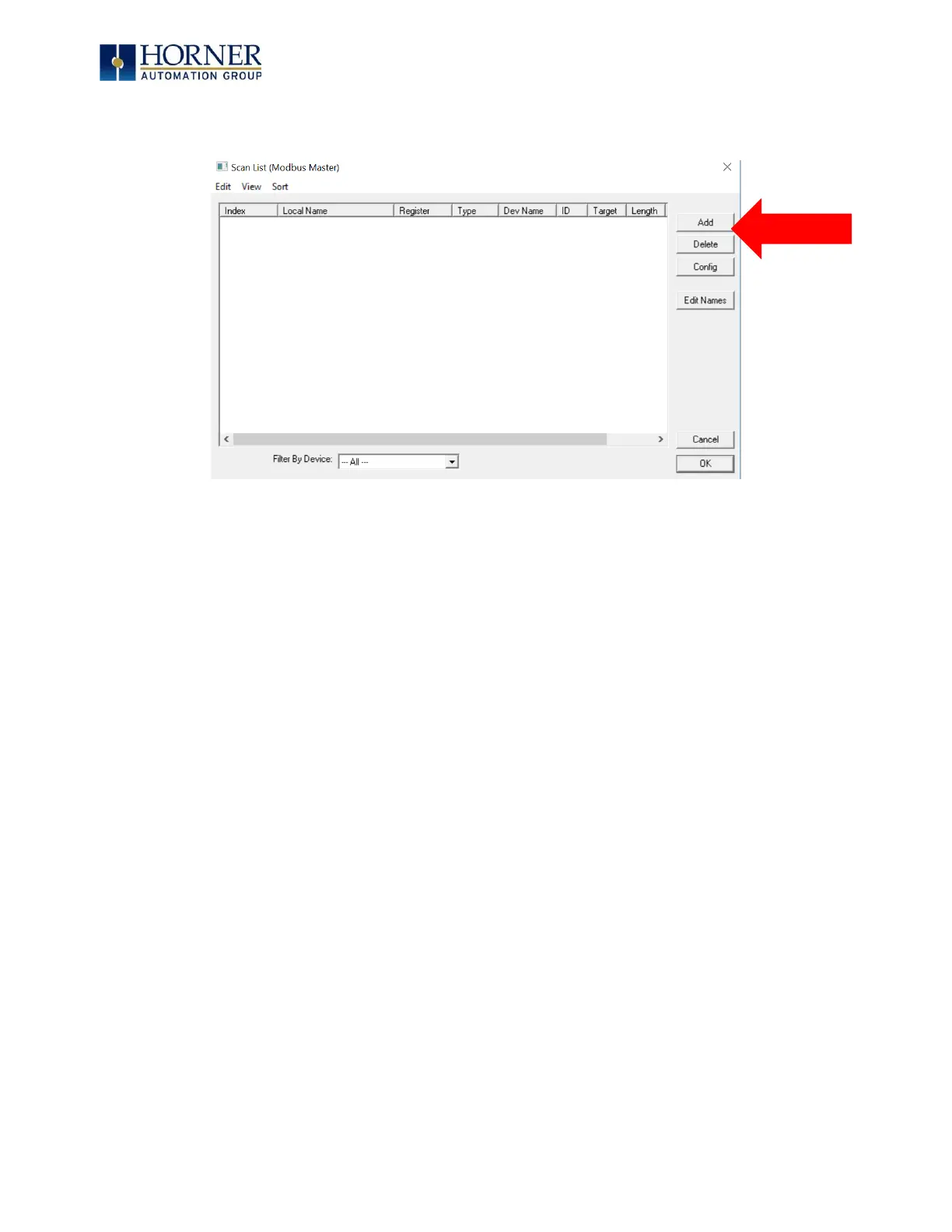
This can be accessed from the Scan List button on the Protocol Config screen or the Mapping
button on the Device List screen and provides a Scan List of the Data Mapping entries. To
transfer data between the OCS and remote target, a Scan List must be created that defines
each transaction. Each mapping entry (transaction) contains the source and destination
registers, the number of consecutive registers transferred, the direction of the transfer and
what triggers the transfer. Typically, the number of entries is limited to 512.
NOTE: The order of the Scan List is the order in which the transactions occur. Sort functions
are provided to change the order of the list. Each entry also has an identifying index. If the
device status register is enabled and a transaction failure occurs, the status register indicates
the index number of the transaction that has failed.



 To Next Page