6
Setting the Programme Times
The programme times have been preset as shown in the chart below.
If any changes are required to the programme times please
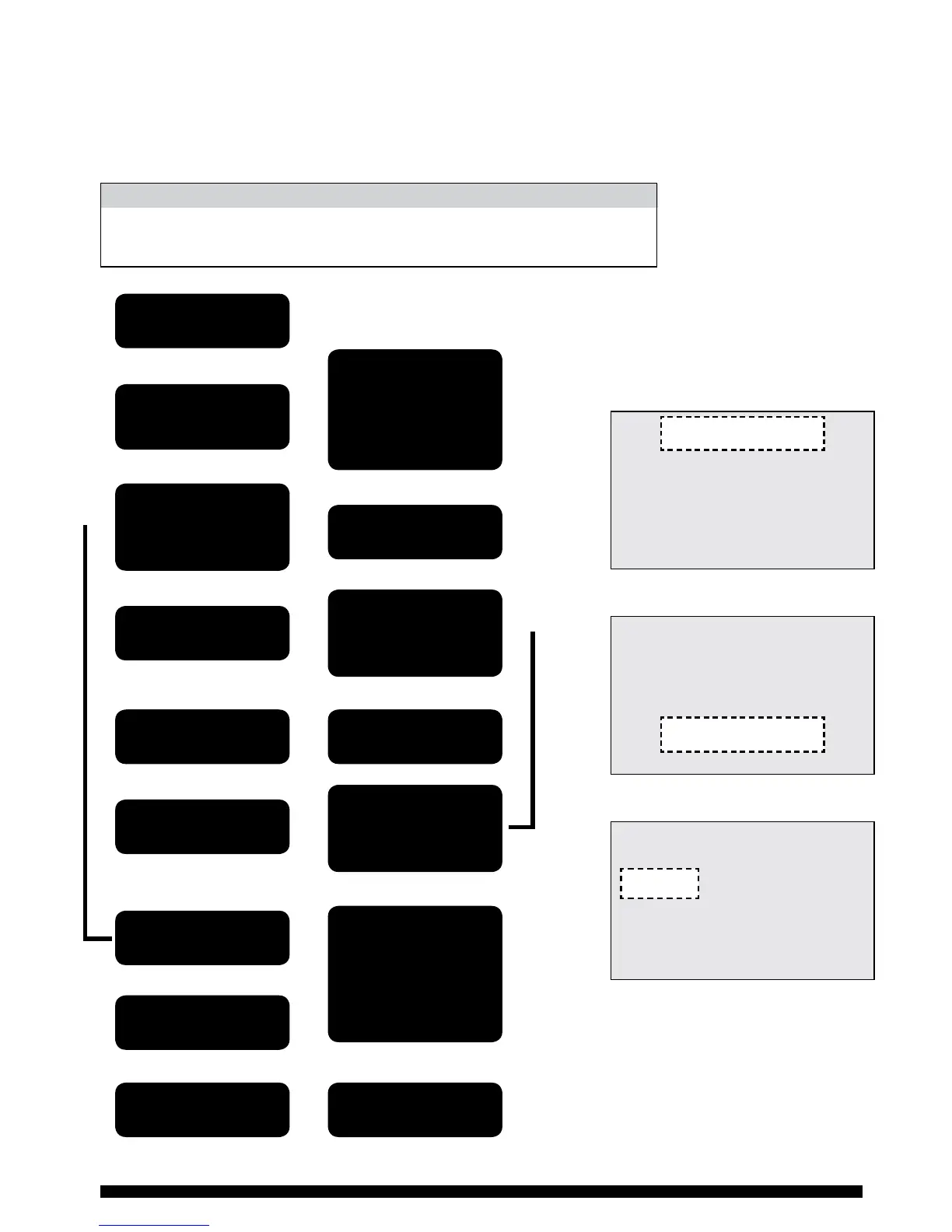
complete the operation as described in the owchart left.
1st ON 1st OFF 2nd ON 2nd OFF 3rd ON 3rd OFF
Mon - Fri 6.30AM 8.30AM 12.00PM 12.00PM 4.30PM 10.30PM
Sat/Sun 7.30AM 10.30AM 12.00PM 12.00PM 5.00PM 11.00PM
DEFAULT TIME SETTINGS - AM/PM
Press the green
‘SET’ button
Use the ‘+’ and ‘-’
buttons to select
required day
Repeat process for
the 2nd and 3rd
time settings
Use the ‘+’ and ‘-’
buttons to adjust
required ON time
Use the ‘+’ and ‘-’
buttons to select
the Heating or
Hot Water Channel
to be adjusted
If you require this
programme on any
other day of the
week use ‘+’ and
‘-’ buttons to select
day and copy
Open cover
Press ‘ENTER’
Press ‘ENTER’
Press ‘ENTER’
Press ‘ENTER’
Programme the
remaining days
Press the green
‘SET’ button
Press the green
‘SET’ button
Close cover
Adjust OFF time
SET HEATING 1
SET HEATING 2
SET WATER
SET HOLIDAY MODE
SET DEFAULTS
SET HEATING 1
FOR
SET HEATING 1
WEDNESDAYS
SETTING HEATING 1 - WEDNESDAYS
ON 06.30 ON 12.00 ON 16.30
OFF 08.30 OFF 12.00 OFF 22.30
PERIOD 1 PERIOD 2 PERIOD 3
ON 06.30
SAMPLE DISPLAYS
ADJUSTING SETTINGS
When carrying out any alterations to
the programmed times and settings
the programmer will return to its
normal run mode in 1 minute if no
adjustments are made in that time.
Select ‘Set ON/OFF times’
Select the day to set
Select the required channel setting


 To Next Page
 Loading...