EasyManua.ls Logo

Hospira Lifecare PCA3 - User Manual

Hospira Lifecare PCA3
128 pages
Print Icon
To Next Page IconTo Next Page
Loading...
430-04684-002 (Rev. 01/06)
System
Operating
Manual
Hospira, Inc., Lake Forest, IL 60045, USA
PCA3NDC.book Page 0 Tuesday, January 10, 2006 2:01 PM

Table of Contents

Other manuals for Hospira Lifecare PCA3

Questions and Answers

  • D
    Donna PatelAug 19, 2025
    What to do if Hospira Medical Equipment displays 'Low Battery'?
    • Q
      qboydAug 19, 2025
      If the Hospira Medical Equipment displays 'Low Battery', it means the battery has less than thirty minutes of life remaining and is currently operating on battery power. To fix this, apply AC power.
  • K
    kimmahoneyAug 21, 2025
    What to do if Hospira Lifecare PCA3 displays 'Dead Battery'?
    • K
      kellyleeAug 21, 2025
      If the Hospira Medical Equipment displays 'Dead Battery', it means the battery life has expired. To resolve this, apply AC power.
  • M
    Mr. Michael WareAug 23, 2025
    What to do if Hospira Lifecare PCA3 Medical Equipment shows 'Occlusion'?
    • R
      Richard BradleyAug 23, 2025
      If the Hospira Medical Equipment displays 'Occlusion', it means an occlusion has been detected. Here's what to do: * Open the security door if it's closed. * Remove back pressure by squeezing and releasing the cradle release handles. * Identify and correct the cause of the occlusion. The alarm should then self-correct.
  • W
    Wendy HuntAug 26, 2025
    What to do if Hospira Medical Equipment displays 'Empty Syringe'?
    • R
      robertsmithAug 26, 2025
      If the Hospira Medical Equipment displays 'Empty Syringe', it means an empty vial has been detected. To resolve this: * Press the [Silence] button to silence the alarm. * Unlock and open the security door. * Squeeze and release the handles to replace the vial. * You may turn the infuser OFF while preparing the new vial.
  • K
    Kyle JohnsonAug 28, 2025
    What to do if Hospira Medical Equipment displays 'Door Open'?
    • D
      david48Aug 28, 2025
      If the Hospira Medical Equipment displays 'Door Open', it means the door has been left open or unlocked for more than 2 minutes. To resolve this, close the door and lock it.
  • P
    Phillip AliAug 30, 2025
    What to do if Hospira Medical Equipment displays 'Infuser Paused'?
    • B
      Betty BeasleyAug 30, 2025
      If the Hospira Medical Equipment displays 'Infuser Paused', it means the infusion has been paused for more than 2 minutes. To restart, press the [START/ PAUSE] key again, or unlock the door.
  • J
    John JuarezSep 1, 2025
    What to do if Hospira Lifecare PCA3 Medical Equipment displays 'Check Syringe'?
    • S
      Samantha MarshallSep 2, 2025
      If the Hospira Medical Equipment displays 'Check Syringe', it means the syringe (vial and injector) is not properly loaded. To fix this, properly insert the syringe into the holder assembly.
  • L
    Laura CampbellSep 4, 2025
    What to do if Hospira Medical Equipment displays 'Check Vial'?
    • L
      Laura HansonSep 4, 2025
      If the Hospira Medical Equipment displays 'Check Vial', it means the injector is detected but the vial is not properly loaded. To resolve this, properly insert the vial into the holder assembly or remove the injector.
  • T
    tevansSep 6, 2025
    What to do if Hospira Lifecare PCA3 Medical Equipment displays 'Check Injector'?
    • D
      Deanna PriceSep 6, 2025
      If the Hospira Medical Equipment displays 'Check Injector', it means the vial is detected but the injector is not properly loaded. To resolve this, properly insert the injector into the holder assembly or remove the vial.
  • K
    Kimberly SchroederSep 8, 2025
    Why does Hospira Lifecare PCA3 Medical Equipment display 'Check Settings'?
    • J
      Janet MartinezSep 8, 2025
      The Hospira Medical Equipment displays 'Check Settings' because the door is locked without appropriate therapy settings. To resolve this, open the door and complete the settings.

Summary

Descriptive Information

Product Description

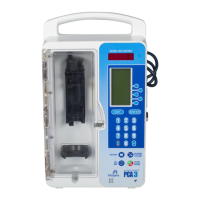
Details the LifeCare PCA 3 Infusion System, its features, and components.

Indications for Use

Explains the approved uses and patient suitability for the PCA 3 Infusion System.

Contraindications For Use

Lists conditions and situations where the PCA 3 Infusion System should not be used.

Conventions

Defines formatting conventions used in the manual, such as italics, bold, and brackets.

Definitions (General and Clinical)

Provides definitions for important terms used in the manual, covering general and clinical aspects.

Precautions

Outlines important precautions for safe operation, handling, and potential hazards.

Principles of Operation

Features

Details the main features of the PCA 3 Infusion System, including drug recognition and modes of delivery.

Administration Equipment

Lists and describes the administration sets and catheters compatible with the PCA 3 Infusion System.

Printer Kits

Describes the available printer kits for the PCA 3 Infusion System, including components.

Equipment Description

Components

Identifies and illustrates the main components of the PCA 3 Infusion System's front panel.

Operating Buttons & Keys

Explains the function of each button and key on the PCA 3 Infusion System's control interface.

Basic Operation

Getting Started

Provides step-by-step instructions for the initial setup and unpacking of the PCA 3 Infusion System.

Operating the PCA 3

Details the procedures for operating the PCA 3 Infusion System for intravenous and epidural administration.

Loading Vial

Guides the user through the process of loading a vial into the PCA 3 Infusion System.

Adjusting Settings

Explains how to adjust various settings on the PCA 3, such as alarm volume and display contrast.

Guided Start-Up for Prefilled vials

Step-by-step guide for initiating operation with Hospira prefilled drug vials.

Guided Start-Up for Custom Vials

Step-by-step guide for initiating operation with custom-filled drug vials.

Select Mode

Modes of Delivery

Describes the three primary modes of analgesia delivery: PCA Only, Continuous, and PCA+Continuous.

Programming PCA Only

Provides instructions for programming the PCA 3 Infusion System in the PCA Only mode.

Continuous Mode

Details the steps for programming the PCA 3 Infusion System in Continuous mode.

PCA + Continuous Mode

Explains how to program the PCA 3 Infusion System for PCA + Continuous mode delivery.

Protocols

Information on using pre-programmed protocols for Hospira prefilled vials, set via Service Mode.

Dose Limit (1 or 4 hour)

Explains how to set and manage 1-hour or 4-hour dose limits for patient safety.

Using Review Screens

Describes how to use review screens to verify programmed settings before securing the device.

Changing Settings During Setup

Instructions for modifying programmed settings during the initial setup phase of the PCA 3.

Stopping Infusion or Turning Pump OFF

Details the steps for safely stopping an infusion or turning off the PCA 3 pump.

Making Changes After Setup

Explains how to review, change, or clear settings after the initial setup is complete.

Checking History & Settings

Describes how to check the device's history and current settings, and how to print this information.

Printer Setup

Guides the user through the setup process for connecting and configuring a serial printer.

Printing Event History Log

Instructions on how to print the event history log from the PCA 3 Infusion System.

Downloading to a PC

Details the process for downloading data from the PCA 3 Infusion System to a personal computer.

History and Event Log

Explains the types of data stored in the History and Event Log and how they are presented.

Troubleshooting

Status Messages

Defines the various status messages displayed by the PCA 3 Infusion System.

Pump Alarm System

Explains how the PCA 3 pump alarm system functions and the actions taken during an alarm condition.

Silencing an Alarm

Provides instructions on how to silence alarms, clear causes, and resume operation.

Alarms and Messages

A comprehensive table detailing alarm messages, their causes, and corrective actions.

Maintenance

Pump Storage

Guidelines for storing the PCA 3 Infusion System to prolong its life and maintain functionality.

Cleaning and Sanitizing

Detailed instructions and recommended solutions for cleaning and sanitizing the PCA 3 Infusion System.

Battery Maintenance

Information on maintaining the battery, its charging, lifespan, and replacement considerations.

Specifications

Stored Occlusion Volume

Details the volume stored by the device during an occlusion event.

Time from Occlusion to Alarm

Specifies the time delay between an occlusion event and the system alarm.

Delivery Rate Accuracy

Provides accuracy specifications for the delivery rate of the PCA 3 Infusion System.

Trumpet Curves

Presents graphical data illustrating delivery rate deviation and performance characteristics.

Prescription Delivery Limits

Warranty

Hospira Lifecare PCA3 Specifications

General IconGeneral
ModelLifecare PCA3
Device TypeInfusion Pump
ManufacturerHospira
Intended UsePatient-Controlled Analgesia (PCA)
Infusion ModesPCA, Continuous, PCA with Continuous
Drug LibraryYes (Configurable)
Dosing UnitsmL, mg, mcg, units
Dose IncrementAdjustable
PCA DoseAdjustable
Bolus Dose RangeAdjustable
Maximum Dose LimitYes (Configurable)
AlarmsAir-in-line, Occlusion, Syringe Empty, Low Battery
DisplayLCD
Power SourceAC power, rechargeable battery
Battery LifeUp to 6 hours at 5 mL/hr
ComplianceIEC 60601-1
Syringe Size CompatibilityVarious syringe sizes (typically 10mL, 20mL, 30mL, 50mL, 60mL)
Dose Rate0.1 - 1200 mL/hr (depending on syringe size)
Continuous Rate Range0.1 - 1200 mL/hr (depending on syringe size)

Related product manuals