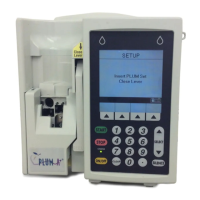
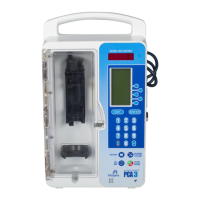
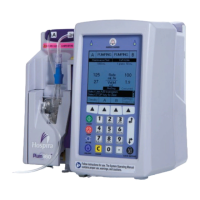
EasyManua.ls Logo

Hospira Plum 360 - Service Manual

Hospira Plum 360
267 pages
Print Icon
To Next Page IconTo Next Page
Loading...
Document Information Record
Label Artwork
Document Key Z09/EPS-97316-001/000/01 Status Approved Pend RL Status Date 01/08/2015
DCR Number 500012137
Document Description
ARTWORK, MANUAL, TECHNICAL SERVICE, PLUM 360
Document Characteristics and Current Values
Document Owner Owner Code Owning Site Functional Area
Suzanne Willey SJRD00-SAN JOSE R AND D SJ-SAN JOSE USA RD-RESEARCH AND
DEV.
Approver Information
Approver Name Approver Site Approver Functional Area Approval Date/Time
Bertie Spollen SG-SLIGO QC-QUALITY CONTROL 12/18/2014/05:18:26
Suzanne Willey LC-LC USA RD-RESEARCH AND DEV. 12/29/2014/12:10:44
Daniel Gonzalez
Rodriguez
CR-COSTA RICA QS-QUALITY SYSTEMS 01/08/2015/14:34:33
Commodity Implementation
Primary Label Replaced Label Implementation Instructions Implementation Date
*** *** *** ***
Document Description of Change
Initial SAP release revision E; revisions A, B, C, and D are in the DHF.
User is responsible for using the most current version of the document.
Confidential Information - Property of Hospira,Inc.
DIR Cover Page:1 of 1

Table of Contents

Other manuals for Hospira Plum 360

Questions and Answers

  • R
    Robert GentrySep 15, 2025
    What does 'Line not in STANDBY! Choose line(s) to Standby' mean on Hospira Medical Equipment?
    • K
      kellymartinSep 15, 2025
      If your Hospira Medical Equipment displays 'Line not in STANDBY! Choose line(s) to Standby', it means there has been no operator action for 15 seconds when the user has selected ?[Standby] when both lines are able to be put in standby. Press ?[Standby All], ?[Standby A], ?[Standby B], or ?[Cancel].
  • M
    Mary JohnsonAug 25, 2025
    What does it mean when Hospira Medical Equipment says 'Low Battery! Plug into AC power!'?
    • S
      Stephanie AtkinsonAug 25, 2025
      If your Hospira Medical Equipment displays 'Low Battery! Plug into AC power!', it means the battery charge level is low. To resolve this, plug the equipment into an AC (mains) power source.
  • E
    Eric HarrisAug 25, 2025
    What does 'Keep Plugged into AC! Service battery/ replace pump' mean for Hospira Plum 360 Medical Equipment?
    • M
      Michael MeyersAug 26, 2025
      If your Hospira Medical Equipment displays 'Keep Plugged into AC! Service battery/ replace pump', it means the battery or battery charge circuitry needs servicing. Power off the infuser and replace it as soon as possible, so that it can be sent for repair.
  • F
    Frederick BrownAug 26, 2025
    What to do if Hospira Plum 360 displays 'Keypad locked. Enter code to disable'?
    • E
      Erik LunaAug 26, 2025
      If your Hospira Medical Equipment displays 'Keypad locked. Enter code to disable', it means that while the keypad was locked, someone pressed [STOP] or opened the cassette door during delivery. Enter a valid keypad unlock code.
  • C
    Charles ReedSep 16, 2025
    What does 'Delivery was not STOPPED! Choose line(s) to stop' mean on Hospira Plum 360 Medical Equipment?
    • A
      andregrossSep 16, 2025
      If your Hospira Medical Equipment displays 'Delivery was not STOPPED! Choose line(s) to stop', it means there has been no operator action for 15 seconds when the user has attempted to stop a delivery when both lines are delivering by pressing [STOP], but has not selected a line. Press ?[Stop All], ?[Stop A], ?[Stop B], or ?[Cancel].
  • C
    Charles ThompsonSep 23, 2025
    Why is the backlight failing on my Hospira Plum 360?
    • A
      Amanda WilliamsSep 23, 2025
      If your Hospira Medical Equipment experiences a backlight failure, where the backlight voltage is out of range during operation, power off the infuser. Then, replace the pump.
  • B
    barronstaceySep 8, 2025
    What does 'VTBI Completed Line B! Add more VTBI or Clear B' mean on Hospira Plum 360?
    • M
      Mrs. Hailey RobertsSep 8, 2025
      If your Hospira Medical Equipment displays 'VTBI Completed Line B! Add more VTBI or Clear B', it means a Piggyback delivery on Line B is complete, the line was programmed under the current CCA, and no delivery is programmed to deliver on Line A. Add VTBI on Line B, clear the program on Line B, or open the cassette door.
  • C
    coxvalerieSep 8, 2025
    What to do if Hospira Plum 360 displays 'Proximal OCCLUSION B! Resolve then backprime'?
    • J
      Jonathon McdonaldSep 8, 2025
      If your Hospira Medical Equipment displays 'Proximal OCCLUSION B! Resolve then backprime', it means a proximal occlusion was detected on Line B during backprime. Examine line B for kinks. Make sure a line or syringe is attached to the secondary port and that the line is unclamped.
  • E
    Eric MullinsSep 2, 2025
    What does 'Cassette test failure! Check set' mean on Hospira Medical Equipment?
    • V
      Vanessa DoyleSep 2, 2025
      If your Hospira Medical Equipment displays 'Cassette test failure! Check set', it indicates a faulty cassette, proximal occlusion, or air detected in the cassette during the cassette test. Resolve any occlusion, then open and close the cassette door. Press ?[Backprime]. Replace the administration set.
  • S
    Steven GloverAug 31, 2025
    What does 'Proximal OCCLUSION A! Check Line A' mean on Hospira Medical Equipment?
    • S
      stephen11Aug 31, 2025
      If your Hospira Medical Equipment displays 'Proximal OCCLUSION A! Check Line A', it means a proximal occlusion or air was detected on Line A during delivery. Examine the proximal line for kinks and correct any found. If the occlusion is caused by a closed clamp, open the clamp.

Summary

Section 1 Introduction

1.1 Scope

Defines the organization and content of the manual.

1.7 Electromagnetic Compatibility

Details EMC requirements and guidance for operating the infuser in electromagnetic environments.

1.10 Self Test

Describes the procedure for performing the infuser's self-test.

1.12 Biomed

Covers access and operations for the Biomed mode for service personnel.

Section 2 Warranty

Section 3 System Operating Manual

Section 4 Theory of Operation

4.1 General Description

Provides an overview of the infuser's features and alarms.

4.2 Electronic Subsystem Overview

Details the electronic subsystems: CPU, power supply, and infusion mechanism.

Section 5 Maintenance and Service Tests

5.1 Cleaning and Disinfection

Provides instructions for cleaning and disinfecting the infuser between patient uses.

5.4 Preventive Maintenance

Outlines the required periodic inspections and tests for infuser maintenance.

5.5 Performance Verification Test

Describes tests to verify infuser performance after maintenance or repair.

Section 6 Troubleshooting

6.1 Technical Assistance

Provides contact information for technical support and product information.

6.2 Alarm Messages and Alarm Codes

Lists alarm messages, codes, descriptions, and corrective actions.

6.3 Troubleshooting Procedures

Details recommended procedures for non-alarm related problems and PVT troubleshooting.

Section 7 Replaceable Parts and Repairs

7.1 Replaceable Parts

Lists parts and subassemblies that can be repaired or replaced.

7.2 Replacement Procedures

Provides step-by-step procedures for replacing parts and performing PVT.

Section 8 Specifications

Section 9 Drawings

Appendix

Use of the Infuser in Electromagnetic Environments

Guidance on using the infuser in electromagnetic environments and emissions compliance.

Electromagnetic Immunity

Details immunity tests and guidance for electromagnetic compatibility.

Recommended Separation Distances for Communications Equipment

Provides recommended distances between transmitters and the infuser.

Hospira Plum 360 Specifications

General IconGeneral
Device TypeInfusion Pump
ManufacturerHospira
ModelPlum 360
Drug LibraryYes
Volume to be Infused (VTBI) Range0.1 to 9999 mL
Battery TypeRechargeable Lithium-ion
Power Requirements100-240V AC, 50/60Hz
Infusion TypesContinuous, Intermittent, PCA
DisplayColor LCD
ConnectivityEthernet, RS-232
Battery LifeUp to 8 hours
Flow Rate Range0.1 to 999 mL/hr
Occlusion Pressure SettingsLow, Medium, High
Operating Temperature10°C to 40°C (50°F to 104°F)
Operating Humidity20% to 80% RH, non-condensing
AlarmsOcclusion, air-in-line, low battery
CompatibilityCompatible with Hospira infusion sets and accessories

Related product manuals