EN
Quick guide
1
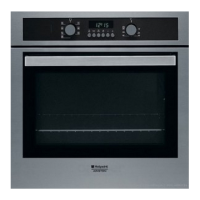
PRODUCT DESCRIPTION
1. Control panel
2. Fan
3. Lamp
4. Shelf guides (the level is
indicated on the wall of the
cooking compartment)
5. Door
6. Door lock (locks the door while
automatic cleaning is in progress
and afterwards)
7. Upper heating element/grill
8. Circular heating element (not
visible)
9. Identification plate (do not
remove)
10.
embossing for
drinking water
CONTROL PANEL DESCRIPTION
1 32 4 5
6
1. SELECTION KNOB
For switching the oven on by
selecting a function. Turn to the
position to switch the oven off.
2. LIGHT
With the oven switched on, press
to turn the oven compartment
lamp on or off.
3. SETTING THE TIME
For accessing the cooking time
settings, delayed start and timer.
For displaying the time when the
oven is off.
4. DISPLAY
5. ADJUSTMENT BUTTONS
For changing the cooking time
settings.
6. THERMOSTAT KNOB
Turn to select the temperature you
require when activating manual
functions.
1
2
3
4
5
9
10
8
7
6
THANK YOU FOR BUYING A
HOTPOINT-ARISTON PRODUCT
In order to receive a more complete assistance, please
register your product on www . hotpoint . eu/ register
Before using the appliance carefully read the Safety
Instruction.

 Need help?
 General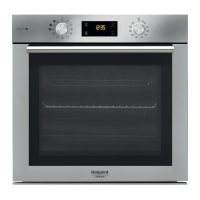





 To Next Page