29 of 35
Indesit Company
Service Manual UK English
Q. Door Hinge
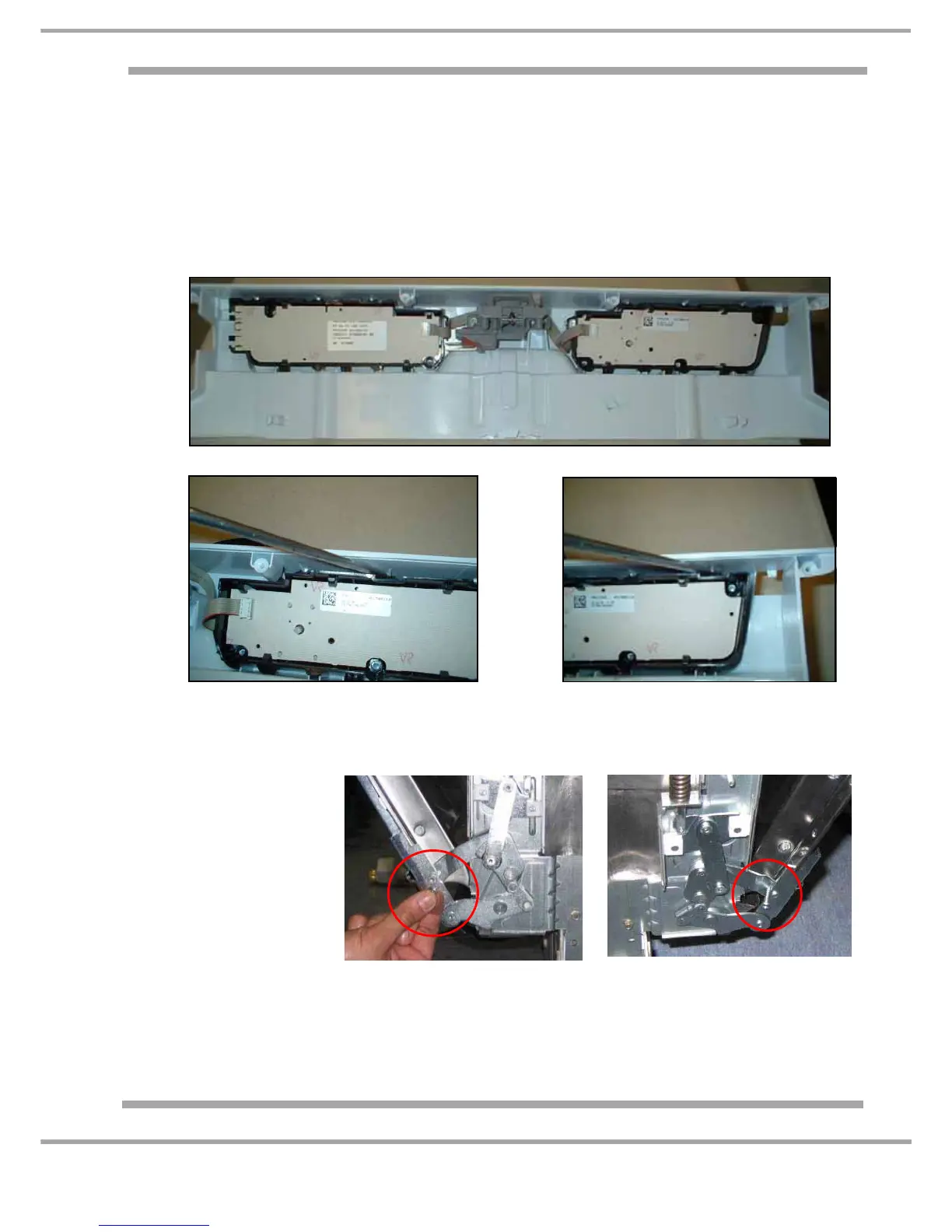
P. Display Board
1. Remove Outer Door panel C)
2. Remove Console Panel (6 screws) and disconnect wiring Harnesses. Noting Connector
orientation and position.
3. Remove the Control Knob
4. Using a flat bladed screw driver, ease clips securing card cradle to console (see Figs. 2 + 3
below.)
1. Remove the front panel and both side panels.
2. Partially open the door
(half way).
Insert a sturdy pin (or
pop rivet etc.) in the
hinge hole (in both left
and right hinges) to
keep the door half
open.
Note 1: IT IS IMPERATIVE THIS IS DONE BEFORE ANY FIXINGS ARE REMOVED.
... continued overleaf
Fig.2
Fig.3




 To Next Page