EasyManua.ls Logo

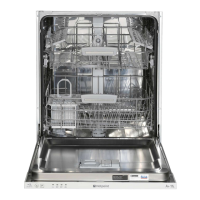
Hotpoint LTB 4B019 - User Manual

Hotpoint LTB 4B019
16 pages
Print Icon
To Next Page IconTo Next Page
Loading...
LTB 4B019
GB
English
Operating instructions
DISHWASHER - Contents
Operating instructions, 1
Precautions and advice, 2-3
Product Data, 3
Installation, 4-5-6
Description of the appliance, 7
Refined salt and rinse aid, 8
Loading the racks, 9-10
Detergent and dishwasher use, 11
Wash cycles, 12
Care and maintenance, 13
Troubleshooting, 14
After-Sales Service, 15
Guarantee, 16

Questions and Answers

  • J
    Jimmy BrownSep 9, 2025
    Why is the crockery not drying properly in my Hotpoint Dishwasher?
    • R
      Regina GarciaSep 9, 2025
      If your crockery has not been dried properly after using your Hotpoint dishwasher, it could be due to several reasons. You may have selected a wash cycle without a drying programme. Also, the rinse aid may have been used up, or the rinse aid dispenser setting may not be suitable. Note that if the crockery is made from non-stick material or plastic, the presence of water drops is normal.
  • C
    cassandra99Sep 8, 2025
    Why are the dishes and glasses covered in a white film after using my Hotpoint Dishwasher?
    • J
      Justin AlvaradoSep 8, 2025
      If your dishes and glasses are covered in a white film or limescale deposits after using your Hotpoint dishwasher, it could be due to several reasons. Make sure you are using refined salt. Adjust the water hardness setting to a suitable level. Ensure that the salt and rinse-aid dispenser cap is closed properly. Check if the rinse aid has been used up or if the dosage is too low.
  • D
    dwebbSep 7, 2025
    What to do if Hotpoint Dishwasher won’t load any water and is blocked with flashing lights?
    • R
      rogergarrisonSep 7, 2025
      If your Hotpoint dishwasher won’t load any water and shows flashing lights, it could be due to several reasons. First, ensure that there is water in the mains supply and that the tap is open. Check if the water inlet hose is bent. Also, the filters or the drain duct might be clogged and need cleaning. After checking and cleaning, switch the dishwasher on and off and start a new wash cycle. If the problem persists, turn off the water tap, remove the plug and call the Service Centre.
  • E
    Erica SanchezAug 22, 2025
    What to do if my Hotpoint Dishwasher does not start or cannot be controlled?
    • J
      Jonathan WalkerAug 22, 2025
      If your Hotpoint dishwasher won't start or you can't control it, try the following: first, switch the appliance off using the ON/OFF button, wait about a minute, and then switch it back on and reset the program. Ensure that the appliance is properly plugged in. Also, check that the dishwasher door is completely shut.
  • D
    Daniel BridgesSep 4, 2025
    Why are there white film or limescale deposits on my Hotpoint LTB 4B019 dishes and glasses?
    • S
      Sergio LyonsSep 5, 2025
      If you notice a white film or limescale deposits on your dishes and glasses after using your Hotpoint dishwasher, it could be due to a few reasons. The level of refined salt might be low, or the dosage setting might not be appropriate for the water hardness. Ensure that the lid on the salt dispenser is properly closed. Also, check if the rinse aid has been used up or if the dosage is too low.
  • S
    Stacy RobertsSep 3, 2025
    Why are my dishes not drying in my Hotpoint LTB 4B019 Dishwasher?
    • A
      Adam ChristensenSep 3, 2025
      If your crockery isn't drying properly in your Hotpoint dishwasher: * Ensure you've selected a wash cycle with a drying program. * Check the rinse aid level (see Refined Salt and Rinse Aid). * Adjust the rinse aid dispenser setting as needed. * Note that non-stick or plastic crockery may retain water drops normally.
  • F
    fshieldsSep 2, 2025
    What to do if my Hotpoint LTB 4B019 won't drain water?
    • H
      hurstjanetSep 2, 2025
      If no water drains from your Hotpoint dishwasher, consider the following: * Ensure the wash cycle has completed. * Check the water drain hose for bends (see Installation). * Inspect the drain duct for clogs. * Clean the filter if it's clogged with food residues. * Verify the height of the drain hose.
  • J
    Joshua MillerSep 1, 2025
    How to fix a Hotpoint LTB 4B019 Dishwasher that's not cleaning dishes properly?
    • M
      Michele JordanSep 1, 2025
      If your dishes aren't clean after a cycle in your Hotpoint dishwasher, consider these points: * Ensure the crockery is arranged properly, allowing the spray arms to rotate freely. * Select a more intense wash cycle. * Use the correct amount and type of detergent. * Check that the rinse aid compartment lid is correctly closed and that the refined salt level is adequate. * Clean the filter and spray arm holes if they are dirty or clogged. * Ensure the height of the dishes is compatible with the rack adjustment.
  • I
    ihaleyAug 31, 2025
    How to fix the problem when Hotpoint Dishwasher doesn't clean dishes properly?
    • A
      Anna RodriguezAug 31, 2025
      If your Hotpoint dishwasher is not cleaning dishes properly, it could be due to several reasons. Ensure that the crockery has been arranged properly and that the spray arms can rotate freely. Check if the wash cycle is too gentle. Make sure that the detergent has been measured out correctly and is suitable for use in dishwashers. Ensure that the lid on the rinse aid compartment has been closed correctly. Also, the filter may be dirty or clogged up, or the refined salt level may be low. Check that the height of the dishes is compatible with the rack adjustment and that the holes in the spray arms are not clogged.
  • J
    Jeffrey MunozAug 29, 2025
    What to do if no water drain out of the Hotpoint LTB 4B019 Dishwasher?
    • R
      Robert RamirezAug 29, 2025
      If your Hotpoint dishwasher is not draining water, it could be due to several reasons. First, ensure that the wash cycle has finished. Check if the water drain hose is bent. Also, the drain duct or the filter might be clogged up with food residues. Finally, check the height of the drain hose.

Summary

Precautions and Advice

General Safety

Important safety information for using the appliance safely, covering user responsibilities and prohibitions.

Installation

Positioning and Levelling

Instructions for correctly positioning and levelling the dishwasher on a stable floor for optimal operation.

Connecting Water Supply

Steps and precautions for connecting the water inlet hose to the water supply.

Connecting Drain Hose

Guidance on connecting the drain hose to a drain duct, ensuring proper height and avoiding blockages.

Anti-Flooding Protection

Description of the appliance's special system and supplementary devices to prevent floods.

Refined Salt and Rinse Aid

Detergent and Dishwasher Use

Measuring Detergent

Guidance on correctly measuring detergent for optimal wash results and environmental protection.

Starting the Dishwasher

Step-by-step instructions on how to start a wash cycle, including pre-checks and post-cycle actions.

Wash Cycles

Wash Cycle Instructions

Guidance on selecting wash cycles, understanding their data, and proper detergent dosage.

Care and Maintenance

Shutting Off Supplies

Procedures for safely turning off water and electricity before cleaning or maintenance.

Cleaning Filters

Detailed guide on how to remove, clean, and reassemble the filter assembly for optimal performance.

Troubleshooting

Dishwasher Not Starting or Controlled

Solutions for issues where the appliance fails to start or respond to controls.

Door Not Closing Properly

Troubleshooting steps for when the dishwasher door does not latch securely.

No Water Drain

Causes and solutions for the dishwasher not draining water after a cycle.

Hotpoint LTB 4B019 Specifications

General IconGeneral
TypeFreestanding
Number of Place Settings13
Noise Level49 dB
Dimensions (H x W x D)85 x 60 x 60 cm
Control Panel ColourBlack
Number of Washing Programs4
Drying SystemStatic
Delayed Start TimerYes
Child LockNo
Washing ProgramsEco, Intensive, Normal
Cycle Time190 minutes
Delay Start (max)24 hours

Related product manuals