“ Questions and Answers
Q. Must the clock beseton the correct time $clay
Q. Can I change the clock while I’m ‘1’imeBaking in
when I wish to use the sutomatk timer fw i$aking?
the oven?
tLYes, ifyouwishtoset the DELAY START(pn
A. The time of day on the clock should not be changed
some models) or the SlllP TIME dials to ~ on
during any program that uses the oven timer. You
and Offat set times during timed functions.
must either stop those programs or wait until they
Q. Can I use the minute timer&wing oven co@ng?
are finished before changing the time.
A. The minute timer can be used during any c@dng
function. The automatic them (DELAY STJ%RT
and STOP TIMEdials) areusedwith the TI$#ED
BAKE function only.
USINGYOUR OVEN
Before Using Y-Oven
L
Look at the controls. Be sure you understaz@how to 2. Check the oven interior. Look at the shelves. Take a
set them properly. Read over the directions f~ the
practice run at removing and replacing them
Automatic Oven T-r so you understand itq use
properly, to give sure, sturdy support.
with the controls.
3. Read over the information and tips that follow.
4Keepthisguide handy soyoucanreferto i~espdally
during the iirst weeks of using your new range.
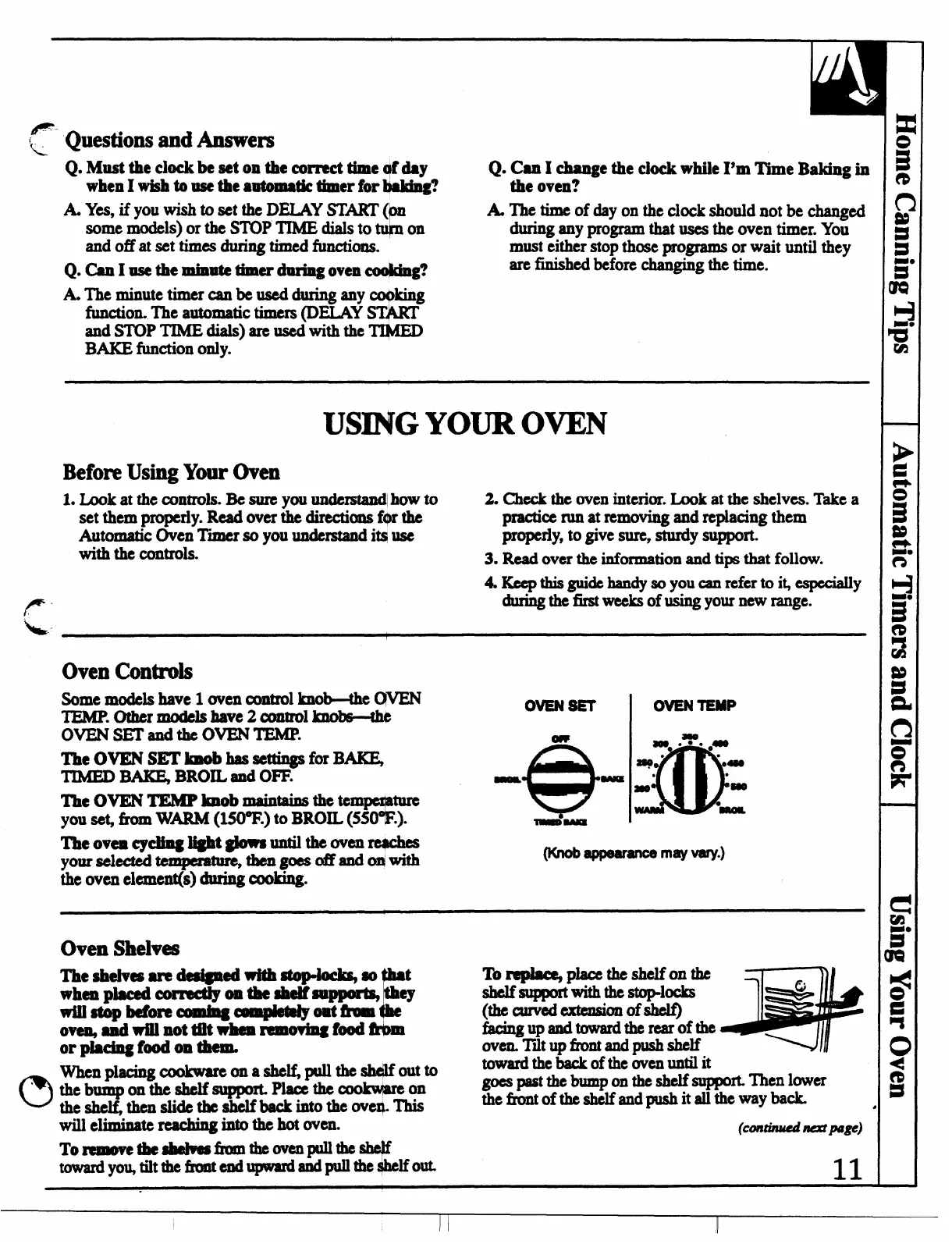
Oven Controls
Somemodels
have 1 oven control
~w
TEMP.Othermodels have2c0ntrol knobs—@
-m
ovENsETandthe oVENTEJUP.
m
The OVEN SETimObhasseUings for~
TIMED ~ BROIL and OFF.
The OVEN IXhSPlmobmaintains thete ture
?you sc$ h W- (MO’’F.)to BROIL (550 .).
“e”
W-
OVENTEMP
~ .7. ●
#@
m!!
.
2q, “
●489
.
8
TheovencycMnglight @owauntiltheowmre4che$
yoursekctedtempemtuMhengo$sabldo!With
---
may vary.)
the oven
clement(s) during cooking.
Oven Shelves
l%eshdvesare d$dgned-~so t
r
whenpkedcormctiy ontheshdfsu- ey
Wiustopbefimecmnbgc-pbtdyoatikolnthe
oven@uiVrillnottiitwhenrem ovbgfd@”bm
or placing food on -
when placing
cookwamona she~ptdlthe shclifoutto
dub
?
~thesheifsuppmL Plaoethecookwbmon
theshe thenslidethe shelf backintothe over$.lllis
Toreplac qpiaceth eshelfonthe
shelf supportwiththestop-locks
(the curved extension of sh@
-W=d-timofti
overLTitupfront andpushshelf
toward the backofthcovcnuntilit
W F@ tie b~p on the shelf suppofi Then lower
thcfrontoftheshelf andpushitallthe wayback
willehiinatemachi
ngintothehotwm.
(Continwinmplge)
To m!movethe8helWafrolnkWenpullthesheJf
towardyouJiltthefmntendupwardandpullth e$helfow
11
I



 To Next Page