USINGYOUR OVEN
(continued)
Shelf Positions
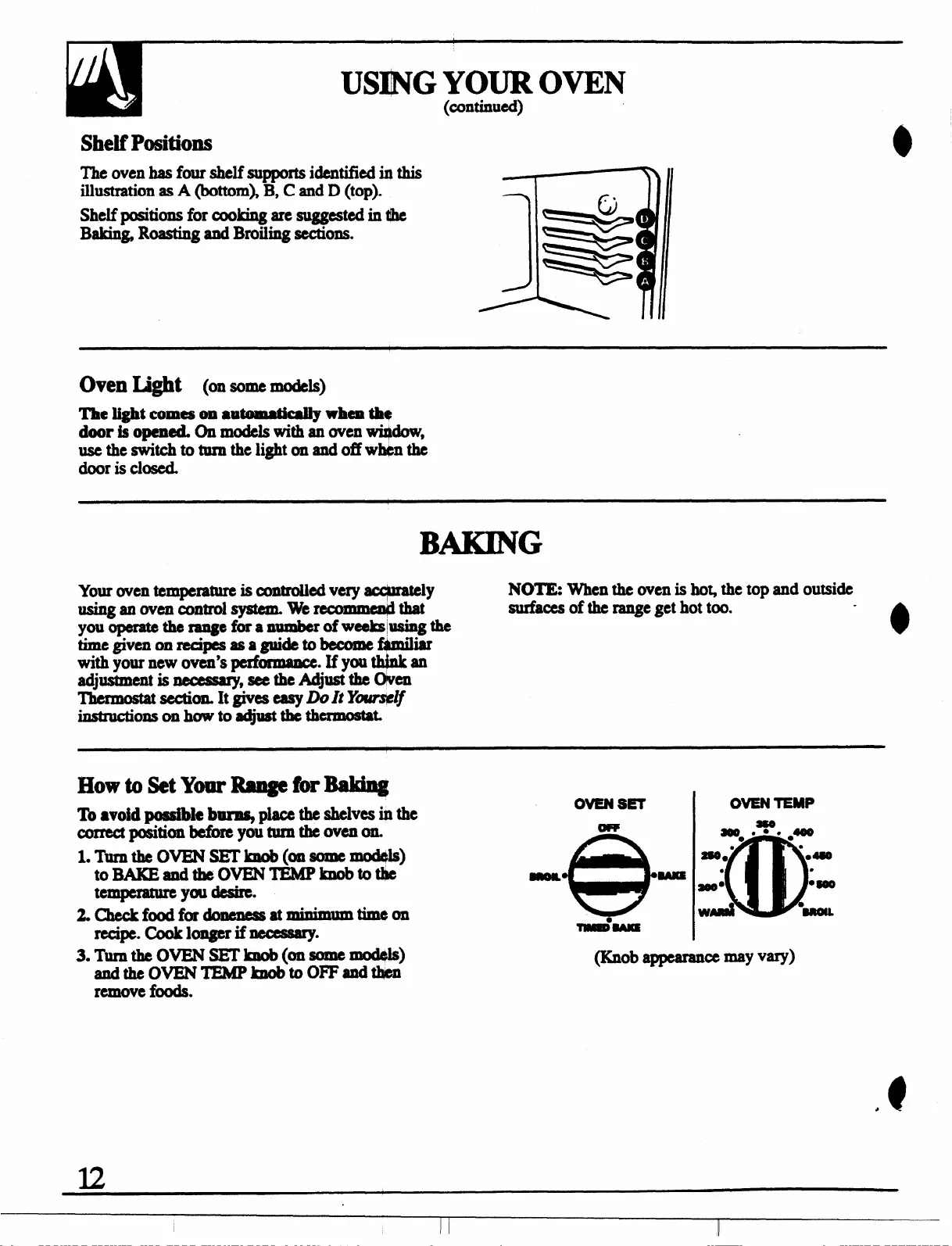
The oven b four ahclf supports identified in this
illustration as A (bottom), B, C and D (top).
Shelf positions
forcookingaresuggcs!edin@e
Baking Roaating and Broiling sections.
Oven Light (on some models)
The light comeson a@matkWy when **
door is opemed On models with an oven wh$dow,
Utie*ti~=tieli@tadoffwMnti
door is closed.
BAKING
Your oven temperature k cOntmWd very acqbmtely
NOTE When the oven is ho~ the top and outside
uainganovcn mlltrolsyatem. wmcomme@that
surfacea of the range get hot too.
you operate the raqe faa numberofwcekmaing the
timegivcnon recipeaasa guide to become f+miliar
with your new oven’s @ormmce
.Ifyouth@an
adjua@wnt is mxxsary,
acethe Adjust the Olwm
Thmo@ataectiorL Itgiveseaay Dolt Y~~
instr@ions onhuwtoa@lsttWhe rmoatat
Howto SetY-Rm@brMdq
To ●void poaaible b- place the shelv= @h
Correctposition bcfomyollturn theovaon=
l. TumtheovBN SETknob(onsomcmod@a)
to BAKEandthe OVBNTEMPknobtotiie
tempmture ya desire.
2*Checkfoodfordonemas at~tim
recipe. cook longer if ncccaaq.
OWENSET
OVEN
TEMP
a@O*.%%
●400
@
●
280. ” ●480
●
●
aoOm
●-
WAA
●i
3. Turnthe OVEN SETlmob(onaOmC_)
andtheovBNTEMPknob tooRFdt4cJJ
@ob appcwance -y V@
remove foods.
u



 To Next Page