((m’mdek$s
?
Thautomtimanclo
yoRan
are helpful devices that
sersevepurpoThkn
locato soranmod
mavaanwilolio o
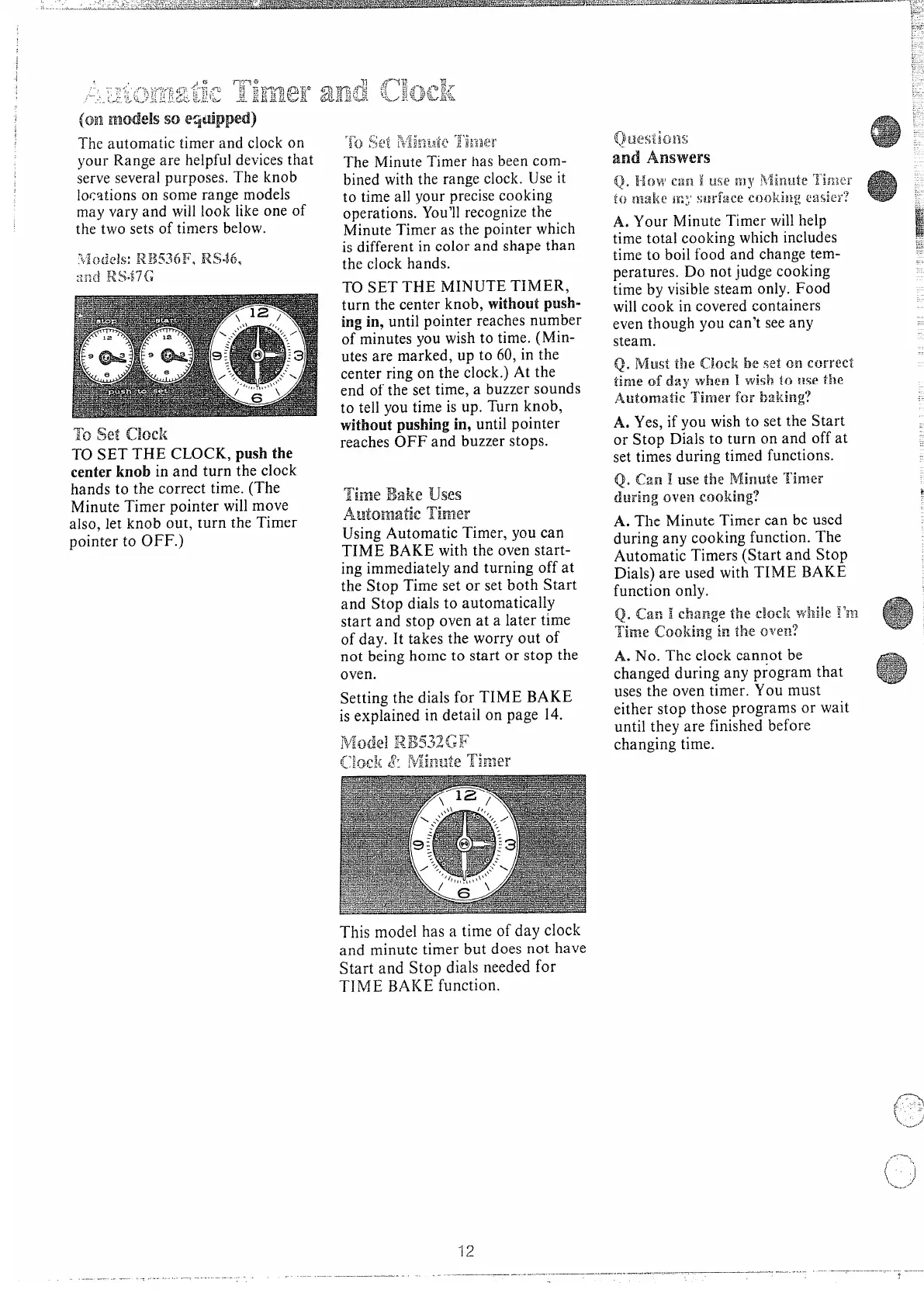
thtwseo timbel
To setad”<
T SETHCLOput
centkni antu
thcl
hant thcorrtim(T
MinuTimpoinwimo
alsleknoututhTi
point OFF
r~. :-t
,.
.$,-‘:<:,,
i
Q ::?WHVL+:.1 E ka
~“
MinTih b c
biwit raclU i
t tia yopreco
operaYorect
MinTia t powh
i diffi coa sht
t clha
T S T MITI
tut ceknwipu
i i unpoirenu
o miny wit ti(M
uta maru t 6 i t
cenrio t cloA t
e o t s tia buso
t tey tii u T kn
witpus
in9unpo
reaO a bust
~~gBa~~
AWhmatk 3i%’m3T
Using
AutoTiy c
TIBAwit o st
i
immeda tuo a
t StTis o s b St
a Stdit
autom
sta stova a lat
o daI tat woo o
n behot sto s t
ov
Setting the dials for TIME BAKE
is explained in detail on page 14.
Thmoh a tio d cl
a
mintib d n h
Sta Stdinef
TIBAfun
A Y M T w h
t t cow i
t t b f a c t
perD n j c
t b vis o F
w c i coco
e thy c s a
st
A Y i y w t
set the Start
or Stop Dials to turn on and off at
set times during timed functions.
Q. can I Usethe Minute Timer
!j~~jng~y~~cooking?
A. The Minute Timer can be used
during any cooking function. The
Automatic Timers (Start and Stop
Dials) are used with TIME BAKE
function only.
Q. f-an ] ~~ang~f~~~~~c}:whileI’m
Time cooking in the oven?
A N T c c b
chd a p t
u t o t Y m
eis t pro w
u t a fib
cht



 To Next Page