13 of 43
Service Manual UK
Whirlpool UK Appliances Ltd
English
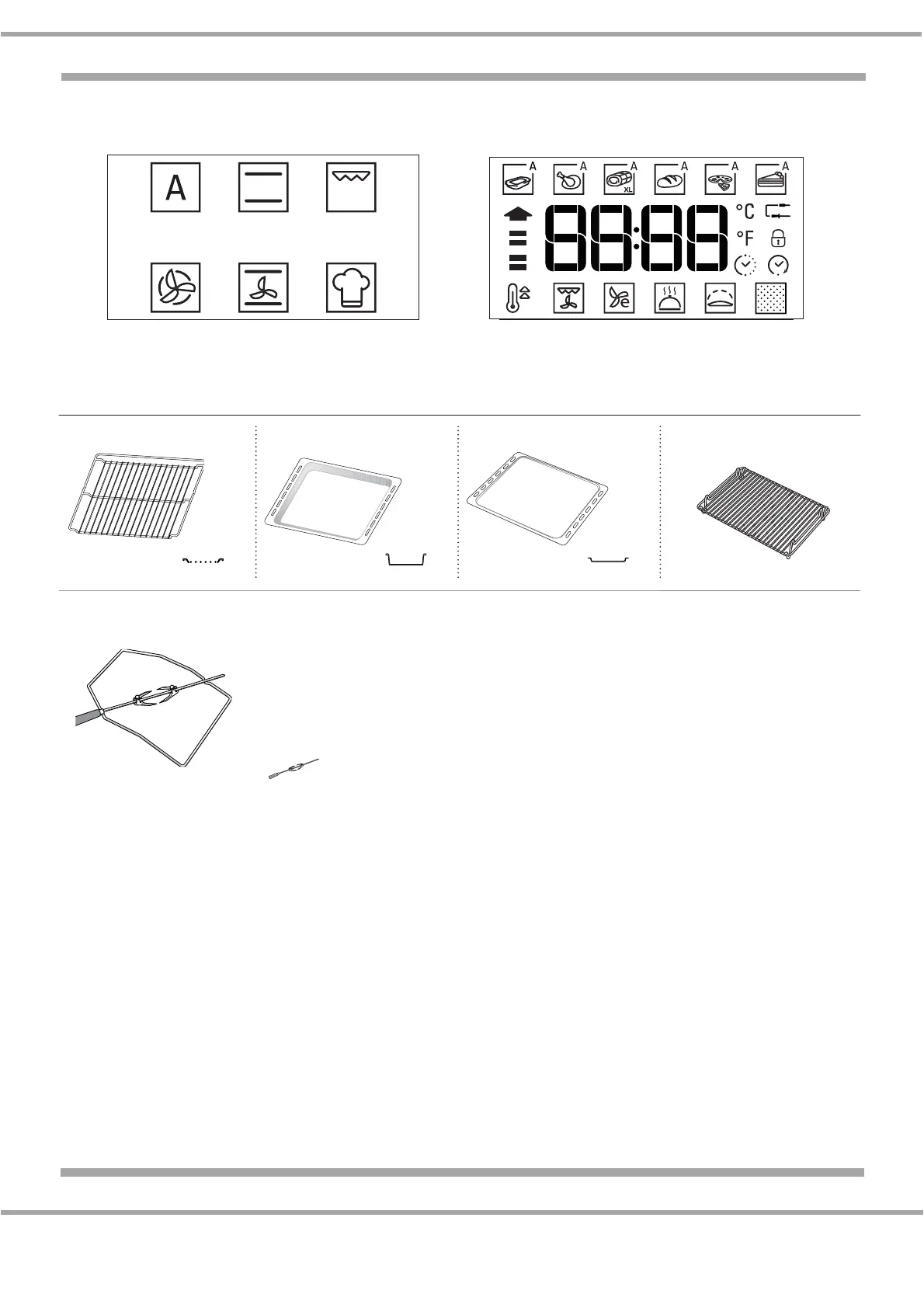
DESCRIPTION OF THE DISPLAY
ACCESSORIES
INSERTING THE WIRE SHELF AND OTHER ACCESSORIES
Insert the wire shelf onto the level you require by holding it tilted slightly upwards and resting the raised
rear side (pointing upwards) down first. Then slide it horizontally along the runners as far as possible.
Other accessories, such as the drip tray and the baking tray, are to be inserted horizontally, letting
them slide on the shelf guides.
Not all functions are available on this model
WIRE SHELF DRIP TRAY BAKING TRAY GRILL PAN SET
TURNSPIT


 To Next Page