EasyManua.ls Logo

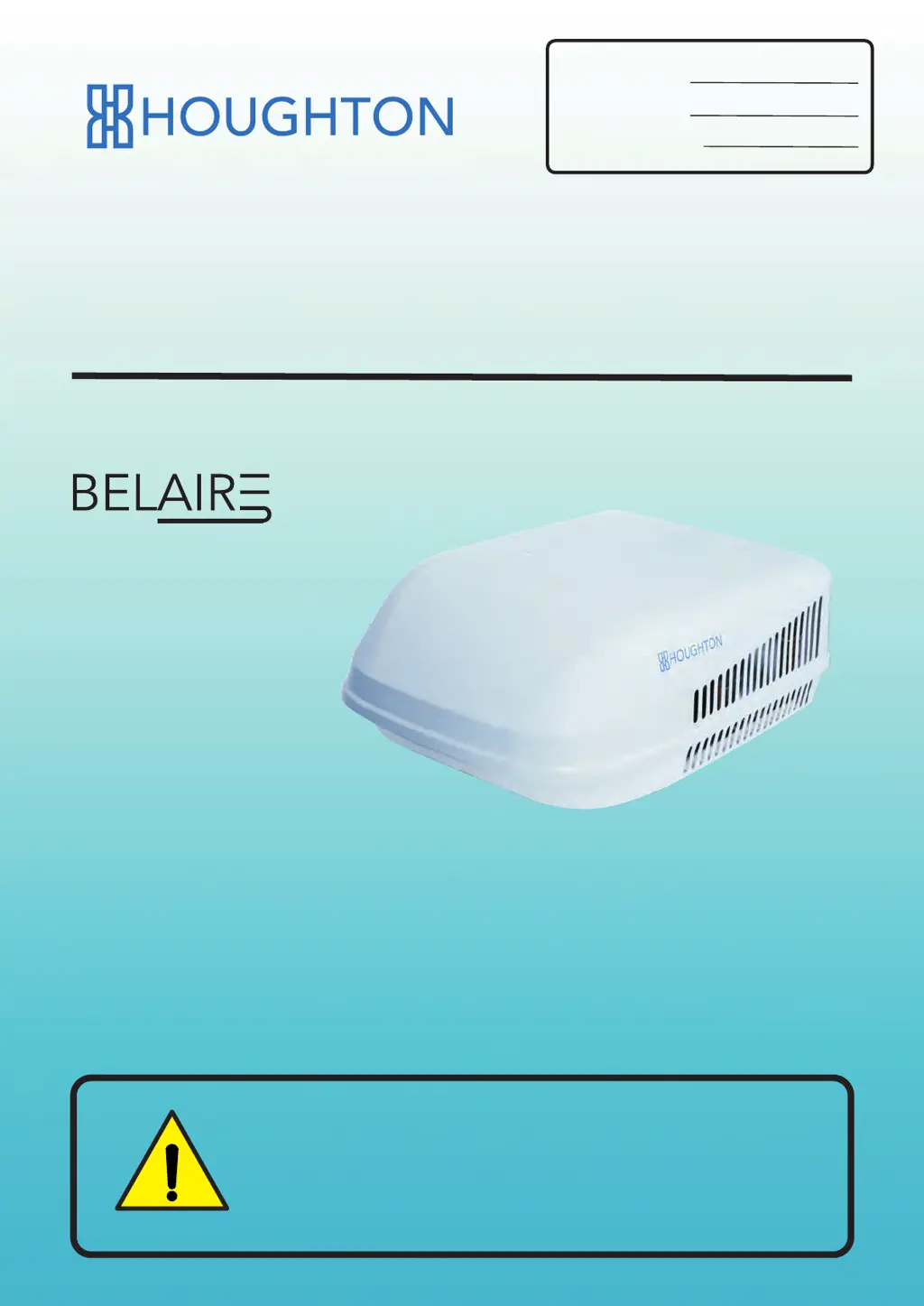
Houghton BELAIRE A3501 - User Manual

Houghton BELAIRE A3501
36 pages
Print Icon
To Next Page IconTo Next Page
Loading...
OWNERS MANUAL
CARAVAN AIR-CONDITIONER
MODEL
MODEL NUMBER:
SERIAL NUMBER:
DATE PURCHASED:
For your safety, please read this manual
carefully before using the product.
A3501
A3800
T3500

Questions and Answers

Summary

Houghton Owners Manual

Safety Notices and Symbols

Safety Symbols Explanation

Explains warning and prohibition symbols used throughout the manual.

Detailed Safety Precautions

General Safety Precautions

Lists critical safety instructions for operation and installation.

Product Introduction and Features

Purpose and Application

States the design purpose and application of the air-conditioner.

Effective Operation Tips

Provides tips to improve efficiency and reduce heat load.

Condensation and Generator Use

Explains condensation formation and advises on generator usage.

Packing List: Standard System

Standard System Parts

Lists the standard installation parts included with the unit.

Packing List: Ducted System

Ducted System Installation Parts

Lists installation parts specific to the ducted air-conditioning system.

Installation Guidance and Requirements

Installation Instructions and Requirements

Key instructions and requirements for a successful installation.

Roof Load Bearing and Preparation

Details roof suitability and mounting hole preparation for the unit.

Installation Position and Dimensions

Unit Placement and Clearance

Guides on selecting the optimal location and clearance for the rooftop unit.

Gasket and Sealant Application

Gasket and Sealant Application

Instructions for correctly installing the outlet gasket and sealant.

Outdoor Unit and Air Duct Installation

Mounting the Outdoor Unit

Steps for mounting the outdoor unit onto the prepared roof opening.

Installing the Outlet Air Duct

Instructions for connecting the outlet air duct to the outdoor unit.

Power Connection and Plenum Bracket Installation

Connecting the Power Supply

Details wiring the unit to the power supply and safety notes.

Plenum Mounting Bracket Installation

Steps for installing the plenum mounting bracket.

Plenum Assembly and Louver Adjustment

Plenum Assembly Steps

Instructions for connecting and securing the plenum assembly.

Adjusting Air Louvers

How to adjust the direction and angle of the air louvers.

Ducted System Installation: Baffles and Power

Air Flow Baffle and Power Connection

Installing the air flow baffle and connecting power for ducted systems.

Plenum Bracket for Ducted Systems

Installing the plenum mounting bracket specifically for ducted configurations.

Ducted System Installation: Plenum and Outlets

Plenum Assembly and Air Outlet

Finalizing plenum assembly and adjusting air outlets for ducted systems.

Final Louver Adjustment

Adjusting louvers after the ducted system plenum is installed.

Quick Start Guide: Initial Operation

Initial Unit Operation

Basic steps to power on and test the air-conditioner functions.

Remote Control Operation: Overview

Remote Control Layout and Buttons

Overview of buttons and displays for standard remote control.

Remote Control: Furnace System

Furnace Function Remote and Plenum Display

Details buttons for furnace function and the plenum display.

Remote Control: Mode Operations

Turning On and Basic Modes

Step-by-step guide for turning on, fan, and cool modes.

Remote Control: Advanced Modes

Dry, Heat, and Auto Modes

Instructions for operating dry, heat, and auto modes using the remote.

Remote Control: Settings and Timers

Temperature Units and Timer Setup

How to change temperature units and set timers using the remote.

Plenum Control via Remote

Plenum Operation and Lock Function

Using the remote to control plenum features and lock functions.

Wall Pad Controller: Overview

Wall Pad Controller Layout

Description of the wall pad controller and its key functions.

Wall Pad Controller: Basic Operations

Wall Pad Turn On and Modes

How to turn on, and operate cool, dry, and fan modes via the wall pad.

Wall Pad Controller: Advanced Operations

Wall Pad Heat, Auto, and Furnace

Instructions for heat, auto, furnace, and temperature unit changes.

Wall Pad Controller: Sleep, Lock, and Off

Sleep, Lock, and Turn Off Functions

Details sleep mode, lock function, and turning off the unit via wall pad.

Product Maintenance and Care

Filter Maintenance and Bolt Checks

Instructions for filter care, bolt tightness, and periodic unit operation.

Product Specifications

Model Specifications Summary

Technical data including power, capacity, and dimensions for different models.

Exploded Diagram and Parts List: Non-ducted

Non-ducted System Diagram

Visual breakdown and numbering of parts for non-ducted systems.

Exploded Diagram and Parts List: Component Details

Component Part Numbers

Comprehensive list of part numbers, names, and quantities.

Circuit Diagrams: A3501 and T3500

A3501 and T3500 Circuitry

Electrical schematics for A3501 (standard/furnace) and T3500 models.

Circuit Diagrams: A3800 and Furnace

A3800 and Furnace Circuitry

Electrical schematics for A3800 (standard/furnace) models.

Trouble Shooting Guide

Common Operational Issues

Troubleshooting steps for display, cooling, and heating problems.

Fault Codes and Support Information

Lists error codes and guidance for contacting technical support.

Circuit Diagrams: Additional Models

Additional Circuit Diagrams

Further electrical schematics for various air-conditioning system models.

Circuit Diagrams: Final Schematics

Final Circuit Diagrams

Concluding electrical schematics for air-conditioning system models.

Houghton BELAIRE A3501 Specifications

General IconGeneral
BrandHoughton
ModelBELAIRE A3501
CategoryAir Conditioner
LanguageEnglish

Related product manuals