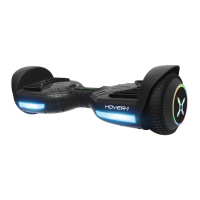
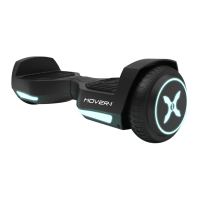
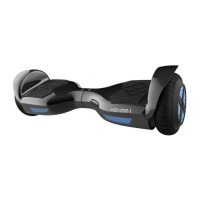
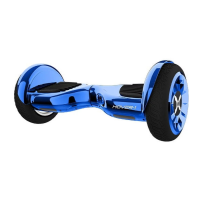
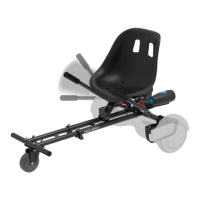
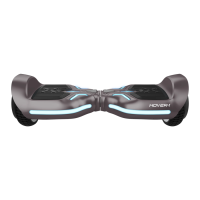
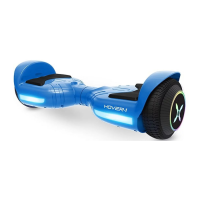
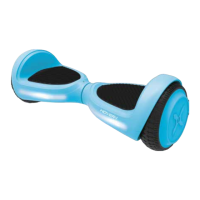
The Hover-1 Beast is a personal transporter, specifically a two-wheel balancing electric scooter, designed for easy control and stable travel. It incorporates digital electronic gyroscopes and acceleration sensors to maintain balance and motion based on the user's center of gravity. The device features a built-in inertia dynamic stabilization system to assist with balance when moving forward and backward, though not while turning. To enhance stability during turns, especially at higher speeds, users should shift their weight to counteract centrifugal force.
Technical Specifications:
- Model: HY-BEAST
- Net Weight: 27.43 lbs (12.44 kg)
- Load: 44-330 lbs (20-150 kg)
- Max Speed: Up to 7.45 mph (12 km/h)
- Max Distance Range: Up to 8.4 miles (13.5 km)
- Max Incline Angle: 15 degrees
- Minimum Turning Radius: 0 degrees
- Battery Type: Lithium-ion
- Battery Voltage: 36 V
- Battery Capacity: 4.0 Ah
- Power Requirement: AC 100-240V, 50/60 Hz
- Wheel Size: 10 Inches (25.4 cm)
- Product Size: 28.35 x 10.63 x 11.42 inches (720 x 270 x 290 mm)
- Bluetooth Range: Up to 33 ft
- Bluetooth Speaker: V4.0 with stereo sound quality
- Charger Manufacturer: COMING DATA CO.,LTD.
- Charger Model: CP4215
- Operating Temperature Range: 32-113° F (0-45° C)
Usage Features:
The Hover-1 Beast is equipped with two independent driver motors, allowing for easy turns, rotations, and smooth braking. Acceleration and deceleration are controlled by applying pressure with the feet or by leaning. It boasts a zero-degree turning radius, enabling operation in narrow spaces without needing to move forward.
Package Contents:
- Hover-1 Beast Electric Scooter
- 3-pin Charge Cable
- Operation Manual
Features/Parts:
- Fender
- Left Foot Mat
- Running Indicator
- Battery Indicator
- Right Foot Mat
- Tire
- LED Light
- Power Button
- Charge Port (located in rear)
- Battery Cover
- Wireless Speaker
Turning On/Off:
To power on, place the device flat on the floor, press the power button once. The LED indicator in the center should light up, along with the battery indicator. To power off, press the power button once. The device also features a self-balance function that activates upon power-on; if not, press the power button twice while the scooter is on.
Mat Sensor:
Four sensors under the foot mats initiate self-calibration when the user steps off. When riding, ensure feet are on the mats. Applying weight or pressure to only one foot mat may cause the Beast to vibrate or spin in one direction.
Battery Indicator:
Located in the middle of the Beast:
- Green LED: Fully charged.
- Red flashing LED and beeping: Low battery, requires recharge.
- Yellow light: Charging.
Running Indicator:
Lights up when foot mats are triggered, indicating the system is in a running state. Turns red if there's an error (refer to Safety Alerts).
Bluetooth Speaker:
The Beast includes powerful built-in wireless speakers for music playback while riding.
- Pairing: Turn on the Beast; speakers will "Ping" to indicate pairing mode. Place the Bluetooth device within 3 feet. Enable Bluetooth on your device and select "HY-BEAST" from the list. Enter PIN "000000" if prompted. The Beast will say "Paired" upon success. Pairing mode lasts two minutes. If unsuccessful, turn off and re-pair. The speaker remembers paired devices and reconnects automatically when in range and Bluetooth is active. The scooter can pair with up to two multi-point devices.
- Listening to Music: Once paired, music streams wirelessly. Only one speaker plays music; the other is for safety alerts. Volume and track controls are managed via the music device.
Smart Phone App:
The Beast is App-enabled for Apple iOS and Android devices. The free Hover-1 App can be downloaded via QR codes provided in the manual or by searching "Hover-1" in app stores. The app offers features like GPS and skill mode.
Riding Instructions:
Before riding, ensure the device is fully charged and all mechanisms are understood. Practice in a flat, open area at slower speeds.
- Mounting: Stand behind the device, place one foot on the corresponding foot mat, keeping weight on the ground foot. Shift weight to the foot on the device, then quickly and evenly step on with the second foot. Stay relaxed and confident.
- Balance: Find your center of gravity. Distribute weight evenly on foot mats. It takes 3-5 minutes to get comfortable. A spotter can help.
- Movement: Focus in the desired direction. Tilting your center of gravity propels the device.
- Turning: Focus in the direction you wish to turn and stay relaxed. Avoid sharp turns or high speeds, especially on slopes, to prevent injury.
- Dismounting: From a stopped position, lift one leg and set it back on the ground (stepping back), then step off completely. Ensure the leg is lifted completely off the foot mat to avoid a tailspin.
Safety Precautions:
- Always wear a CPSC or CE safety standard helmet.
- Obey all local traffic laws (lights, stop signs, crosswalks, one-way streets).
- Ride with traffic, defensively, and expect the unexpected.
- Give pedestrians the right-of-way and alert them when passing.
- Slow down at intersections and look both ways.
- The Beast is not equipped with reflectors; avoid riding in low visibility. If riding in low visibility, keep the headlight on and wear bright, reflective clothing.
- Do not ride above your skill level.
- Ensure the device is flat, powered on, and the Running Indicator is green before stepping on.
- Do not open or modify the Beast; this voids the warranty and can cause injury or death.
- Do not use the Beast in a manner that endangers people or property.
- Maintain a safe distance from others.
- Keep feet on pedals at all times.
- Do not operate under the influence of drugs/alcohol or when restless/sleepy.
- Do not ride off curbs, ramps, or in skate parks/empty pools. The Beast is not a skateboard. Misuse voids the warranty and can lead to injury.
- Avoid continuous spinning to prevent dizziness and injury risk.
- Do not abuse the Beast; physical abuse voids the warranty.
- Recommended for riders ages 15 and older.
- Consider longer stopping distances at higher speeds.
- Do not step forward off the Beast.
- Do not attempt jumps, stunts, or tricks.
- Do not ride in dark or poorly lit areas.
- Avoid riding off-road, over potholes, cracks, or uneven surfaces.
- Be aware of being 4.5 inches (11.43 cm) taller when operating; clear doorways safely.
- Do not step on the fenders.
- Avoid unsafe places with flammable gas, steam, liquid, dust, or fiber.
- Ensure tires are in good condition with sufficient tread.
- Do not operate near swimming pools or other bodies of water.
- Adult supervision is required. Never use in roadways, near motor vehicles, on steep inclines/steps, swimming pools, or other bodies of water. Always wear shoes and allow only one rider.
Safety Alerts:
The device will alert the user to system errors or illegal operations with a RED Running Indicator Light and a beep. The device may stop suddenly. Common alerts include:
- Unsafe riding surfaces (uneven, too steep).
- Platform tilted more than 17 degrees forward/backward when stepping on.
- Low battery voltage.
- Device still charging.
- Platform tilting due to excess speed.
- Overheating or high motor temperature.
- Device rocking back and forth for over 30 seconds.
- System entering protection mode (alarm indicator lights, board vibrates) due to low battery.
- Platform tilted more than 17 degrees forward/backward, causing sudden power-off and loss of balance.
- Tires blocked, causing the device to stop after 2 seconds.
- Battery level below protection mode, causing engine power-off after 15 seconds.
- Sustaining high discharge current (e.g., driving up a steep slope) for a long time, causing engine power-off after 15 seconds.
If the Beast turns off during a Safety Alert, all operations halt. Turn the Beast off and back on to unlock it from a Safety Lock.
Maintenance Features:
Charging:
- Ensure the charging port is clean and dry.
- Plug the charger into a grounded wall outlet; the charger's indicator light will be green.
- Connect the 3-pin charging cable to the power supply (100V-240V; 50/60 Hz) and then to the Beast's charging port. Do not force or bend the cable.
- The charger's indicator light will turn RED when charging.
- When fully charged, the charger's indicator light turns GREEN.
- A full charge takes up to 3.5 hours. The scooter's yellow flashing light indicates charging. Do not charge for more than 4 hours.
- Unplug the charger from the device and power outlet after charging.
Battery Care:
- The lithium-ion battery is built-in and should not be disassembled or separated from the device.
- Use only the supplied 3-pin charging cable.
- Do not connect the device or battery to a power supply plug or car's cigarette lighter.
- Do not place the device or batteries near fire or direct sunlight; this can cause overheating, breaking, or ignition.
- Do not continue charging if the battery doesn't recharge within the specified time, as it may overheat, rupture, or ignite.
- Recycle or dispose of batteries properly according to local, state, and federal laws. Lithium-ion batteries are hazardous materials.
- Do not modify, change, or replace the battery.
- Do not use the device if the battery emits odor, overheats, or leaks.
- Do not touch leaking materials or breathe fumes.
- Keep children and animals away from the battery.
- Do not open the battery or insert anything into it.
- If the battery discharges or emits substances, immediately distance yourself from it due to fire/explosion risk.
- Seek immediate medical assistance if exposed to any substance emitted from the battery.
General Care & Maintenance:
- Avoid exposing the device to liquid, moisture, or humidity to prevent damage to internal circuitry.
- Do not use abrasive cleaning solvents.
- Avoid extremely high or low temperatures, which can shorten device life, destroy the battery, or distort plastic parts.
- Do not dispose of the device in fire.
- Avoid contact with sharp objects to prevent scratches.
- Do not drop the device from high places.
- Do not attempt to disassemble the device. Disassembly without permission voids the warranty.
- Avoid using water or other liquids for cleaning, as they can cause permanent damage to internal components.
Warranty:
For warranty information, visit www.hover-1.com. Keep the serial number for warranty claims and proof of purchase.

 Need help?
 General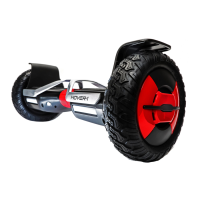

 To Next Page