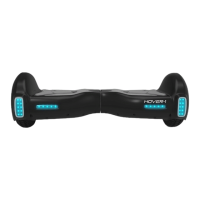
While riding your H1, if there is a system error or illegal operation
performed the device will prompt the user in a variety of ways.
You will notice the Running Indicator Light will turn RED and you will
hear a beep sound alerting you to take precaution and cease
operation, which may make the device stop suddenly.
The following are common occurrences where you will hear the
Safety Alerts. These notices should not be ignored, but
appropriate action should be taken to correct any illegal
operation, failure or errors.
• Unsafe riding surfaces (uneven, too steep, unsafe, etc.)
• When you step on the device, if the platform is tilted more than 17
degrees forward or backward.
• Battery voltage is too low.
• The device is still charging.
• During operation, the platform self initiates to tilt due to excess speed.
• Overheating, or motor temperature is too high.
• The device has been rocking back and forth over 30 seconds.
• If the system enters protection mode, the alarm indicator will light
up and the board will vibrate. This typically occurs when the battery
is about to run out of power and stop abruptly.
• If the platform is tilted forward or backward more than 17 degrees,
your H1 will power off and stop suddenly, possibly causing the rider
to lose balance or fall off.
• If any or both tires are blocked, the device will stop after 2
seconds.
• When the battery level has depleted below protection mode, the
device engine will power off and stop after 15 seconds.
• While sustaining a high discharge current during use (such as
driving up a steep slope for a long period of time), the device
engine will power off and stop after 15 seconds.
WARNING
When the H1 turns off during a Safety
Alert, all operation systems will halt. Do not
continue attempting to ride the H1 when
the system initiates a stop. Turn your H1 off
and back on to unlock it from a Safety
Lock.
19




 To Next Page