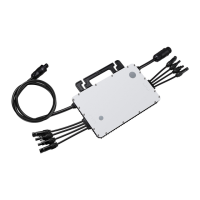
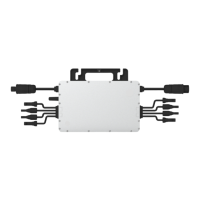
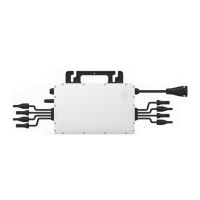
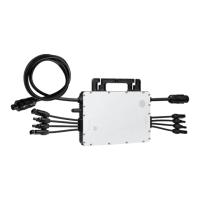
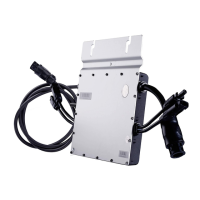
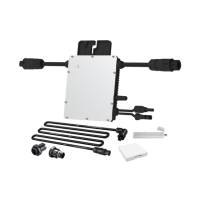
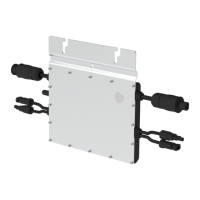
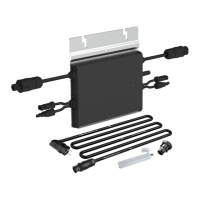
This document provides a comprehensive user manual for the Hoymiles HM-1000/HM-1200/HM-1500 Single-phase Microinverter, a key component in photovoltaic (PV) systems designed to convert direct current (DC) into alternating current (AC) for feeding into the public grid. This system is composed of multiple microinverters, with each unit supporting up to two PV modules. Each microinverter operates independently, optimizing power generation from individual PV modules and enhancing system flexibility and reliability.
Function Description
The Hoymiles HM-1000/HM-1200/HM-1500 Microinverter is a "Daisy-Chain 4-in-1 Unit Microinverter" that features an ultra-wide DC input operating voltage range of 16 V to 60 V and a low start-up voltage of only 22 V. This design makes it a reliable solution for PV systems, particularly those with an uneven number of panels. The microinverter's primary function is to convert the DC power generated by PV modules into AC power, which can then be used to support household loads or fed into the public grid.
The microinverter operates in several modes:
- Normal Mode: In this mode, the microinverter functions typically, converting DC power to AC power to meet household electricity demands and exporting any surplus power to the public grid.
- Zero Export Control Mode: This mode limits the microinverter's power generation based on current household loads, preventing any excess power from being fed into the public grid. This is particularly useful for installations where grid export is restricted or undesirable.
- Standby Mode: The microinverter enters Standby mode under specific conditions, such as when operating requirements are not met, or when there are no household loads and the export control value on the DTU (Data Transfer Unit) is set to "0" in Zero Export Control mode.
The microinverter is designed for high efficiency, boasting a peak efficiency of 96.70% and a CEC weighted efficiency of 96.50%. It also features a static MPPT (Maximum Power Point Tracking) efficiency of 99.80% and a dynamic MPPT efficiency of 99.76% in overcast weather, ensuring optimal power harvesting under varying environmental conditions. The power factor is adjustable from 0.8 leading to 0.8 lagging, providing flexibility for grid integration.
Usage Features
The HM-1000/HM-1200/HM-1500 Microinverter is designed for straightforward installation and integration into PV systems. It supports maximum output powers of up to 1000 W, 1200 W, and 1500 W, respectively, and is compatible with both 60-cell and 72-cell PV panels.
Key usage features include:
- Robust Communication: The microinverter is equipped with an external antenna, which ensures stronger communication with the DTU, facilitating reliable monitoring and control of the system.
- High Reliability: The device features a NEMA 6 (IP67) enclosure, providing excellent protection against environmental elements such as dust and water. It also includes 6000 V surge protection, enhancing its durability and operational safety.
- Installation Flexibility: The microinverter is designed to be installed underneath PV modules, protecting it from direct sunlight, rain, snow, and UV exposure, which helps prevent power de-rating due to internal temperature increases. A minimum clearance of 2 cm around the enclosure is recommended for proper ventilation and heat dissipation.
- Grounding Considerations: As a Class I equipment with a basic isolation transformer, the microinverter must be earthed. Grounding is typically achieved through an earth wire inside the AC cable. If specific utility requirements exist, grounding can also be done by affixing the mounting bracket to the racking.
- Monitoring System Integration: The microinverter integrates with the Hoymiles Monitoring System, which requires a DTU (DTU-Pro, DTU-Lite, DTU-W100/DTU-G100) for data transfer and system oversight. The monitoring platform allows users to track system performance, identify issues, and manage settings.
- Simplified Wiring: The microinverters can be daisy-chained to form a continuous AC branch circuit, simplifying the wiring process. AC end cables and end caps are used to complete the circuit and ensure environmental protection.
- Safety Features: The device incorporates various safety measures, including protection against over-temperature, grid configuration parameter errors, firmware errors, and hardware errors. It also includes insulation resistance detection to identify and report ground faults, ensuring safe operation.
Maintenance Features
Routine maintenance is crucial for the long-term performance and safety of the microinverter system. The manual outlines several maintenance features and guidelines:
- Qualified Personnel: All maintenance operations must be carried out by authorized personnel who are responsible for reporting any anomalies. Personal protective equipment, including gloves and eye protection, should always be used during maintenance.
- Environmental Checks: During normal operation, it is important to regularly check that the environmental and logistical conditions remain correct. This includes ensuring the equipment is not exposed to adverse weather conditions and is free from foreign bodies that could obstruct airflow.
- Problem Resolution: If any problems are detected, the equipment should not be used until the proper conditions are restored and the issues are resolved. Temporary repairs are strongly discouraged.
- Annual Inspection and Cleaning: An annual inspection of the various components is recommended. The equipment should be cleaned with a vacuum cleaner or special brushes. It is important to avoid using rags made of filamentary materials or corrosive products that could damage parts or generate electrostatic charges.
- Troubleshooting Guide: The manual provides a detailed troubleshooting list with alarm codes and corresponding suggestions for resolution. This includes guidance on checking ventilation, ambient temperature, grid parameters, firmware, and communication status. For persistent issues, users are advised to contact their dealer or Hoymiles Technical Service Center.
- Insulation Resistance Detection: The microinverter includes a resistance sensor that measures the resistance between the PV module outputs and the ground. If insulation problems occur, the microinverter will stop producing power and report a ground fault. This fault will persist until cleared on the S-Miles Cloud or until the microinverter is rebooted, provided the underlying cause is resolved.
- On-site Inspection (for qualified installers): For inoperable microinverters, a step-by-step on-site inspection process is provided. This includes verifying utility voltage and frequency, checking grid connections, inspecting AC branch circuits and breakers, and confirming DC connections and PV module voltage.
- Microinverter Replacement Procedure: The manual details the steps for safely removing and replacing a microinverter. This involves de-energizing the AC branch circuit, removing PV panels, measuring DC wire current, and disconnecting DC and AC connectors. For replacement, the new microinverter's serial number must be recorded and updated on the Hoymiles Monitoring Platform.
- Decommissioning and Disposal: Guidelines for decommissioning the microinverter are provided, including disconnecting all cables and packing the unit in its original packaging or a suitable carton. For storage and transportation, the equipment should be protected from violence, shocks, humidity, and vibration. Scrapped equipment must be disposed of properly in accordance with local regulations, especially if it is potentially harmful to the environment.
This comprehensive approach to function, usage, and maintenance ensures that the Hoymiles HM-1000/HM-1200/HM-1500 Microinverter provides a reliable, efficient, and safe solution for PV power generation.



 To Next Page

 General