EasyManua.ls Logo

HP 120A - Page 22

HP 120A
95 pages
Print Icon
To Next Page IconTo Next Page
To Previous Page IconTo Previous Page
Loading...
Sect.
II
Page
6
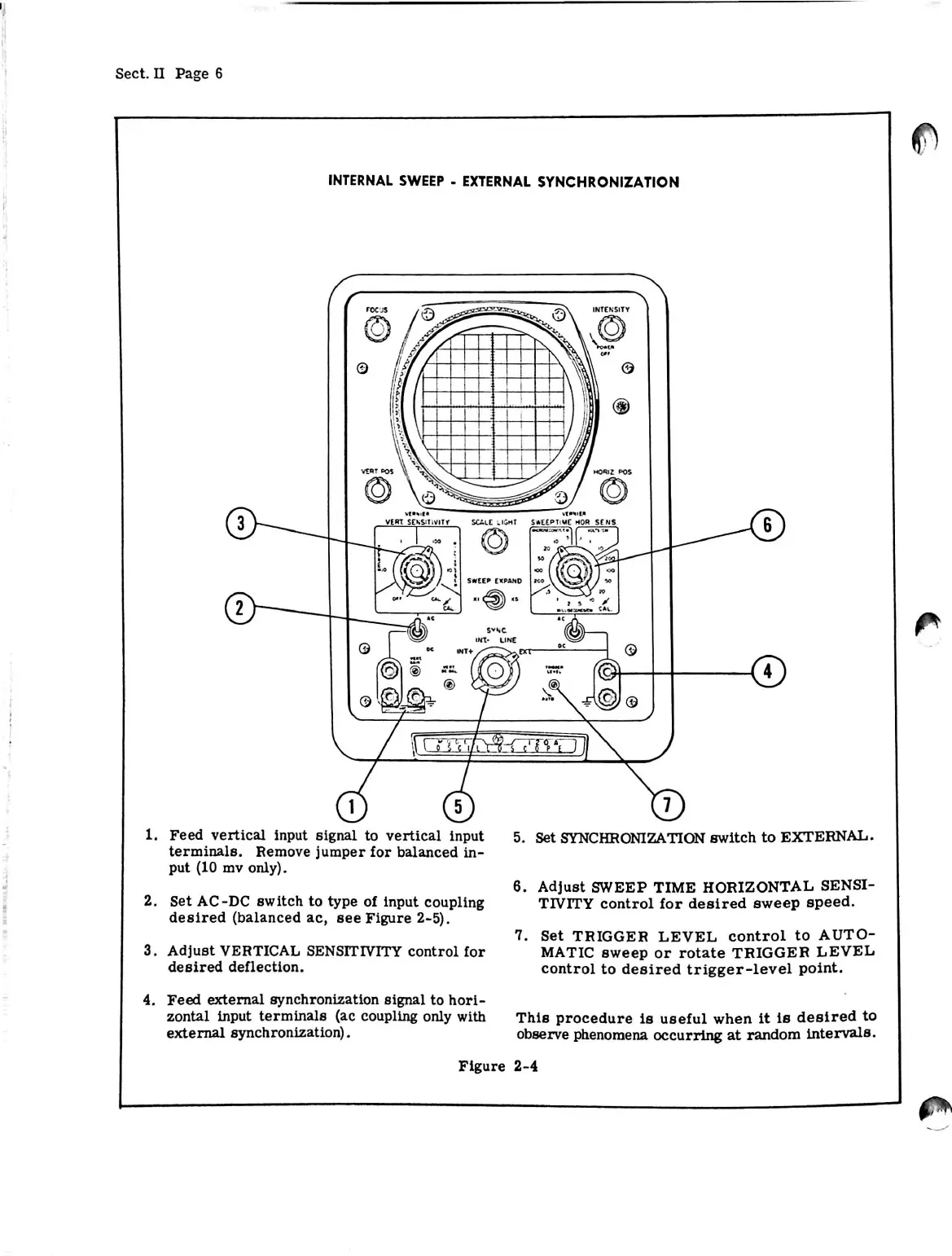
INTERNAL
SWEEP
-
EXTERNAL
SYNCHRONIZATION
5.
Set
SYNCHRONIZATION
switch
to
EXTERNAL.
1.
Feed
vertical
input
signal
to
vertical
input
terminals.
Remove
jumper
for
balanced
in
put
(10
mv
only).
2.
Set
AC-DC
switch
to
type
of
input
coupling
desired
(balanced
ac,
see
Figure
2-5).
3.
Adjust
VERTICAL
SENSITIVITY
control
for
desired
deflection.
6.
Adjust
SWEEP
TIME
HORIZONTAL
SENSI
TIVITY
control
for
desired
sweep
speed.
7.
Set
TRIGGER
LEVEL
control
to
AUTO
MATIC
sweep
or
rotate
TRIGGER
LEVEL
control
to
desired
trigger-level
point.
4.
Feed
external
synchronization
signal
to
hori
zontal
input
terminals
(ac
coupling
only
with
external
synchronization).
This
procedure
is
useful
when
it
is
desired
to
observe
phenomena
occurring
at
random
intervals.
Figure
2-4

Related product manuals