Need help?
Do you have a question about the HP 22er and is the answer not in the manual?
Instructions for releasing and disassembling the base stand from the monitor.
Procedure for removing the rear cover and associated decorative elements.
Steps to remove shielding, including the supporter and FFCs.
Procedure for removing seven specific screws from a component.
Instructions for releasing all materials and placing them by ESD.
The provided document is an End-of-Life Disassembly Instructions manual for an HP 22er 21.5-inch Display. This document is primarily intended for end-of-life recyclers or treatment facilities, offering guidance on how to disassemble the product to remove components and materials that require selective treatment as per EU directive 2002/96/EC (Waste Electrical and Electronic Equipment - WEEE).
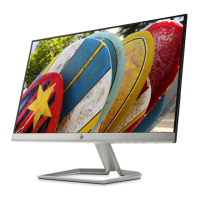
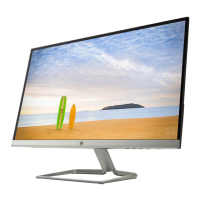
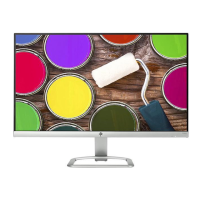
The HP 22er 21.5-inch Display is a monitor designed for visual output, likely for use with computers or other video sources. As a display, its primary function is to render images and video content for user interaction and consumption. The "21.5-inch" in its name refers to the diagonal screen size, indicating a moderately sized display suitable for various applications, from office work to home entertainment. The "22er" designation is a specific model identifier within HP's product line, suggesting a particular design aesthetic or feature set.
While the document doesn't explicitly list all technical specifications like resolution, refresh rate, or panel type, it does provide crucial information regarding its internal components and materials, which are relevant for its end-of-life management.
Key components and materials identified for selective treatment include:
As a display, the HP 22er is designed for straightforward visual output. While the manual doesn't detail user-facing features like input ports (HDMI, DisplayPort, VGA), on-screen display (OSD) menus, or ergonomic adjustments (tilt, swivel, height), the disassembly instructions provide some clues. The presence of "external electrical cables and cords" implies standard power and video input connections. The "Quick release Base stand" suggests an easy setup and potential for wall mounting or alternative stand use. The mention of "main board and shielding" indicates a standard electronic architecture for a modern monitor.
The document is not a user manual but a disassembly guide, so it doesn't describe typical user maintenance. However, the detailed steps for disassembly are crucial for end-of-life maintenance, specifically recycling and proper disposal. The instructions highlight the ease of separating key components:
The tools required for disassembly are standard: a PH2 plum flower head screwdriver, a regular screwdriver, and an M5 hex nut screwdriver. This suggests that the design allows for relatively straightforward manual disassembly using common tools, which is beneficial for recycling operations. The detailed photographic instructions further aid in efficient and correct component separation, ensuring that materials requiring selective treatment are properly identified and handled. This focus on ease of disassembly directly contributes to the maintainability and recyclability of the product at the end of its life cycle.

 To Next Page
 General