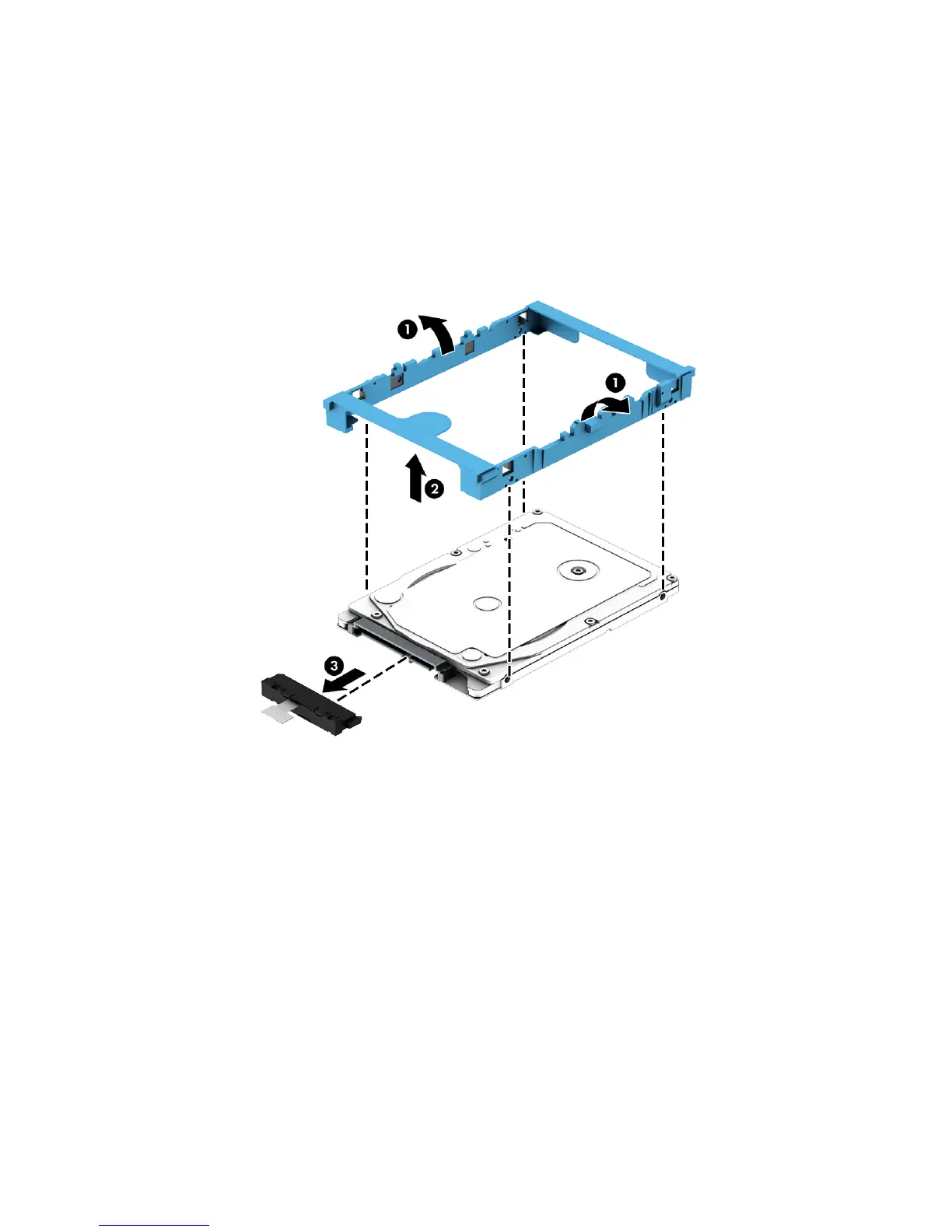
3. If it is necessary to disassemble the hard drive, perform the following steps:
a. Position the hard drive with the hard drive connector adapter toward you.
b. Release the left and right sides of the hard drive bracket (1) from the hard drive.
c. Remove the hard drive bracket (2) from the hard drive.
d. Remove the hard drive connector adapter (3) from the hard drive.
The hard drive bracket and hard drive connector adapter are available in the Hard Drive Hardware
Kit, spare part number 746650-001.
Reverse this procedure to reassemble and install the hard drive.
Component replacement procedures 33


 To Next Page