device from the ceiling, as poor installation could cause it to fall onto people or
equipment.
1. Pull the necessary cables through a prepared hole in the ceiling tile near where the HP
350 will be placed.
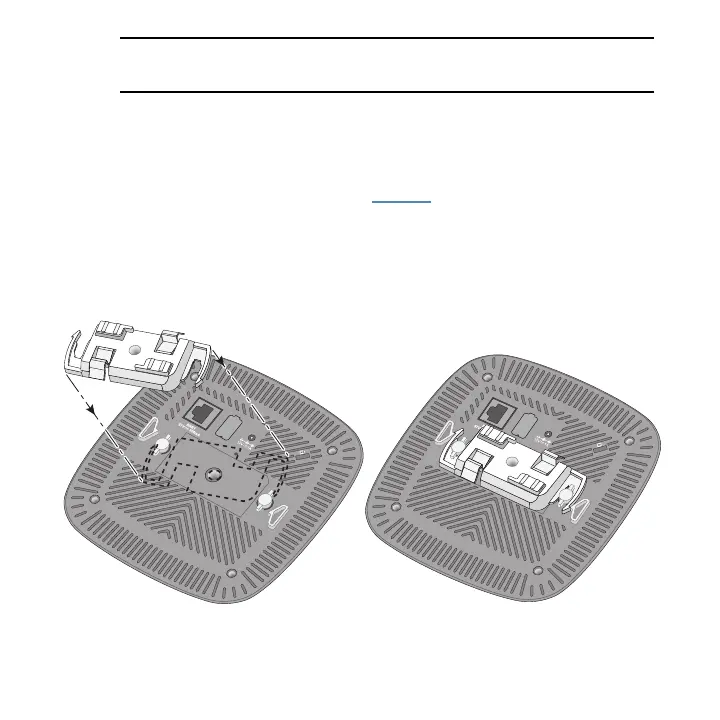
2. Place the adapter against the back of the HP 350 with the adapter at an angle of
approximately30 degrees to the tabs (see Figure 3).
3. Rotate the adapter clockwise untilthe tabs snap into place.
Figure 3: Attaching the ceiling rail adapter
HP 350 Cloud-Managed 802.11n AP| Installation Guide 13











 To Next Page