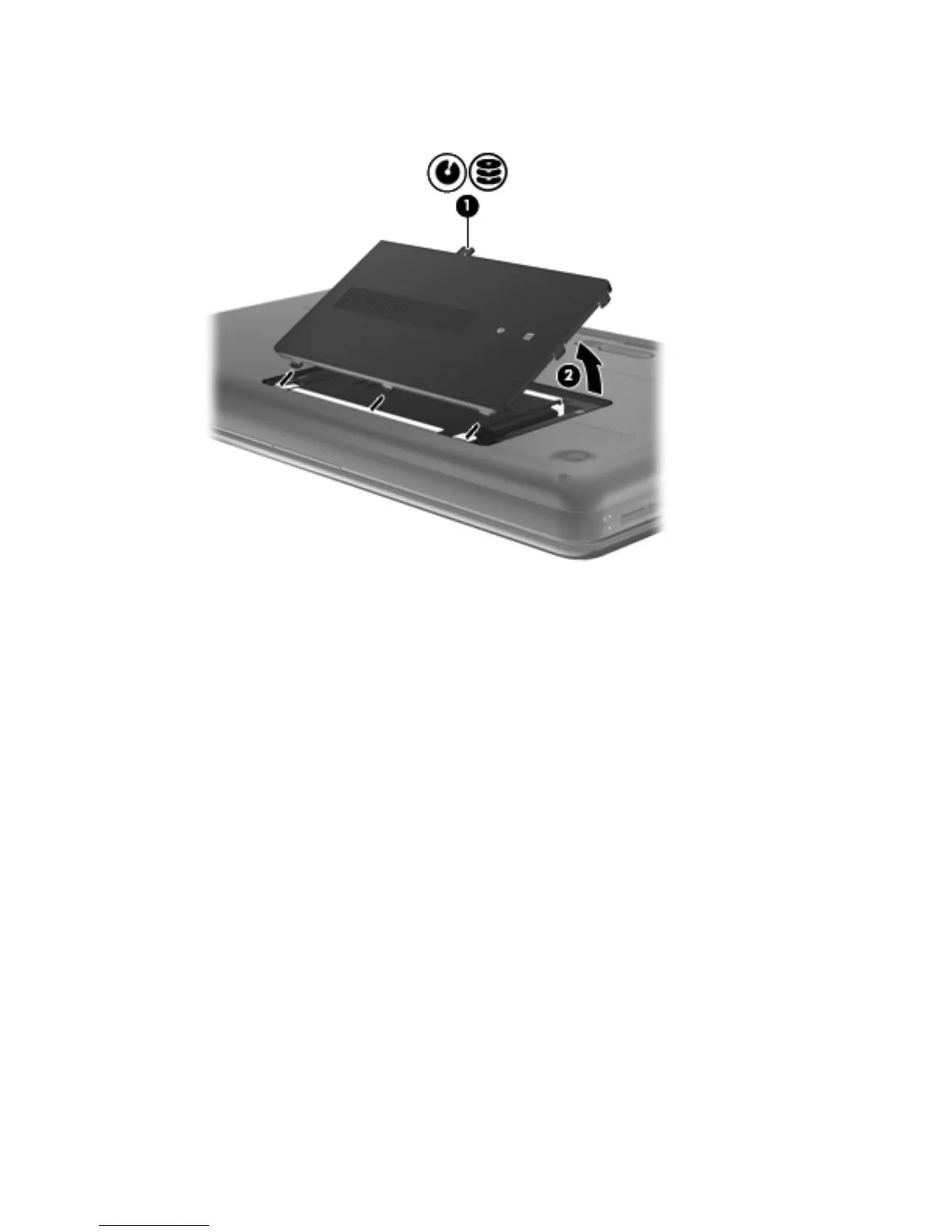
2.
Lift the rear edge of the hard drive compartment cover (2) up and forward until it rests at
an angle.
3.
Remove the hard drive compartment cover. The hard drive compartment cover is available in
the Plastics Kit, spare part number 645981-001.
4. Disconnect the hard drive connector cable (1) from the system board.
5. Remove the four Phillips PM 2.5×6.0 screws (2) that secure the hard drive to the computer.
Component replacement procedures
49






 To Next Page