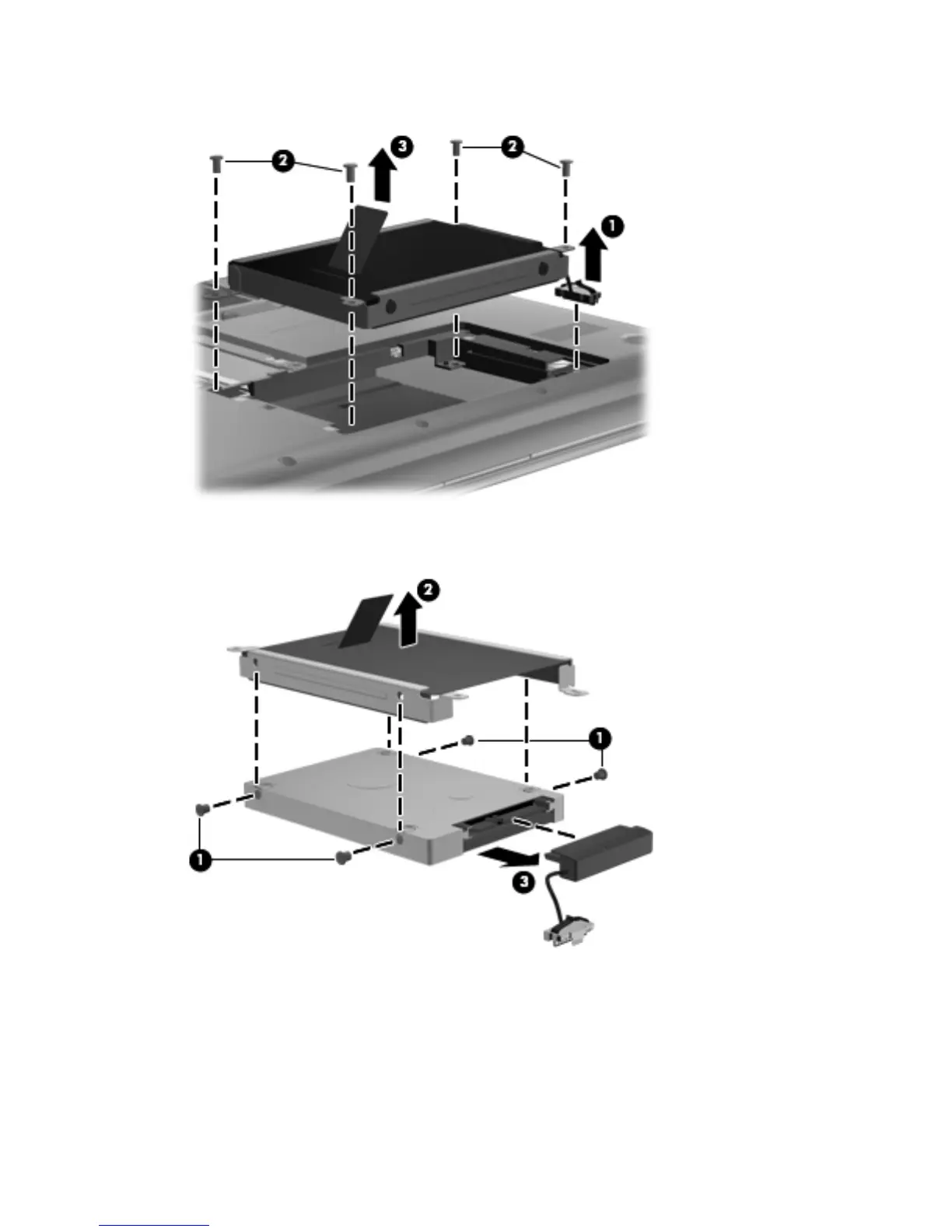
6.
Remove the hard drive (3).
7. If it is necessary to replace the hard drive screws (1), the hard drive bracket (2), or the hard drive
connector cable (3), remove and replace the components.
Reverse this procedure to reassemble and install the hard drive.
50 Chapter 4 Removal and replacement procedures







 To Next Page