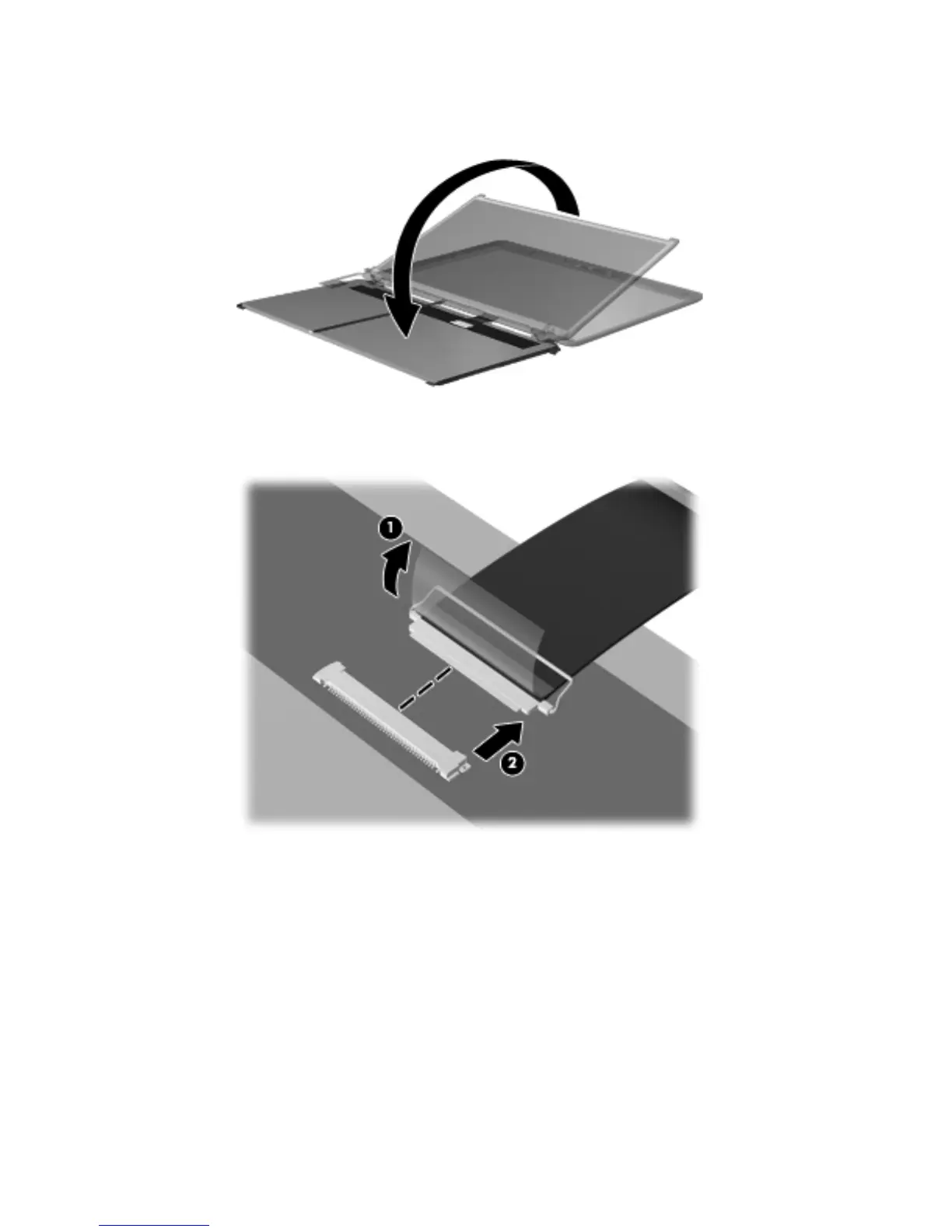
b.
Lift the top edge of the display panel, and then swing it up and forward until it rests upside
down in front of the display enclosure.
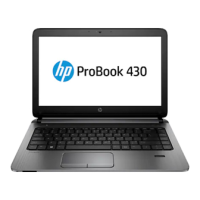
c. Release the adhesive strip (1) that secures the display panel cable to the display panel, and
then disconnect the display panel cable (2) from the display panel.
d.
Remove the display panel. The display panel is available using the following spare part
numbers:
●
646674-001 — 14.0-in, HD, LED, AntiGlare display panel
●
645987-001 — 14.0-in, HD, LED, BrightView display panel
9.
If it is necessary to replace the display hinges:
a. Remove the four Phillips PM2.0×3.0 screws (1) that secure the display hinges to
the display panel.
Component replacement procedures
73






 To Next Page