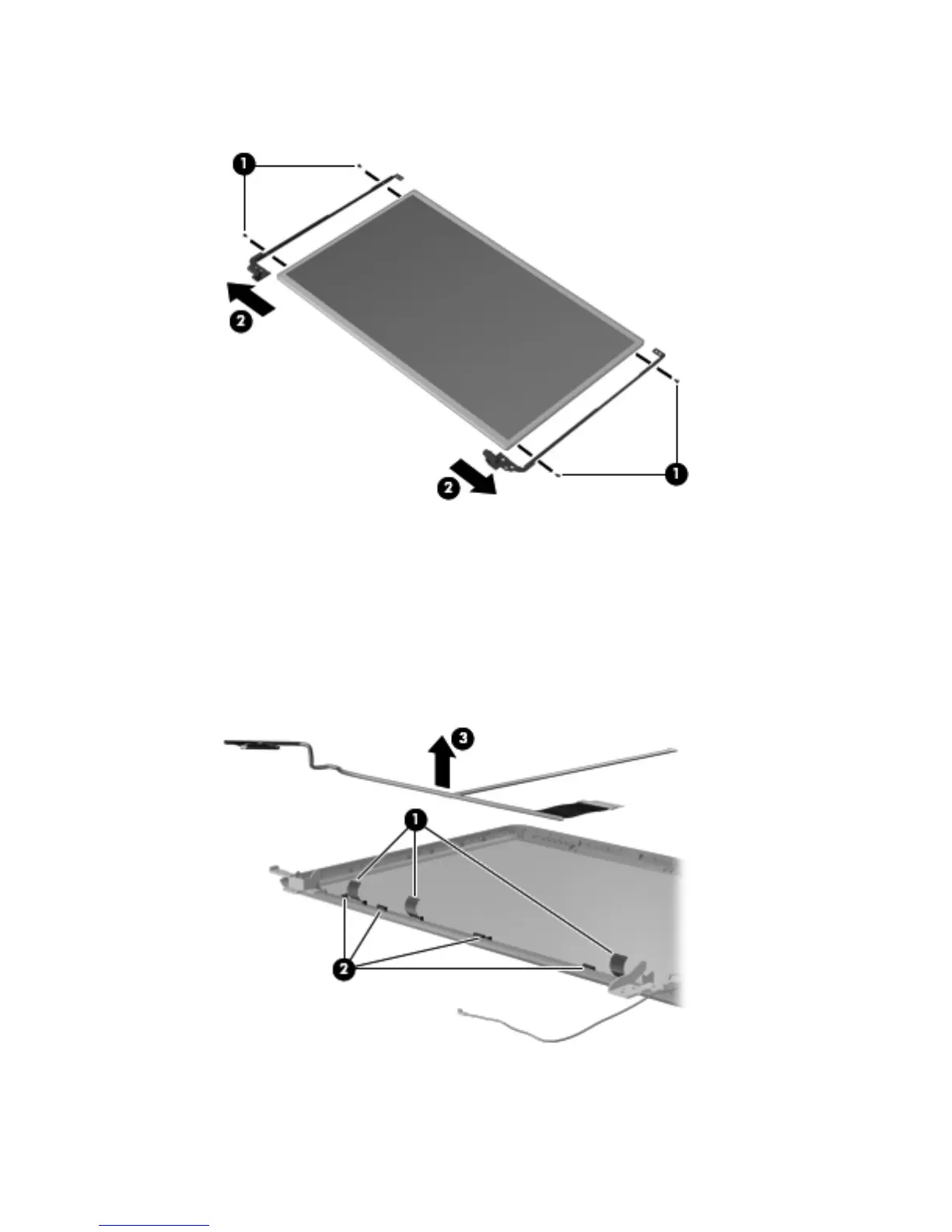
b.
Remove the display hinges (2). The display hinges include the display hinges and brackets
and are available using spare part number 645970-001.
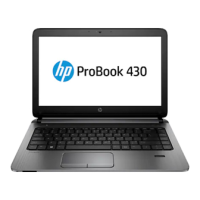
10. If it is necessary to replace the display panel cable:
a.
Release the tabs (1) built into the display enclosure shielding that secure the display panel
cable to the display enclosure.
b. Release the display panel cable from the clips (2) built into the display enclosure.
c. Remove the display panel cable (3). The display panel cable includes the webcam/
microphone module cable and is available in the Display Cable Kit, spare part number
645967-001.
74 Chapter 4 Removal and replacement procedures






 To Next Page