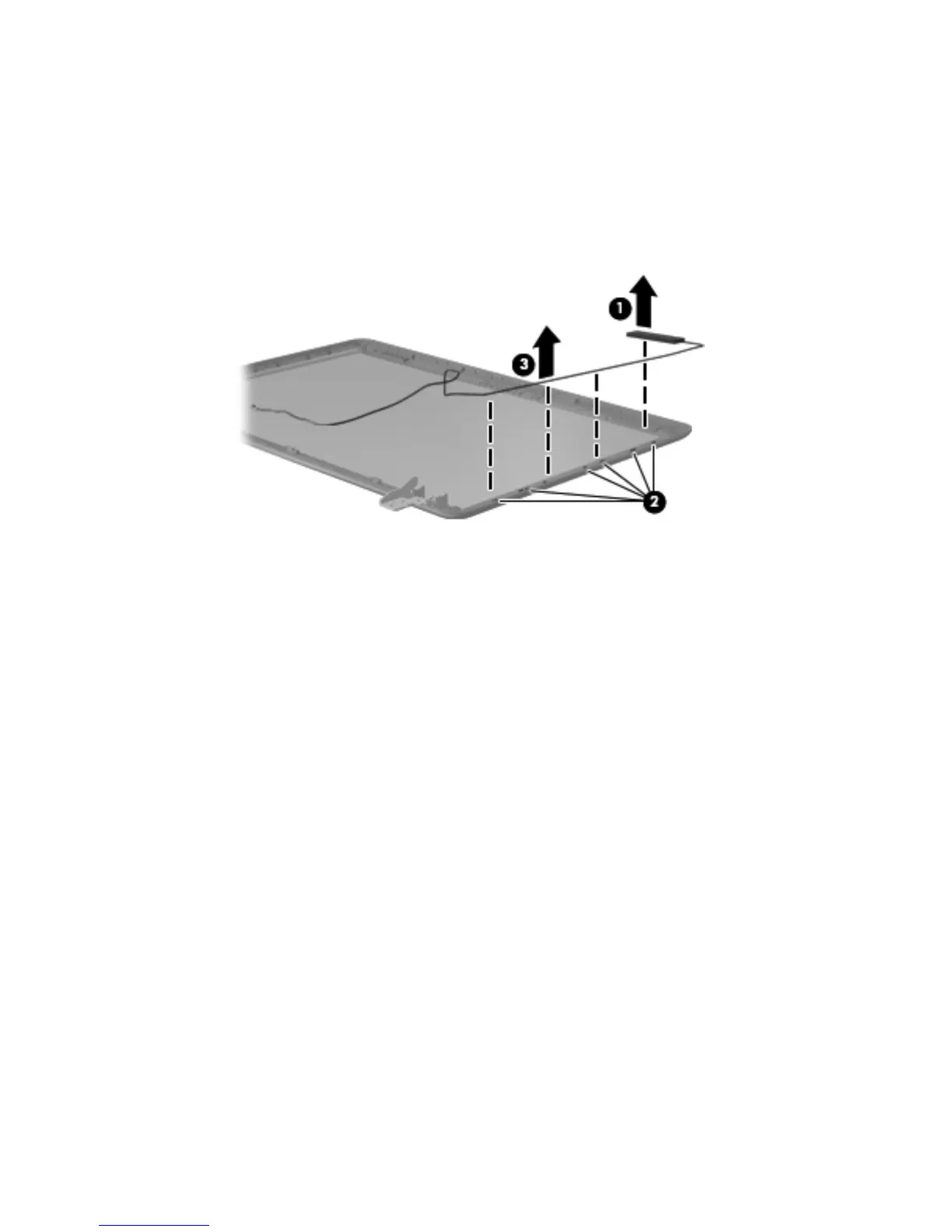
11.
If it is necessary to replace the wireless antenna cable and transceiver:
a. Release the wireless antenna transceiver (1) from the display enclosure. (The wireless
antenna transceiver is attached to the display enclosure with double-sided tape.)
b. Release the wireless antenna cable from the clips (2) built into the display enclosure.
c. Remove the wireless antenna cable and transceiver (3). The wireless antenna cable and
transceiver are available in the Antenna Kit, spare part number 645966-001.
Reverse this procedure to reassemble and install the display assembly.
Component replacement procedures
75









 To Next Page