8
HP Pavilion home PC
Filename: 5219urf users guide US_revised(p11).doc Title: hp pavilion home pc
Template: Normal.dot Author: pamela Last Saved By: demi
Revision #: 2 Page: 8 of 13 Printed: 03/03/03 02:22 PM
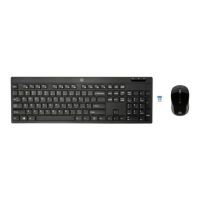
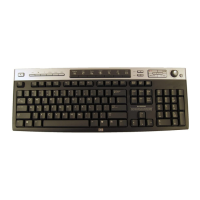
Setting Up the Wireless Set
The mouse and keyboard have 255 IDs
that
are randomly selected when you press the
ID button. This helps protect against
interference from other wireless devices in
the same area.
Important:
The word CONNECT labels the ID button
on the bottom of each unit. To press the ID
button, use a blunt pointed object, like the tip
of a ball point pen.
1 Connect the power cord and
modem/telephone cable to the
computer. Turnon the computer.
Receiver
2 On the bottom of the receiver, press the
IDbutton (D) once with a blunt pointed
object.
The top activity LED (N, a blue light) on the
receiver will start flashing and will continue
flashing until the next step are completed
or until 30 seconds pass.
D
Important:
If 30 seconds pass before you complete
steps 3, you must repeat steps 2, 3 to set the
IDs.


 To Next Page